English visual novel downloads

Imouto Ijime

Imouto Ijime

I have a little sister…
She’s cute. She’s my cute little sister Rin.
Our parents got married and we became a family.
However… Recently I started to feel strange.
Now I feel lust for Rin.
I just see your body or touch it and I got an hard on…
Haaa… Rin… You’re so cute Rin…
I think I’ve reached my limit…

457 comments

XXxShinaReply
Can this game played in Windows 7 Home basic ??? without burn it in CD ?????
GenjiChanReply
How does the patch works?
harukatogeReply
im having problems with this. pls provide step-by-step on how to install, play, and apply patch. thanks
harukatogeReply
or does this game run on 62bit WinVista? i really wanna play it, but i can't :S some sort of error with lots of question marks and says, "syntax error"
Th0usand eyeReply
what teh hell is 62 bit? you mean 64 bit?
RFonlineReply
this isn't working for me, how do i make this work, pls help admin!
GenjiChanReply
Have Daemon tools first.

Then download the game followed by the patch.

Paste the patch inside the game folder

Run daemon then mount. The patch works automatically.
MeoowReply
i did that but when i move the patch to the .rar file but it keeps saying error >.< btw, i use winrar..
axlReply
tried mounting it,but got an error ?????????????????
and the script opened. HALP!!
axlReply
finally got it working ,sorry for the bother
ghostReply
How did you get it to work? I'm getting the same error!
axlReply
first change your system locale to japanese,then extract the .rar ,after that mount with daemon tools,then there's the set up, the auto start is a good way to check if the game installed correctly,place the patch in the folder and enjoy.

and that's about it,I hope it works.
dunno22Reply
hey guys i found an application that can run this game without changing your system locale.

try downloading "applocale".

i didn't try it yet buy some say it works!

hope this helps :)
KazenokizaReply
I get an error when I try to run the game, any ideas on what went wrong?
axlReply
change the region code to japanese and mount with daemon tools or alcohol 120% then paste the english patch in the folder.

at least that worked for me ,hope it works for you
QazwexReply
Am using daemon tools. Tried changing region to Japan(region 2, right?) but still to no avail. Still can't play game. Help please. :s
QazwexReply
No, scratch that, I got it to work, but can I only play it if I set the locale to Japanese? Because I changed it back to English and it stopped working.
adminReply
Yes, you need to keep japanese locale when you want to play the game. Otherwise game won't be able to load it's files properly.
ghostReply
I've tried setting my region to Japan, downloading the patch and putting the file in with the game, mounting the file on Daemon, and re-downloading the game from each mirror when none of those worked. I still get the ???syntax error.

What am I doing wrong? I've gotten any other game I've downloaded to work, but I think I need a step-by-step for this one! Love this site, please help!
adminReply
http://erogedownload.com/faq/
ghostReply
I know how to mount, and I looked at Steins;Gate to try and help with this game. I'm following the guide but it still isn't working.

After I mount the game [with a Japan locale] I run the set up, I uncheck the 'start game' box after it says it's installed and go look at the game file to place the English patch. I copy the patch into the created folder, but I don't think the game is installing correctly. There are no .exe files, only applications which prompt the ???syntax error and a notepad file labeled with gibberish; "‚¨“ǂ݂­‚¾‚³‚¢".
Otonashi NanashiReply
almost read as Fag
PhreneticReaperReply
I had that problem too, I fixed it by changing the name of the folder. As far as I can tell, the problem is that it can't read the folder name so it just displays an error message.
JohnnyReply
OMG. Thank you so much I renamed a the folder names and all the games I couldnt run started working!!!!!11!!1!!1!! THANKS A MILLION TIMES
kyonReply
oh.. finally i got it to work,, sorry for the trouble :)
NanoReply
I don't know what to do with the patch. It's in the same folder as the game along with my downloads. The game is in japanese when I start it. Please help.
RoxieplutoReply
I got the game to play but in japanese. How do i get it to play in english? I have the patch in the folder but it doesn't seem to be working.
please help
WizhboneReply
ok to anyone still having problems..

1. Change the locale to Japanese.

XP: http://erogedownload.com/faq/installing-japanese-support-for-windows-xp/

Vista: http://erogedownload.com/faq/installing-japanese-support-for-windows-vista/

Win7: http://erogedownload.com/faq/changing-to-japanese-locale-on-windows-7/

2. Install by mounting to virtual drive using Daemon Tools.

3. Copy the patch and add it to (C: - Program Files - NOIR - 妹いじめ).

There. Now you can play :]
zsonicxReply
Thanks!! you solved my problem
JordanReply
You saved my life with the whole patch thing. Thank you!
SamClarke17Reply
arigatou gozaimasu!!
patorikkudozzuReply
When I try to install the game, an error message pops up, and I think it says that access is denied for transferring the imouto.exe file. I have windows 7, can anyone help me with this problem?
KotaReply
Ok i know how to mount and whatever but how to i change the locale to japan? what is a locale ?
adminReply
Read http://erogedownload.com/faq/
soconfusedReply
Ok I downloaded the files and the patch. But, there is no ISO file(So mounting it isn't really an option :( ). All I see are the patch file. Imoizi.mdf and Imoizi.MDS. Nothing happens when I click on them, even if I right click and hit "run as admin". Am I missing something about these files or is there something to do with the .mdf and .mds files to get the game going?
adminReply
mdf/mds is just another image format, like iso - just mount the mds file.
jonboi24Reply
any walkthrough?
IwannaplayReply
So can someone please just give me a step by step guide I extract parts one and two to a file,mount the mds file, install the game with pages written in gibberish, go into program files-Noir and copy the patch then try to run the app,Then a blue screen, a small bar with four little boxes, and an error message written in gibberish appear.While the game does not open.What have I done wrong.Iv'e changed my locale to japan so I have no idea what to do Pleassseeee help me this game tempts me so with the image on this site -_-
KonReply
You may not want to install this one. McAfee keeps going berserk whenever I attempt to because there appears to be a Trojan (Artemis) in the installer.
JeremyReply
Amazing! Well i didn't like the slutty ending -since i
m the possesive type-, but its really awsome! Thamks
KuroNekoReply
I have same problem with Iwannaplay, i had completed setup game and copied patch into game folder. But when i open file .exe to play game, it appear blue srceen with an error message :" syntax error, unxpected T_symbol, expecting ". I don't have anti virus program. So, what i can do to fix error ?
KuroNekoReply
Some help me pls ?
Loveless EndlessReply
is there a way to get the game uncensored? cuz its censored when i played it
danteReply
syntax error help needed
Another ThingReply
when you install it,just put the game in different location and change the text(this game name in japaness) and then play it
WOLFGODReply
i finished all of the parts of the game i was going to delete the ImoutoIjime file folder but it seems i cant delete i restarted it again and again it looks persistent to be deleted it wont move to a another folder it wont let change names or deleted if u can give me a help thnx if not thnx again
MarstenReply
You need to unmount it from demon tools to delete it.
LemonReply
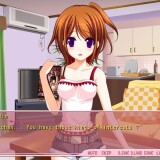
This game looks interesting, and Rin is super cute, I like her pink striped panties on that picture.
SenReply
I can't solve the syntax error thing... need help pls
NoblesseReply
Rename the folder "–…‚¢‚¶‚ß" to something else.
In my case I renamed the folder ImoutoIjime just to be organized, launched the game and it works!

Leave a comment