English visual novel downloads

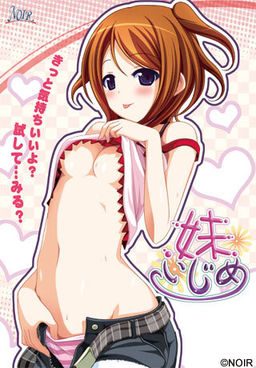
Imouto Ijime

Imouto Ijime

I have a little sister…
She’s cute. She’s my cute little sister Rin.
Our parents got married and we became a family.
However… Recently I started to feel strange.
Now I feel lust for Rin.
I just see your body or touch it and I got an hard on…
Haaa… Rin… You’re so cute Rin…
I think I’ve reached my limit…

457 comments

UltimatepandaReply
Hey, having some trouble with this. I installed the game and it's working fine, put the patch in the game folder and getting english under the japanese on the menu and config screen as well as english for 'skip, save' etc while playing.

However there is no english for the actual in-game text, anyone know why?
super pervReply
i keep geting a parameter incorrect error can any one help
TATReply
I cant save the file T.T
anyone can help ???
once click save....a small blue screen with unknown word come out...n another screen with a few icon...After tat...my game's screen is hanged n the music is still continue...
d3xyh00w3nReply
hello I mounted the game with Daemon already but when i clicked it and did all the set up stuff, it showed an error message that I cant understand can any1 help me? I have a skype so I can share my screen!
TATReply
u mean when u open it...it pop up an error???
d3xyh00w3nReply
yea i clicked on it after i mounted it on my Drive: E
evilgodz04Reply
sir admin plz responce on my post... coz i download it normaly and then extract it then use the Daemon tool to mount it but when i try to play it it says "Access violation at address 0040993E. Write of address 00401000" plz reply tnx...
adminReply
There can be many possible causes. Most common ones are viruses and various programs interfering with installation.
Turn off all other programs that are running on your PC and try to install it.
evilgodz04Reply
ok sir... i will try that... but if anything bad happens again i will post it again sir... tnx again admin
evilgodz04Reply
sir what will i do if the language set to it is in japanese????
RetributionReply
Help! After I mounted it and put it on my drive and installed it. A message appeared saying:???????????? ??????( syntax error,unexpected T_SYMBOL, expecting )")".
adminReply
You didn't change to japanese locale before installing.
A.J.Reply
I did change my locale arg! there is a thing called Instructions which this download is severely lacking. perhaps if it had some people would not complain so much.
Yokaii-SamaReply
how do i change it to japanese locale?
kumarReply
I have this problem when i tired to install. http://i.imgur.com/5CqOw.jpg I already have my regional settings in japanese and this seems to be only game that i'm having trouble with.
adminReply
Run the installer as administrator.
adminReply
You don't have japanese locale set up. You need to uninstall the game. change locale to japanese (check site's FAQ for instructions), then install it again.
newbieReply
im sorry about this but i cant find the FAQs section XD. can you please give me the link thank you very much
4futureReply
wew this is not good, the program only can run in locale japanese system mode, when i change to ENG it got error :p
wasianReply
After extracting the files, I have a MDF and MDS file. I'm not quite sure how to use the english patch file because I'm not able to place it in either of them. As far as I can tell, I'm able to load and play the game normally, but everything is in japanese besides buttons like the load and save.
adminReply
Right click on game shortut, select "open target location" and place patch there.
wasianReply
If by game shortcut, you mean the IMOIZI files (MDF and MDS that I got from extracting), the closest thing I can come up with is choosing to open one of them (both will lead me to the same thing)and getting the options to Run ImoiziSetUp.exe or open folder to view files. Trying to copy the english patch into that file just gives me the message that there is not enough space on IMOIZI and that I need an additional 76.0 KB.

That whole blurb assumes that you meant the IMOIZI files when you said "game shortcut". I make a point of mentioning this because these files are the only things that I got out of extracting the files.

Help is appreciated.
A.J.Reply
they mean this, go to your icon on your desktop right click on it select open file location a window will pop up with the installed game info just paste the patch there.
LoliLoliLoliReply
Took me a long time to install this game but this is what I did.Oh yeah I did this in Vista so I dont know if this will work on other PC versions.
1.download and extract the file. The folder should have an MDF and MDS files.
2. Go to control Panel and go to regional and language options. Find the tab that says administrative and click on it. Find the change system locale bar and select Japanese.
3. Download Daemon Tools lite if you never did, and mount the 2 files( MDS and MDF).
4.After mounting click on a file mounted and it should open up some .exe bar( dont remember the whole name but it ends in exe)( i guess its the game itself). Run it and it should take u to the game setup. Its still in japanese and I dont think u can do anything about that. During the set up its gonna ask u which folder do u want to place the game in( like how u usually download programs where it asks where to install that program.
5. After the game set up, download the english patch and extract it. After extracting u move that file into the folder where the game installed.( in my case its in the "programsx86" folder under "Local disk C" and "Computer"
6.The game that was installed should be in a folder called NOIR. Thats where u put the patch to.
7. Try running the game. Dont know if it will work but it worked for mine
wasianReply
Thanks for your post. It helped me solve the issue. What I had been doing whenever I wanted to play the game was opening the MDF file and going through the whole installation process where you click the next button not knowing what any of the steps are saying but you know it's going to install the game. I pretty much sped through it and I failed to realize there was a step asking to choose the destination for the files that you're about to install.
Again, thanks for the help there.
nenekokunReply
admin you area trooper. i commend you for putting up with all the questions and i hope ill be as knowledgeable as u about all this crap soon. if u want i can help u but u gotta teach me. also i'd like to translate a few games that i;ve found in japanese.
LoliLoliLoliReply
this game is pretty short but unbelievably satisfiying. thanks for posting
AnonymousReply
Worst.
Description.
Ever.
nenekirimaruReply
hey when ever i try to start the game it said it has an error does someone no what the problem is. it said something about syntax error, unexpected T_ SYMBOL,expecting.
nenekirimaruReply
this error keeps popping up everytime i install the game.
adminReply
You didn't change locale to japanese.
CurzeReply
when I clicked the patch download link, it ended up with some sort of gibberish. What happened to the download link? Or is it just my PC that has that?
Yokaii-SamaReply
I'm having trouble with to make this game work i mounted it on PowerISO Virtual Drive Manager. but after that i can't understand the word's that it say. so i just click the next "i think" and it installed "i think" and a window pop up on the desktop i think its from the game but when ever i open it this pops out. syntax error, unexpected T_SYMBOL,expecting.
nekoReply
i have problen i run this program, syntax error, unexpected T_SYMBOL,expecting. how to fi it???
nekoReply
i have problem when i run this program, syntax error, unexpected T_SYMBOL,expecting. how to fix it???
caloyReply
huhuh i cant still got error... can some put a guide how to install this game :((
caloyReply
oh shit... this game is awesome... now i want a little sister nishishsishishishsihsihsish
ReiReply
i got the error when i put the english pacth in the folder......but when i move the patch the game works...any idea how to solve this?
CenatuReply
you, my friend, are a god. thank you...
TaikiReply
Admin, the second mirror is broken :(
carl liuReply
for all of you's who cant get the english patch 2 work just move it 2 the folder noir which u can find in ur program files
Maid_LoverReply
I installed the japanese pack but its still not working , I\m getting the T symbol message and it\s making me insane
ejiReply
thanks admin!
SinSkyReply
Hi Admin, Can request a Game?? I like The Game "Tropical Kiss" the CGs were great, The Characters were great too, but it is in japanese, so can't play it and can't Download it either... Can you please post a fully english translated of this tropical kiss??? just a request though....
Vash the StampedeReply
Hi there! Thanks for all the games i dowloaded so far from ur site, admin B)
I found this one special, since it's the first one i played and has moving animations, could you write some titles that are similar to this in that matter? The story wasn't that good, though.

Another thing is, that i played Monster Girl Quest before, and i wonder if there are another ones here with similar gameplay, i'm pretty much into those kind of fighting rpg-style games.
Bye
NanbuFlareReply
i got the files downloaded, i mounted the game using Daemon...and everything works...except the patch. as i understand a little Japanese, i decided to play through once to make sure it wasn't just the beginning that was left untranslated for whatever reason. turns out, the entire thing is untranslated. the patch doesn't work at all. a little help please? i really want to understand the entire game.
adminReply
You just put the patch inside the directory you installed the game in. Make sure it's sitting "next to" the game exe, not some subdirectory, also don't rename the patch file.
AReply
ok well i keep getting the same error as several people above that ???????(syntax error, unexpected t_symbol, expecting") crap, i changed my location in windows 7 to japan and even the time date zone for my clock and still get said error, what can i do at this point to get around that?
HiroReply
Admin help...I cant install the patch.. it always error when I play the game after I put it inside the NOIR file.
project omegaReply
i tried to download this by DLC downloads, but it doesn't work, could you please explain to me what i should do to make it work? JDownloader is new for me so i don't really get how to use it....

Leave a comment