English visual novel downloads

Imouto Ijime

Imouto Ijime

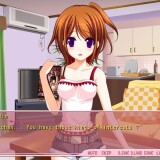
I have a little sister…
She’s cute. She’s my cute little sister Rin.
Our parents got married and we became a family.
However… Recently I started to feel strange.
Now I feel lust for Rin.
I just see your body or touch it and I got an hard on…
Haaa… Rin… You’re so cute Rin…
I think I’ve reached my limit…

457 comments

AzarhacReply
Sweet baby Odin, such awesome art and the animations in path 2 as I call it (choose 2 on all the choices) are freaking epic.

Probably the best "eroge" based on the *cough* fap value.
AzarhacReply
Well about any Walkthrough

*Spoiler Tag*

For 100% CG which is not really much you just have to do:

1. Choose the first option everytime
2. Choose the seconnd option everytime
3. Choose the first than the second and the newly-found third option.
KamrenReply
i'm so confused i dont get how to get this game to work
how to use applocale or anything i really need help
CaelistasReply
Here you go: http://www.youtube.com/watch?v=zzznOTnwjJk

quick tutorial i made how to change applocale + installation

Admin if you want you can add the link to the game's description, so in the future no more "how do i install this" questions need to be asked.
CaelistasReply
Note: videolink is hidden on youtube so only erogedownload visitors will have acces to it. :p
BlackReply
thx for the tutorial it work^^
EstReply
Hey Admin, I still can't get the game to start up... I've installed it, but when I try open the game it doesn't work, just a weird pop up and the system ewrror thing... can u help me around that???
EstReply
sorry, I got iot working, but all the lines are in japanese... how do I fix THAT...
CaelistasReply
You tried copying patch.xp3 to the installation directory?
RhypoReply
Hmm, makes me sad I'll never have a kawaii imouto.

/a/ be gentle to yours.
GabrielReply
Does it work on mac?
Thousand EyeReply
None of these work on mac. Get a PC.
danielReply
how to save the game? not have the game folder type savegame
LOLWHATReply
i dont know how peopole find this so hard to install, this is probably the most forward install on the site, so many other games on here are much more complex to install.

what i did:
install game via daemon tools lite
moved english file into folder, not any of folders within the folder

thats all. my locale is set to japan
eroge-kunReply
the lang. is still in japanese i tried to download the eng. patcgh several times already
SeiReply
awwww >_< I already downloaded it twice but I can't seem to run it lols ... tell me how please D:
KenKenReply
just go to program file Noir change the folder name from –…‚¢‚¶‚ß to imoizi and it can be run
JNLReply
You know this always happens, no offense but people complaining that they cannot run.
Not only have other users given you help, but internet sites like Boy's Love Game Headquarters, or Hongfire have help as well. If you don't find problems listed there I understand, but otherwise please refrain from asking help so much. Lots of games on this site have these comments as well, so feel free to look through them.

Good Luck, Thanks again Admin!
Hentailover321Reply
There were like 3 animated scenes to 20 still pics. They seemed kind of out of place.
kiraReply
-must i download both mirror to play the game?
-wad should i do after downloading it?
NaoiReply
i cant download the 2nd mirror x.x
Its say could not find the www.fileserve.com
What should i do?
adminReply
Your ISP is probably blocking fileserve - just use filesonic instead.
NaoiReply
Can you upload in Megaupload?
i cant open fileserve
NanakoReply
hi~ are you sure this game is only 295MB plus 75KB for patch?
RuriReply
it took me like 3 hours, but dammit i got this to work
SeiReply
how did you get it to work?
RuriReply
By installing an eastern asian language pack. This pack should be in your computer already. [THIS IS XP]Go to Control Panel > Regional and Language Options > Language tab > Tick Install eastern Asia language files. It'll ask you for the Windows CD but you can click OK instead and direct it to: "C:\WINDOWS\ServicePackFiles\i386" (this is where the pack is) and it should start. You'll probably be missing some files though. They're mostly .dll and .nls files that you can get by Googling. This is what really took my time, I was missing ~100 files. T_T

(If it asks for .chm, .cnp, or .hlp just skip those they're help files and not necessary.)
LovelessReply
just how many files are there? estimated
ZoeyReply
Ermmh, im running windows 7 and i cant do it the way you desripe how you did it. But are you making the game translated to english this way, or are you making it readable in japanese? Because i'd really like it in english. I'd really like to play this game, but i freeze allready at install because dont understand whats written. Would appreciate if someone left a guide on everything. Install / language. Thanks.
ColdCreationReply
Hey, the English Patch can't be downloaded.. Please fix it, Thx!
adminReply
It works fine for me. Heck, it's even hosted on the same server that this website is - if you are able to view this site/read comments then you must be able to download this patch.
stigmaReply
Is there a patch to remove the mosaic?
adminReply
No.
If there were one you'd fine it on site :)
MimiReply
That's really odd... im unable to download the patch as well... Well, i download it and its finished after 2 seconds, but then it says the files cant be found... Am I not doing something right?
adminReply
It's normal that it finishes downloading in few seconds - whole patch takes only 75 kilobytes.
"File not found" is kinda odd error, but you might be getting "application not found" one, since this patch is not supposed to be ran - you just put into game folder.
KiddoReply
i can't run it with my windows 7. what happen??
LorenzReply
How does this thing work??
PoptartnekoReply
Mount it on Daemon tools and run the game in Japanese language using a program called Applocale
patorikkudozzuReply
I downloaded the game, mounted with daemon tools, and went through the setup process. Well, rather than showing the Japanese characters, which I could have understood a little of, all the text during the setup was just gibberish, so I can't tell what the heck went wrong during the setup (There were a couple messages that popped up, but as they were in gibberish, I could do nothing but click what I assume meant OK). After downloading it, I went to the folder where it had been installed, and the only stuff there was a text document in gibberish and an uninstall.exe program. When I try to open the game with what should be the .exe file on the desktop(of course I can't tell what it is, since, again, it is in gibberish), it says "can't find imouto.exe, please locate file on computer" Please help me. I'm going to delete the file and download it again, see if that was the problem.
adminReply
You need to set computer locale before you start installing this game ( FAQ section of this website has instructions).
JoarisReply
How does the English patch work because Ive already had the japanese one working?? thanks! admin
ZoeyReply
Yeah, as Joaris asks. How does the English patch work? Got the japanese one working, but i cant read or understand japanese that much :)
JonReply
Thanks admin after 30 min i can run the game on my win7 laptop
JYPReply
can somebody can tell me if this game censored or not?please reply..
RandomguyReply
The first few seconds of the game is already uncensored so... Should expect more throughout the game.
juniorReply
i don't know how to use AppLocale.. help plz
kaamaruReply
Lol, sometimes I wonder how these things are actually legal. I'm not complaining tho :P
fabioReply
how can i install the english patch?
celestialbeingReply
ok. for eng patch its eassssyyyy. first u download the game. try if its working or not. then download the patch. the name should be "patch.xp3". then move ur "patch.xp3" file to ur game folder. Done!!! easy peasy. try it! haha XD
stigmaReply
What a sister, love it!! even though its short well its expected in the size of the file.............

Leave a comment