
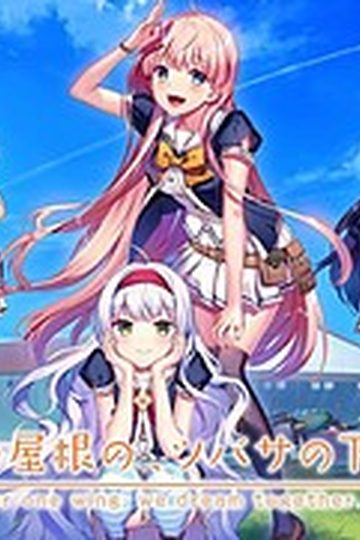
One day, Shou, who is always hungry, receives a letter. It contains a student ID issued by a famous school and the ID says “All school restaurants are free of charge.” He immediately decides to transfer to this school. The school, however, is divided into two groups…. Also, what welcome him are a strange fortuneteller, a huge explosion of fire works, and his room at school dormitory for girls…. What will happen to Shou? What will happen to love romance between Shou and six female students? His new school life now starts….
“Watch out, boy. Various misfortunes will happen to you….”
Flyable Heart

- FlyableHeart.part01.rar - 199.3 MB
- FlyableHeart.part02.rar - 199.3 MB
- FlyableHeart.part03.rar - 199.3 MB
- FlyableHeart.part04.rar - 199.3 MB
- FlyableHeart.part05.rar - 199.3 MB
- FlyableHeart.part06.rar - 199.3 MB
- FlyableHeart.part07.rar - 199.3 MB
- FlyableHeart.part08.rar - 199.3 MB
- FlyableHeart.part09.rar - 199.3 MB
- FlyableHeart.part10.rar - 69.6 MB
- FlyableHeartEnglish1152.rar - 14.6 MB



511 comments
can anyone help me.
Anyway problem solved I played the game while I accidentally erased something on the PC with "Deep Freeze" installed...just don't try it
I can't seem to find it on this site, or on google either.
well...not in english anyways.
(B.T.W Downloaded Mirror 2 if that helps).
then when i go to play it crashes on meeeeee why is the world so cruel
1. install it to C:\Program Files\Flyableheart
It will install to C:\Program Files\Flyableheart\ユニゾンシフト\FlyableHeart
2. Put the folder C:\Program Files\Flyableheart in the exclution list of your antivirus
3. MOVE C:\Program Files\Flyableheart\ユニゾンシフト\FlyableHeart < folder to C:\Program Files\Flyableheart\FlyableHeart
4. Run the patch in admin mode.... it should work *also if you are using vista/win7 make the go to the security tab of the folder and "Allow all" for your user*
i tried it many times but it still won't patch...
what schould i do? : /
It will install to C:\Program Files\Flyableheart\ユニゾンシフト\FlyableHeart
2. Put the folder C:\Program Files\Flyableheart in the exclution list of your antivirus
3. MOVE C:\Program Files\Flyableheart\ユニゾンシフト\FlyableHeart < folder to C:\Program Files\Flyableheart\FlyableHeart
4. Run the patch in admin mode…. it should work *also if you are using vista/win7 make the go to the security tab of the folder and "Allow all" for your user*.. basically its the folder "ユニゾンシフト" that screws with the patch...*also download the font*
But now it crashes when i try to save T_T