
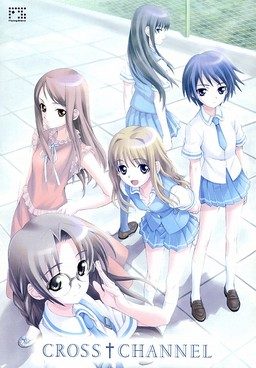
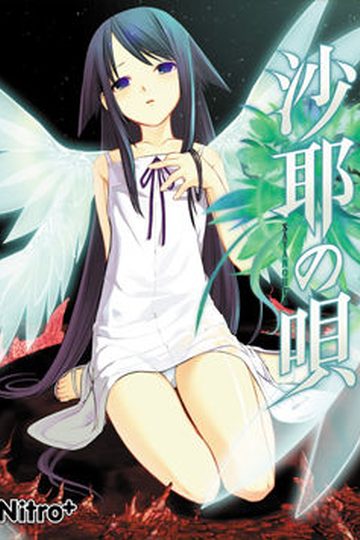
Gunjo Gakuen (Deep Blue School) is a facility designed to gather and isolate those students who got a low score on an adaptation coefficient exam (Scoring low on this exam indicates that the student is less likely to be able to be adapted to the society) mandated by the government.
After a failed summer vacation with other members of the school’s broadcasting club, Taichi Kurosu and some of the other club members return to the city, only to find that all living creatures within it except for the club members have completely vanished. In order to confirm the status of the outside world, Taichi decides to gather other club members to help Misato Miyasumi, the president of the broadcasting club, who is trying to set up a broadcasting antenna to contact any possible survivors. However, Taichi soon discovers that the world is actually repeating the week after they found the others vanished…






243 comments
I'm sorry, I'm so sorry.
from filserver.
They keep telling something about my IP address
which prevents me from downloading.
How can i solve this problem?
You can either wait till he finishes downloading or simply use filesonic mirrors instead - both sources are interchangeable, meaning you can pick part 1 and 3 from fileserve, and parts 2 and 4 from filesonic and it will work anyway.
Yet i still can't download it.
My download works for only filesonic and not
fileserve.
I tried downloading all filesonic parts and
extracted it and used daemon tool on the file.
However i don't know how to download and play it.
Geez, some people.
i can't even save :(
just FYI i don't have mouse or keyboard using window tablet
however i finished like 20 game on this tablet already but can't figureout how2 bring the menu up in this 1
Also, what do you mean "can't move your mouse around" That should not be happening.
I used the bin files(1 per disc).
I'm installing it using the english patch.
What should I do to fix this?
I'll use that instead
I think this started when i rebooted my PC in japanese Locale, however rebooting in english locale hasnt helped at all.
:(
for this game during installation
It worked for me :) .
Your solution fixed my problem =D.
Try checking the folder you extracted the patch to.
If isn't there, I'll tell you what to look for:
What you need to find is the inconsolata true type font included with the patch(inconsolata.ttf). Once you install that font, the game shouldn't have that problem anymore.
It's just that VLC tends to hijack the icon for iso files, even when they aren't actually movies.