English visual novel downloads

Chaos;Head

Chaos;Head

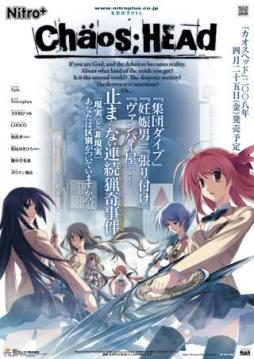
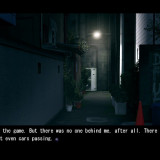
Takumi is a high school student. He is withdrawn and is not interested in 3D things. In his town, a mysterious serial murder case happens and people get panicked. One day, when he chats on the internet, a man suddenly contacts him and gives him an URL. He goes to the website and finds a blog image that suggests a next murder case…. On the next day, it really happens….

781 comments

HyujiReply
Please help! I accidentally installed the game, then uninstalled it because I'm an idiot who didn't read the readme. After reading it and getting everything done, I tried to re-install the game and it keeps coming up with a box with a whole bunch of question marks and a 1.
-Ren-Reply
man, this game is problematic..

my problem is, after the op at some point in chapter 1, the game crash.. running on Win 7, Professional, 32 bit..
radicalbunnyReply
Yeah. It doesn't help that the error shows Japanese which I can't read.
ProjectGUReply
its happen to me too... need little help here
radicalbunnyReply
Sorry. Okay, so. It's working now. I had to reload an earlier save. Also, I read somewhere that you cannot save on Chapter 7. That's the reason why every time I try to load a save, it crashes.
yukkiReply
hey thanks . i downloading right now LOL. by the way it's really tough way to install this . but once again thanks :)
PanxoReply
Downloading, thanks for upload in 1 link.
kundolReply
i've install the game , but it wont start >< everytime i click start it wont start, anyone can help ?? thx b4
MateusReply
same problem, when I click on start the game turn back to menu
Rootless.ProphecyReply
I downloaded all the parts and the English patch, but when I opened the set-up of the patch it gave me an error message, but when I hit enter again a message that I couldn't read (it disappeared too fast) came-up, then closed itself and took away all the programs, leaving me with just the game.

When I double-click on the game it opens, gives a black screen, then closes itself out. I have no idea how to fix this.
wahyuReply
i just downloaded the game but i had the same problem with rootless prophecy except the game wont close by it self and it start saying program not responding please help me.... what should i do??
RaykornReply
Actually, after translating it does not work. If someone know how to repair that problem I'll be glad if he could contact me.
MadNinjaReply
Got the game working on my first try. If you're having trouble, HikariNoYami's post near the top (the first page) really helps. The crass file is found on tranlator's page (Google Chaos Head Translation and it should be the first link). Hopefully, you should get it working by following the instructions. For me, I have to run the exe using Applocal (run japanese with admin). Absolutely great story. Too bad it had a terrible anime adaptation. Definitely a game I would recommend. Keeps you on your toes and messes with your mind.

whose eyes are those eyes
luciferReply
please help me he told me to install a device
luciferReply
a CD*
KeioReply
Hi, first of all thanks a lot for sharing this game. The patch worked wonderfully and also thanks for the "crass guide" back there. But I have one small problem, this probably seem like silly question but how do you go into fullscreen mode? The usual Alt+Enter does not work for me and there aren't any fullscreen/windowed option in the config menu either. Thanks in advance.
KeioReply
Ah nevermind, that was silly indeed. I figured it out already. >.<
Sam_as always :DReply
Finallllllllyyyyyyyyyyy... I can play this VN.
The art is great. Sound is terrific.
But i will play it later, i want to finish cross channel and clannad first.
To everyone who can't install this just follow the step above. I'm using Win 8 and so far is good.
And don't forget to make sure your directx is new one coz this is 2008 VN. Just try it. :D
Mace of spadesReply
cross channel was definitely a good one, love the concept behind it. I am currently watching the anime to clannad, one of my friends that is a bit newer to the visual novel scene said he needed a walkthrough for clannad though XD
M1xellReply
Hi, I downloaded the game but I have a problem, when I click "Start" in yhe Main Menu, the screen turn black, after that it returns me to the Main Menu.
A man with the same problemReply
Run with Japanese locale as admin
I-Am-XReply
And how exactly do you run it as an admin?
Idiot 121Reply
Hey guys, hopefully there is still someone looking at the comments. I can't seem to get the setup for the english translation to work. Every time I run it it says that it was denied access to several directories. I have tried to run it on admin, but then it says that it is not in the game file. Thank you in advance if anyone knows what to do
Idiot 121Reply
Found my problem!
NonenglishReply
Hi,did someone have a problem with the RC2?? it keep saying something about the \xcopy\, and then when i try to execute the chaos;head.exe, i get a blackscreen and the game close.
HikariNoYamiReply
*Repost so that new comers can see*

I’ve finally figured out how to install Chaos;Head after half a year of stocking this in the far reaches of my
Hard Drive ..

You’ll need :

The game ( all six parts )
The most recent english translation
and the version of crass you can find in the comments ( just search through the past comments until you find a download link ( I’ll also
try to upload it somewhere after I learn how to do it ) )

First thing you need to do is make sure you have a ” Japanese ” locale installed .. If you don’t know what that is,
go to your ” Regional and Language ” settings and select ” Japanese (Japan) ” from the drop down box in ” System Locale ”
( Don’t confuse it with ” Formats ” and ” Current Location “, You’ll find it if you look hard enough ) ..

Now that the ” base ” is done, extract the ISO you get when you extract the 6 parts you’ve downloaded and select the CHSetup.exe

That’ll start the install wizard, just do what you normally do when installing .. For convenience’s and organizing’s sake,
choose another loaction for the game ( select ” browse ” when a C: something appears in the install screen .. )

Enter the code you activation code you’ll find at the top .. If you’re too lazy, it’s ” 000-702-000-114 “, when
that’s done, just wait for it to finish ..

Next thing you’ll need to do is put the ” English Translation RC2 ( That’s the english patch you’ve downloaded ) ”
in the folder you’ve chosen ( the default is in ” C: Program Files(x86)-Nitroplus “, just double click it, select yes
when prompted, and wait for it to extract, after it’s finished, the cmd will appear, DON’T PRESS ANYTHING !!, just leave it like that,

Go to the folder that should appear after you’ve run the English Patch named. well. ” patch ” .. Delete the ” crass ” folder ..

After doing that, extract the crass that you’ve downloaded and move the ” crass-0.4.1.4.0 ” to the ” patch ” folder
( I don’t know if it would matter, but rename the crass-0.4.1.4.0 to folder to ” crass ” ) ..

This is the nervous waiting period before the moment of truth .. Select the cmd that you’ve left untouched and press any key .. Wait until
you’re asked to press something again ..

The Moment of Truth is here .. Run the CH.exe, Pray, and if you see that the 5pb logo is gone and the disclaimer is in English,
Congratulations !! you can now play this piece of art ..

I hope I helped ..

P.S. You’ll probably want to save a copy of the whole game folder in a hard drive or something, for safety and paranoia
purposes ..

( Disclaimer : I THINK ( big emphasis on THINK, so try it without messing with your computer first )
this might not work on Windows 7 Professional unless you’ve downloaded and run the directx_Jun2010redist
from Microsoft ( which is very easy to do ), cause, well, Professional wasn’t made for games to begin with .. )v
HikariNoYamiReply
*Repost of Helvetica Standard's post*

Helvetica Standard says:
July 11, 2012 at 3:24 am
To all people with trouble here’s a condensed guide in order to run ChaosHead on Windows 7/Windows vista.

Thanks to HikariNoYami, for most of the info
here goes:

before installing and all, make sure of the following:

IN ORDER TO BE ABLE TO INSTALL THE GAME:
-Change your system locale to Japanese language
do this under control panel/language settings
(any doubts on this google it)

IN ORDER TO AVOID CRASHES, BLACK SCREENS, BROKEN AUDIO:
-Update DirectX! (seriously most of you don’t know this or you simply ignore it)
-Update your video card’s drivers (this should be common knowledge!)
*IMPORTANT: LOW END/SOME INTEGRATED CHIPS/VERY OLD VIDEO CARDS WON’T WORK WITH THIS GAME (your best bet is to update your hardware, sorry.)
-download and install the latest audio/video codec packs (divx codec packs work great)

IN ORDER TO AVOID OTHER TECHNICAL ERRORS:
-Make sure you are the admin/have admin rights
-if possible avoid running apps or other background programs while installing/playing.

*IMPORTANT*
Download the fixed patch crass-1.0.0.14.0 (Hikari provided a MF link, browse the comments to find it. If you’re feeling lazy here’s the link he posted:

( http: ) //www (.) mediafire (.) com/?i42heldagc6na2t
Delete all the ( )s and spaces

Hold onto this patch for now, we will cover it in the guide.

Now we can proceed to the guide:

-Mount ISO with Daemon tools (if you don’t have it google it and download it, I personally recommend “Daemon Tools Lite”)
-Run setup exe
-enter serial 000-702-000-114
-Install normally, don’t launch game yet
-Put English patch english translation RC2 in game folder and run it.
-A CMD window will pop up.When prompted to press any key to continue DON’T DO ANYTHING, instead open the newly created “patch” folder and erase the “crass” folder
-Remember the fixed patch that i told you to hold onto? well, extract its contents then copy the newly extracted folder called “crass-1.0.0.14.0″ to “patch” folder and rename it to “crass”
-return to CMD menu and press any key, then wait for the
patch to be applied. Press any key when prompted
-Replace the exe with the cracked version (it’s the exe that’s inside the “Crack” folder)
-Launch the game
if the game’s not in english:
a)you screwed up during the CMD installation. REMEMBER TO follow the instructions and BE PATIENT don’t close the damn window!
b)your language locale is not japanese, make sure it does and leave it like that.
-FOR WINDOWS 7 USERS ONLY! (do this if you have trouble launching the game(NO game screen/window visible upon opening the exe)
-run the game “as admin” and under compatibility mode for “Windows vista”"

P.S.

Thanks for helping the other players out like I wanted to Helvetica Standard .. If you see this post then know that you have my extreme gratitude and that I would like to add you in my FB account ..
anon93Reply
You guys are life savers. I would have gone insane trying to figure that out myself. Im horrible with comp stuff
KudryavkaReply
Okay, thx a lot for posting this, but...
I've followed ALL of your advices, but when I click on "Start" the screen turns black 2-3 seconds and then shows the menu again.
Moreover, when I press my "Escape" key, there are the yellow "DO NOT CROSS" lines but no pop-up to quit the game...

Any idea how to fix it ?
binhbinhReply
Thank you, you're the best !!
JayVeeDeeReply
Hey there is a problem with part 6 ? I can't download it :(
SaxzReply
Hey...
It seems I can't load my save game at chapter 7...
It always crash and so on...
Did that happen to you all??
KaykoSanReply
Hey guys have Windows 8 64bit and a little problem here. Could install the game and get it to work with english text, BUT i cant get the Videos to work, which is a major problem. Cause alone in the beginning Scene i cant read half of the text, it just skipps this whole scene, then it skips right to chapter 1, so at least 1/3 of the initial scene is missing. Pls help im desperate to play this
SaxzReply
Instal CCCP?
KaykoSanReply
Ok... I`m really dumb eh...
Downloaded it together with the K-Lite but only installed K-Lite, now it works perfectly fine, only problem is I`m so embarrassed now I`m gonna Kill myself.

But thx for the help^^
XaltyReply
So, I downloaded all the parts and have done everything up to the part where I need to replace the crass-folder. However, the link in the install-guide no longer works, as mediafire claims that the archive is damaged. Thus, I can't get my hand on the updated version which I need.

Any help? Like someone who still has the file might be able to upload it anew? Iunno... I really wanted to try this game, since I was so disappointed with the anime-adaption. ;<
AkawaniReply
I've done everyrthing according to the guides posted above and it actually works (it starts and the main menu is on english and stuff). But when I click on 'Start', the screen shortly becomes black as if it would start but then goes back to the main menu ... any help? :/
RedSkyReply
same case here. I followed all the instructions above and the game ran. however, after start, the screen went black and then returned tot he main menu... help please
mmmReply
same problem. i wonder how will i fix it.

anyone please help us. T.T
JoseReply
hello, i have done everything as the last guide says...the game ok a can see the intro and the opening of the vn but after tha opening there is a little intro (i dont know) that says whose eyes... after that when he is sit and look up..in that moment the game down and appear a window "CHAOS;HEAD stop working" and it doesnt run anymore :S
someone who can help me please. i wanna read this vn and im trying since 3 days ago to play it T.T
JoseReply
i forgot... when i installed it worked fine but that night i fall asleep and i dont know who i saved tha game when he was explainig about him...in morning i loaded and it didnt worked...since then i couldnt back at that part of the story because it close before that :S.
i have window 7 and it is a netbook.
paoloReply
wtf, how to download this? it sucks when i click the link and choose regular download wont start -_-
any other download link ?
ナイトハルトReply
そのめだれのめ
RedSkyReply
Uhh, the sprites won't show. I think it has something to do with me not having the LCS patch (btw, this happens regardless of whether I turn on LCS or not). The mediafire links provided before are dead.. can someone reupload please? thanks
CroxionReply
Is this for the 15+ one? I want to make sure before advancing through the game without knowing that there is mild content somewhere along the way. Violence is okay, but I'd prefer not to have the mild content and would like to consider this a work-safe game. Seeing all those recommendations just urges me to play it.
EpixAuraReply
I just get error 1522 every time. I've reinstalled it several times, and am using Japanese locale. Any help?
DudeskiReply
Game doesn't work for me. At all. If I run the installer, it pops up in the task manager for a few seconds, and then shuts down immediately. I downloaded several preinstalled games from other websites, and have the same issues running the EXE. Help?
tsutsuReply
I have the same problem! I don't know what the problem is. The strange thing is that I had this game running fine a couple years ago then uninstalled it. And now it won't even do the initial setup properly.

Leave a comment