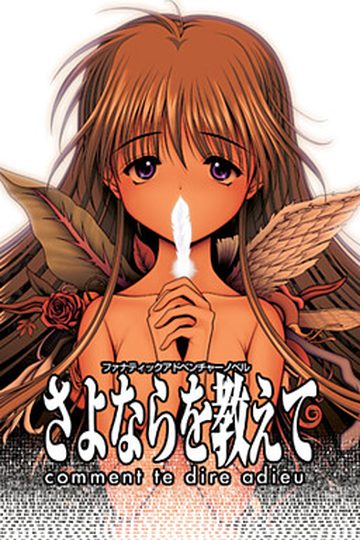
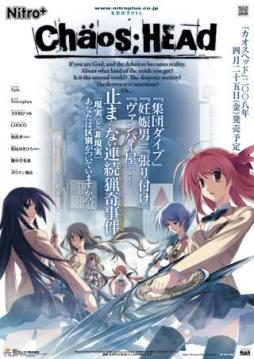
Takumi is a high school student. He is withdrawn and is not interested in 3D things. In his town, a mysterious serial murder case happens and people get panicked. One day, when he chats on the internet, a man suddenly contacts him and gives him an URL. He goes to the website and finds a blog image that suggests a next murder case…. On the next day, it really happens….
Chaos;Head


781 comments
The Serial Number is 000-702-000-114.
I've updated first post with this information aswell.
but something is wrong with the antifail instellar.bat
firstly the game works but it isn`t in english, except of the menu
secondly after the opening credits and the movie, the game crashs
I hope you can help me
Sorry for my bad English
BTW, this blog is actually great! Keep it up, : D
This is my problem too. ;__;
Thanx for this ^^
Anyways, I suffered the same problem as Gimlye-sama. So I installed VSFilter and opted for soft subs which seemed to solve the problem. I hope that helps anyone ^^
When I`m in the game and I press start, it just won't start!
Goes to a black screen for few sec and then back to menu...
How can I fix this?
ive been stuck on this for a long time
PLZ HELP
the only thing inside is "CHAOSHEAD-isofile-". I opened "Daemon Tools" and mounted the isofile.
You need to install Daemon tools in case you dont have it. Then just click the picture of the disk that says "add file" and find the folder where you extracted the game.
When you find the .iso file click open. Under image catalog, you will now see the file, double click it. You should now see a picture of a girl with pink hair at the bottom.
Now you can close daemon, then go to my computer. You should see a “BD-ROM Drive (E:) CHAOSHEAD”, double click it and the game installer will come up.
If you are using windows7 –DONT install it in (C:) disk. Anywhere else is fine, like desktop or my documents.
After you install it, you can try running the game but an error will come up. Now you need to get the noDvd.exe
Im not sure if you can get the noDVD.exe from the game download. I got mine from here
http://rapidshare.com/files/195162237/ChaosHead.exe
Get the "noDVD.exe", then copy it and paste it in the chaos;head folder. When you paste, be sure to replace the .exe that is there. (you are asked to replace)
You should be available to play the japanese version with noDVD.exe some of the beginning has english subs.
Anyways we want it in english, now we are gonna use the english patch.
Find the place where you downloaded it, then extract it directly to the "chaos;head" folder. The new files are: Antifail Installation, DO NOT TOUCH.rar, readme, unRar.
You can take a look at the readme file.It also got the instructions.
Now it says you can download the latest version of vsfilter for softsubs. Im not sure what "softsubs" are but if you know go ahead, just download it and paste it in chaos head folder.
Time to run the Antifail Installation. A win32 windows will come up. Read and then it will ask for the license of the game which is the giving here, 000-702-000-114, it will descompress the files from the "DO NOT TOUCH"rar. It will ask you if you have a folder "npa_backup" and is gonna ask for other files too. just answer yes or no then enter.
It will ask to delete the unRar, i clicked yes
It may take a while but wait until it says that the installation is done. The incompletes credits will be at the bottom.
now chaos head folder looks like this:
cg (folder)
dx (folder)
npa_backup (folder)
nss(folder)
Antifail Installation (batch file)
ChaosHead (noDVD.exe)
crass (compressed file, dont unzip)
mvINTER01.ass
mvOP.ass
Readme
sound.npa
system.npa
voice.npa
VSFilter.dll (i downloaded this then pasted)
--Im continuing in next post
You can open the exe. and a nitro logo comes up, then a black screen for a few secs. Then you get to the menu of the game, however if you click "start", a black screen comes up and then you are back the the menu... also you cannot change anything in config, and the load screen is also bugged.
The reason why the game doesnt run properly is because you need one last thing, "Applocale" which you can search to download it.
If you are using windows7 you need to do some extra work to install it. However, try installing it and if a message saying "the program couldnt be installed because a program needed is missing" (something like that) try the following.
Here’s how to install AppLocale on Windows 7:
1. Place the AppLocale installer (apploc.msi) in your C: drive.
2. Go to your start menu, type cmd in the search box.
3. Hold down crtl+shift and click on cmd.exe.
4. Select Yes when a dialog asks if you want the program to make chances to your computer.
5. The command prompt should show C:\Windows\System32.
6. Type cd\ and press enter to navigate to the C: drive.
7. Type apploc.msi and press enter, the installer will appear.
8. Install the application.
from -http://blog.wentoday.com/?p=136
You should be available to install it after doing this.
then you are done ^_^
To play the game, open applocale(go to start menu, search bar -applocale-, click it.
In the applocale wizard click next, launch an application should be selected, then click browse, go to chaos folder and select the noDvd.exe (isnt called that,"chaoshead applocation")
"chaoshead application"
then click next, it will ask for the language of the application next. Just check that the image matched this 日本語, click next, then it asks if you want to make a shortcut.Lastly click finish ^_^
The game exe will run, you will notice that where there was a long black screen before now there is a caution screen in english.
Also the menu has music this time and you can change things in config.
The most important thing is that when you click "start" it doesnt send you back to the menu screen.
Lastly, something not so important, when closing the game from the menu, click exit not the "x".
and those your folder looks like this ?
cg (folder)
dx (folder)
npa_backup (folder)
nss(folder)
Antifail Installation (batch file)
ChaosHead (noDVD.exe)
crass (compressed file, dont unzip)
mvINTER01.ass
mvOP.ass
Readme
sound.npa
system.npa
voice.npa
VSFilter.dll (i downloaded this then pasted)
try deleting that zipped file.
dont delete "crass"
i mean the antifail chaos head patch zipped
-Install game to desktop (or my documents).Not to (C: )disk
-Get the noDVD.exe and paste it to Chaos;Head folder.
-Be sure to replace the .exe inside the folder with noDVD.exe
-Get the english path, and extract it directly to chaos;head.
-Do not unzip "DO NOT TOUCH" rar
-Run Antifail batch.
-After is done, the only zipped file is "crass"
-Get applocale installed.
-Run the game with applocale.
so do you see something that you think you forgot?
Dont delete the files you downloaded from here, but you can delete anything else you extracted from them
just game install
im pretty sure your computer has directX installed, is used daily
Yup
okay now you can extract the english patch
just to verify, which step are you doing
and your welcome
just watch out when you see, "programfiles(86)..." something like that.
when it asks for it, thats when you change to install desktop
thats for making a shortcut
and the last box is for running the game
when you run the "antifail. batch" it will not decompress the files of "DO NOT TOUCH"rar, it will say that the installation is done but nothing will be change.
thats why the game has to be set to install at desktop.
when you try to run the japanese game is going to bring that error asking for the cd.
now you need to noDVD.exe that you downloaded.
copy and paste it to chaos;head and replace the .exe that you just run.
you should be available now
you will see a nitroplus sing then another sing, a caution screen, then the menu of the game (with no music i believe)
well maybe i didnt have headphones at that moment.
check that you cant change anything in config
click start, to see if it send you back to menu
K...running the game. I'm in the menu with the epic music playing.
download this next
then go to the folder
cg (folder)
dx (folder)
npa_backup (folder)
nss(folder)
Antifail Installation (batch file)
ChaosHead (noDVD.exe)
crass (compressed file, dont unzip)
mvINTER01.ass
mvOP.ass
Readme
sound.npa
system.npa
voice.npa
CG.Npa
Nss.npa
sound.npa
system.npa
and voice.npa
No npa_backup
in the antifail.batch, it asks to create a npa_backup folder, did you click no?
Nss.npa
sound.npa
system.npa
and voice.npa
No npa_backup
so is the "DO NOT TOUCH"rar gone?
http://i36.tinypic.com/535yip.png
http://i37.tinypic.com/nqs9xv.png
cg (folder)
dx (folder)
npa_backup (folder)
nss(folder)
Antifail Installation (batch file)
ChaosHead (noDVD.exe)
crass (compressed file, dont unzip)
mvINTER01.ass
mvOP.ass
Readme
sound.npa
system.npa
voice.npa
cg(folder)
crass(folder)
dx(folder)
npa_backup(folder)
nss(folder)
Antifail Installation(batch file)
cg(RAR)
ChaosHead Antifail patch(zipped)
ChaosHead(Application)
crass(RAR)
fonts
KozMinPro-Heavy
Movies(RAR)
mvINTER01.ass
mvOP.ass
nss(RAR)
Primitive
Readme
sound.npa
system.npa
UnRAR(Application)
UnRar_License(txt document)
voice.npa
That's what's in my Chaos;Head folder
Sorry about that. Sooo...did I mess up?
maybe it doesnt matter, so lets try with applocale
that asks to delete UnRAR and other files that you dont need
then check the language is set to 日本語
Cg(folder)
dx(folder)
npa_backup(folder)
nss(folder)
and ChaosHead(application)
you should see caution now in english, everything should have music, you can change things in config.
and when you click start you hear the voice of the guy too
if you want to create a short cut for the game you need to use applocale. It should ask you if you want to create a shortcute(it does to me).
Yes you need to run applocale to play the game, if you use the .exe directly from chaos;head folder, it will not work.
yes quite a bit (like 1 hour), is okay it was fun
Your welcome, so hope you enjoy the game ^.^
Im gonna play it too
What you need to overwrite is the application that runs the game, which is the .exe
Just paste the NoDvD.exe you got from taringa, and replace the one that is in chaos head folder. Then you are done cracking
Maybe you forgot one of the followings? V:
-Install game to desktop (or my documents).Not to (C: )disk
-Get the noDVD.exe and paste it to Chaos;Head folder.
-Be sure to replace the .exe inside the folder with noDVD.exe
-Get the english path, and extract it directly to chaos;head.
-Do not unzip “DO NOT TOUCH” rar
-Run Antifail batch.
-After is done, the only zipped file is “crass”
-Get applocale installed.
-Run the game with applocale.
When i open the antifail installation there is some questions
Should i answer it or just press the enter?
Because when i just press the enter because i don't know the answer oh those questions, there's question like this "deleting RAR and extraction files to clean up space
.\crass\,are you sure ?"
When i just press the enter again, the question still poop out, but when i answer it with or the question still poop out too
So what should i do?
What should i answer the question?
Please reply
I need your help
Thanks
My Installation.bat can't open "DO NOT TOUCH.rar" when I run the patching process. Can somebody help?
try running the failsafe patch as administrator, if this does not help: turn the windows "control system" (which asks you to confirm every little action you do) for the installation process.
and by the way thanks for the game ando your response n_n.
For all those who can't get this to work:
Google 'Chaos;Head NoDVD.exe patch',download it, and paste it in your ch folder (overwite the original one) this should fix the problem, it worked perfectly in my computer.
Thanks a lot for the upload
I really confused with this
Can somebody help me pleasssseeee????
what should i answer the question with / question
I really need help here
What should I answer it?
I don't know about it
Please somebody help me
What should i do to get the apllocate?
Please help me!!!!
Thanks for the uploads!
You rock admin!
Every time I try to run the Antifail Installation, it seems to progress as normal. It asks if I have npa_backup and I type, "no". A box appears saying it is confused about how to open a file and I click cancel. Afterwards, a window pops up and says, "crage.exe has stopped working." I click cancel, close, and OK several times; the installer continues. When I try to run the game, it shows the caution in English but no menu; I get a black screen with music. When I try to close it, I get the red box to close, yet no options to actually leave. I read the previous conversation by Chaos and Astral, however; the steps did not solve my problem. Can anyone help?
also i can't download the english patch because the file has been deleted...
P.S sry 4 poor english, english is not my 1st language.
The answer to the question that the .bat will ask is NOT "UNRAR"."
The correct answer to put in is "trickquestion".
If you don't put that in,it will lie by saying that there's some 2252 error.(It's test to see if you can read or not.)
(Just want to say that i have tried many many times. I can count how many times i unistalled then installed.)
My problem is that After i use "glorius translation" (I used the password and everything) I click the application, or i started the game, but no matter what i do the text stays in japanese..... (Oh yeah i forgot to say that my system locale is Japan)
If anyone could help thanks
Now find this line
set /p myon=(Soft) or (Hard):
Create a new line after that and enter:
cd C:\Program Files\Nitroplus\CHAOS;HEAD
Please note that since I was forced to fix the filepath in the script, IT MUST BE RUN IN THE CHAOS HEAD FOLDER.
Save and exit after you have finished editing.
(which would be C:\Program Files\Nitroplus\CHAOS;HEAD)
http://www.mediafire.com/?b3c7295i32gcw0n
Try not to run the glorious installation.bat as administrator (it worked for me in Windows 7). I dunno if it'll work on earlier versions of Windows, though.
At everyone, keep the suggestions coming im trying all of them
trick question
good luck
"Heads up, the script was fucked for me. To fix it right click glorious translation, click edit.
Now find this line
set /p myon=(Soft) or (Hard):
Create a new line after that and enter:
cd C:\Program Files\Nitroplus\CHAOS;HEAD
Please note that since I was forced to fix the filepath in the script, IT MUST BE RUN IN THE CHAOS HEAD FOLDER.
Save and exit after you have finished editing."
However since you're windows 7 it'll look more like
cd C:\Program Files (x86)\NitroPlus\CHAOS;HEAD
After that run the batch file (glorious installation) as administrator. The installation should would fine then. Except I messed around a bit more so the menu is still in japanese, game is in English though.(not sure if its supposed to be like that).
Also, for those wanting to know how to go to into full screne, start up the game, right click, go to "F".
"set /p myon=(Soft) or (Hard):"
Would it be like this?
set /p myon=(Soft) or (Hard):
cd C:\Program Files (x86)\NitroPlus\CHAOS;HEAD
Make sure you save afterward though. Then run as administrator or else 12 (I think it's 12) files will fail to be moved (due to permission).
It may say something along the lines of "oh boy, an error has occured, ignore it?"
You'll want to ignore the error and continue installation.
can anyone help??
While You're running Glorious Installation as Administrator,
at the end, it says 'Now this will look like it's frozen. It's not.'
At this rate, you can't do nothing except close it.
NO, DON'T CLOSE IT (close it and black screen is what you got). Just wait a little longer and it'll continue, inserting scripts... Inserting CGs... etc
Any other suggestions? I also tried Sherine's patch and all I keep getting
"The game is not here. You must run the patch from the game folder"
And it IS in the game folder... I even tried moving everything to any Chaos;head related folder and it's all the same...
C:/Program Files/Nitroplus/CHAOS;HEAD
Firstly I got the same prob mostly the same with all of u. I tried some of the suggestion above and succeed. this is the detail about how I did it.
1. Install the game
2. Copy ChaosHead.exe to your Chaos;Head folder, overwrite the .exe that’s already there.
3. Copy all the data in the english patch to your Chaos;Head folder
4. Edit the Antifail Installation.bat
find this line
set /p myon=(Soft) or (Hard):
Create a new line after that and enter:
cd C:\Program Files\Nitroplus\CHAOS;HEAD
Please note that since I was forced to fix the filepath in the script, IT MUST BE RUN IN THE CHAOS HEAD FOLDER.
Save and exit after you have finished editing.”
However if you’re using windows 7 it’ll look more like
cd C:\Program Files (x86)\NitroPlus\CHAOS;HEAD
5. Run ‘Antifail Installer.bat’
answer the question
? License
! "trick question"
? Softsub or Hardsub
! If you have the latest vsfilter answer "Soft" if you don't "Hard"
? npa_backup
! "No" if windows asks how to open a file, click "Cancel"
After that wait a while for the file to be extract
? Deleting RAR and extraction files
! "Y"
6. Play the game
Play the game in Applocale under 日本語 or use a Japanese non-unicode setting.
P.S Sorry for my english
When the game is loaded, the Caution text appears first, skipping the Nitro+ Logo. Then the black screen with the menu music appears, and nothing happens. Only can be closed through Task Manager afterwords.
i've installed the game, the no dvd.exe, then the patch RC2 version... the game works... but then, when i click the start menu... after a few dialogues... it all suddenly goes black... anyone can help?
It's a little, outdated... so to speak.
Download from the MS website: http://www.microsoft.com/downloads/en/details.aspx?FamilyID=8c4e8e0d-45d1-4d9b-b7c0-8430c1ac89ab
Install it, then run game in japanese (the three symbols under language) through applocale.
Hope this helps
http://www.microsoft.com/download/en/details.aspx?id=13209
http://www.youtube.com/watch?v=6ViG6CYgQ6Q
It seriously helped me anyway... :3
when i click start, it turn back to the main page.
excuse me but the installer isn't working.. it says it needs something else.. any other link..?
did everything to the letter, did the batch file thing..
but I haven't been able to make the english patch to function
If you are using Windows 7, you should not install it with the default installation directory that the setup provided "C:\Program Files\Nitroplus", instead of taking that one,
create your own directory in download folder (documents folder or desktop)
provided by the serial 000-702-000-114
After installation, copy the NoDVD patch (ChaosHead.exe) and place it in the directory you've made
(ex: "C:\Documents\Ark\Nitroplus")
After coying the NoDVD patch, extract the "Chaos_Head_English_Translation_RC1" the game folder but don't extract the "everything.rar/do not touch.rar”!!" file!
I repeat "DON'T EXTRACT THE "EVERYTHING.RAR/“DO NOT TOUCH.RAR" FILE"
Read "Read Me.txt"
run the Antifail Installer.bat also called the Glorious Installation.bat
Answer to the question: "trickquestion"
Then just follow the other instructions
after that you can play the game with english subtitle!
Cannot create ./dx/mvOP.ngs
Acces is denied.
Cannot create ./dx/mvINTER01.ngs
Access is denied.
No files to extract
Deleting RAR and extraction files to clean up space
./crass/, Are you sure (Y/N)?"
What should i do?
Both of them deleting the extracting.
Then i clicked the chaoshead.exe from no dvd and nothing happened.
I do remember when I extracting antifail batch and in the process got somehow cancel to open this files...
But when the game is loaded, the Caution text appears first, skipping the Nitro+ Logo. Then the black screen with the menu music appears, and nothing happens. Only can be closed through Task Manager afterwords.
Anyone know a solution to fix this?
I have the pictures all installed in the game folder, and I would see it's in English. But how come it's not when I play the game?
J'ai besoin de l'aide! >.< *sniffs*
Erogedownload is not the only "illegal" site I'm running - i operate two more "warez" forums and one "porn warez" forum and several 'grey area" projects - since i'm fulltime webmaster and those sites are my main source of income, i'm keeping track of changes in related copyright laws, so that my sites always stay legal and don't get taken down.
and thx
My wifi is a complete pain, so I'll try downloading again, but until there, anyone have any advice or something?
/redundant comments
As for downloading it, I figured out a way for the game to work properly.
First of all, I downloaded all the game parts. Then. I downloaded the NoDVD Patch. Second, instead of the Glorious Installation, I downloaded the old English Patch, the Anti-fail Patch.
Anti-Fail Patch: http://www.mediafire.com/?3p7o0owd4lx1scw
As you install the game, you'll notice it's in Japanese, and it will ask for the Serial Number. Concluding that, if your computer is a Windows 7 or Vista, it's not a good idea to extract the game folder into Program Files. The right way would be sending it to your Desktop. After that, there will be a Japanese question-poppy thingy, and I believe it was asking if you want a shortcut. Click "no" since the game is still in Japanese. Then click finish.
Then, I followed the instructions in this video: http://www.youtube.com/watch?v=6ViG6CYgQ6Q
Note 1: You must follow the user's instructions consistently.
Note 2: You shouldn't drag the anti-fail patch like he did. Extract it into your game folder instead. It should extract successfully.
Note 3: Drag the folder to your Program Files this time.
Then double click Antifail Installation.bat.
Follow his instructions from there.
And that's what I did. The game worked out fine for the most part, but there are certain bugs you should be aware of.
For the walkthrough: http://www.gamefaqs.com/pc/952182-chaoshead/faqs/61850
Happy Gaming!
Um, I'm not sure how to figure that one out. It took me at least three hours to resolve the installation by myself. And surely, I think putting the game folder at best should be in the desktop or in the documents. And have you changed your language to Japanese for your system locale? Hmm, and you're not supposed to have several errors for it.
From my imagin I am end the game rout A i think..was set this
mediafire.com/?8u2nx9xao0q318d patch(easy install and translate switch underware)^_^ oh yeah - do not switch if underw. not install
+underwear patch(not necessary its bad for gameplay and hard to find, only on torrents like isohunt 2gb game(patch 480mb)^-) WELL! trouble was on 8 chapter(good if you do save game on darth-spider) cant save game\load\crash, its fine just not to save until chapter 9, then save correct.
imaginary route BB not tried yet..need time for begin new game.
It says that there is an Error in ChaosHead.exe at line 2252.
How can I fix this?
is answer
When i start the game it runs perfect with the patch and all, but the CAUTION text in the begining is in Japanese and it's the same for the movie in the intro
Can anyone help me?
I read that someone had the same problem but he figured it out, so i thought i did something wrong.
Please help~
Thank you for this upload! ^-^
Do you know if you will be putting up Steins;Gate?
1. run applocale as administrator, then install this game
2. run applocale as administrator, then install LSC patch
3. run english translation RC2 as administrator
4. run chaos;head with applocale
and then, boom!
nothing comes out, ever
the program works if run without applocale,
but then the start button does nothing, except redirecting back to title page
any idea what's wrong?
Could I ask what is the version of the English Patch of Chaos Head ?
SeerHu
1- install the game
2- make a copy of "cg.npa" in game folder
3- run patch RC1
4- unzip patch RC2
5- get back the previously copied file "cg.npa" in game folder
it's a pain but perfecly works for me.
the cautions informations are still in japanese but the game's full english translated.
so you're saying that i need to download both patches?
Ok, I finally got game to work, but now I have another issue I got all the way to chapter 6 and I'm at the skyscraper scene where takumi is being forced to find his Di-sword. I got through the yes/no part of it and at the emotion choice scene after that and no matter what I pick be it green red or niether right after seira says you don't want to die, right-o? It goes to the start menu every time... has this happened to anyone else and/or does anyone know of a solution?
are direct3d and directx.i don't know what the probleem is but i played this game a year ago and it worked but since than my computer was rebooted and when i installed the game recently that error appeared for the first time can someone help me with this problem because i really want to play this game again.
Mediafire has 200MB file limit, meaning that some games would have to be split into 40+ parts. It’s blocked by many ISPs. I get terrible upload speeds ( ~600KB/s on 1GBit connection). Last thing – i work very closely with filesonic and fileserve on all my sites for a quite long time. i have convinient scripts written for those that let me upload to them by writing single command, i get messaged when any of my files get deleted due to DMCA complaints etc.
Since i’m using two mirrors you don’t have to wait while first part is downloaded – you can start downloading second part from other host. mirrors are interchangeable.
I've installed the game and all and it works, but once I get past the intro movie in the part where the view of the MC shifts to the ceiling of his room the game stops the crashes.
Can anyone give me advice on how to fix this?
1) game starts. Config menu partially translated. In game text is gibberish.
2) Game starts. Config menu all translated but unclickable. Click new game then game just returns to title screen.
3) Game won't start at all.
I have RC1, RC2, antifailpatch. I've tried every which way there is on those patches. I've tried applocale. My regional setting is on Japan.
Please if anyone has the game working and translated could you post how you got it done. Beginning with installation step by step. I would really appreciate it and i'm sure there would be no more posts on how to get the game working after that.
Try this:
--> Uninstall the game...
--> Turn Japanese Locale on if you had switched to English Locale
--> Restart the PC...
--> Install the game again...
--> Then install the English patch and play...
PS: What OS are you running?
This is the same problem I had read so much about and unfortunately the problem still remains a mystery... the last I read someone using a 64 bits Windows 7 got this error and till this day it is unsolved...(and I haven't installed Chaos;Head on my Windows 7 yet... but I will do it tomorrow and let you know...)
I had read the script myself... and the original Japanese text is in comments and the English text is set to display. so it is most probably the executable file screwing something up...
Try to play the game with the original executable... not the cracked one which let's you play without asking for a DVD... as it might be the root cause...
Try NTLEA too... it is... umm... you can think somehow as a better version of Microsoft AppLocale... Google it, if you can't find me, post here... I will upload it... and try to download the latest version, it's in the 0.9x series...
And if I can get Chaos;Head to work on my PC, I will tell you step-by-step... till then, let's keep our fingers crossed...
You guys whoever you are have my earnest gratitude
--> After un-raring the files, you will get a iso (or a similar kind of disk image file).
--> Make sure you have Daemon Lite or Alcohol 110% (or 52%) like software installed on your system.
--> Double clicking on the file wil load that disk image in a virtual CD-ROM.
--> An autorun box should automatically appear.
--> If it does not, go to the virtual CD-ROM drive and run the setup from there.
--> Install the game.
--> Copy the nodvd crack and overwrite the original executable in the installed folder.
--> Run the patch from the bat file, and make sure you have the contents of the patch in the same folder as of the game...
--> Answer the trick question...
--> Sit back and relax as the patcher do it's thing...
--> If you want, you can download the Underwear patch, if not just run the executable and voila... the game will be up and running...
I thought there was an 'How to' guide here before...
one more thing sir, those links above contains everything necessary right? or do I need something else? someone mentioned about an RC2 patch...
thanks in advance..
Hope it helped!!!
You have to install Microsoft AppLocale Utility and run the .exe through it:
http://www.microsoft.com/download/en/details.aspx?id=13209
I didnt get the config menus translated but this helped:
http://tlwiki.tsukuru.info/index.php?title=Category:Chaos;Head:Graphics:System
(Don't talk about kara no shoujo... It doesn't change the slightiest your way of thinking, nor makes you doubt about everything)
Would someone mind helping?
Thank you for the game admin!
"Please reinstall the game; an error was detected at ChaosHead.exe at line 2252"
I tried this with both toe original exe and the cracked one. Please help me, I'm a fan of these series.
"SONOME DARE NO ME?"
-install the game and do not crack it
-use Antifal patch
-in Control Panel/Regional and Language Options select Languages tab and check Install files for East Asian languages (cd for widows is required and restart)
-start game with AppLocale select japanise
for error 1200 something... do not exit game in fullscreen mode change to window and then exit ( if needed reinstal game and repatch it). Works on XP
i got a problem wherein the game crashes just after the opening movie, wherein he turns his gaze up from his chair in his room, it crashes then a "dont send or send error report" shows after the game closes. anyone who could help me will truly be my savior thanks guys,...
I was surprised how easy it was to get RC2 all set up, I simply clicked it and it took care of the rest...but now this happens. Help PLEASE, I love this game!
It takes a while
and maybe some trial/error
but it made the game more enjoyable
(for me anyway)
Simple instructions for patch.
1.) Extract all into a new subfolder in Chaos;head
2.) Copy all contents that were extracted.
3.) Paste all into the Chaos;Head folder.
4.) Navigate to system32 folder (i.e c:/windows/system32
5.) paste into system32.
6.) Run Glorious Instalation Batch
7.) answer to question is "trickquestion" without the quoutes.
8.) If you don't know what soft or hard subs are type Hard.
9.) next question type yes
10. Wait for batch to say its finished.
11.) Run C;H Crack exe.
12.) Enjoy your paranoia.
\o/-_-_-
Thanks, whoever answers this...
I just had to change the language for non-unicode programs in the control panel.
Everything worked at the first try after that!
which tells you how to get the endings
ch6
a
aa
b
Can anybody give me some help?
can you help me pls
My game crashes after finishing chapter 9, third melt!
Just goes poof!
Have two installs...
1 RC1
2 LH3
Japanese through Control pannel...
Uh... No problem with opening, everything works fine... until the very end...
I also had the problem with the black screen in the intro but I don't want to keep my secrets for myself:
as previously mentioned you can install CCCP- Codecs Pack but I didn't do that (if you have another codecs-pack installed and you have forgotten and you install CCCP it may crash your computer - that's why I didn't want to install).
Instead I simply pushed the "STRG-button" to skip the intro somehow. It didn't work the first time, so I tried several times, then the intro skips (you also miss a few sentences the girl said, but it didn't bother me)and the game runs neatly.
I've play around with the settings and played on different computers but still same issue. At this rate I'm spending more time waiting for the text to appear than actually reading it.
Is anyone else having long text loading times usually during scenes when he with a girl?
asked yesterday if you could reup chaos head and you did :p
thanks
Only things you need to do in order to install this:
1.Mount dvd
2.Install Game
3.Install English patch exe (copy it into your installation directory first c:/program files/nitroplus/chaos head)
4.PLAY
Works 100%
Apparently there's an error in the command line
The parts did finish DL 100%
so I'm not sure what the problem is...
When I run it into the game folder, it ask me to press a key to continue, I do it an then a window appears saying that crage.exe has crashed, here is a screenshot:
http://s2.subirimagenes.com/otros/7408529sin-ttulo.jpg
At the end the patch say that there is an error and the patch windows get closed, when I start the game after that the menu screen get all black and I cant even close the window
I need help, please, I watn to play this Visual novel D:!
is this only happening for me?
1.) download
2.) extract
3.) change to jp unicode
4.) mount
5.) install
6.) crack
7.) move "Chaos_Head_English_Translation_RC2" to CHOAS;HEAD/dx and extract
8.) run setup.exe
Worked for me, have XP SP3.
No errors so far, played the game around 20min.
FIRST, MOUNT AND INSTALL THE GAME!!!
THEN, YOU JUST NEED TO EXTRACT THE ENGLISH PATCH.RAR
IN C:/PROGRAM FILES/NITROPLUS/CHAOS;HEAD/dx!!!
THEN, RUN THE SETUP BATCH!!!!!!!!!!
The problem arises when I try to run the patch.
I have copied the RC2 patch program into C/ProgramFiles (x86)/Nitroplus/Chaos;Head and then run the patch as administrator.
This opens the program for the patch which runs normally until Windows says "crage.exe has stopped working" and closes the program. This happens twice and the patch program crashes or closes, I am unable to tell.
After this I try to open Chaos;Head and the translated disclaimer pops up and then there is nothing but a black screen instead of the main menu but I still get sound. When I try to exit the program the dialogue box that asks if I wish to exit pops up but contains no options and I am forced to end the task through the task manager.
The original untranslated .npa files have been moved to a backup in the directory but there are no new files to replace them causing the game to function incorrectly.
There are folders that mirror the files that have been relocated in the CHAOSHEAD directory. Upon further inspection one of these does contain the translated cgs and I assume that the other two contain the translated script and the system configurations. However, it seems the game will not recognize these files.
If anyone can help I would be most appreciative.
If someone has it re up please.
To work around it simply load a previous save.
the game when opened (not patched yet) just says not enough space and closes itself!! (when i opened it) HEEEEELLLPPPP
screw it ill just go watch the anime.
1: Patch not installing because game is not there. My guess is you didn't copy and paste the patch into the game folder, this is so far the only thing that has ever prevented the patch from working for me.
2: Unpatched game refusing to open or patched game's menu is just a black screen. Make sure you're replacing the exe in the game files with the cracked version that's in the first file.
3: The game gets past the first bit and plays the intro video only to crash when you get to the room. My guess is this might be caused by your computer being bad, I tried with all my might to get past this on my windows xp netbook, but nothing I did would fix it, my windows 7 gaming rig never ran into this issue though. That might not be the issue, but changing my computer is the only thing that fixed it, and the room seems to be rendered in 3d so that could be why it's not as easy to run.
I should note that I got the underwear patch installed, so I don't know if that effects anything since by the time I got the game working I was just installing each reinstall, if you really want it there's a torrent I found using google that contains it.
To summarize installation steps:
1.Download everything (plus the underwear patch from another site if so desired)
2. Extract the first rar.
3. Set computer locale to Japanese (proabbly can run installer using aplocale if desired but I didn't try that)
4. Run underwear patch if you have it.
5. Put English patch in game folder and run it.
6. Replace the exe with the cracked version
7. Launch game (Locale needs to still be Japanese)
I think that covers everything and I hope it helps.
Gotta say, it was worth all of this effort so that I could see the un-adulterated, not de-gored for TV version of Chaos;Head.
And with that I bid you fellows adieu. Many thanks towhoever uploaded the fixed patch.
then i did english patch it
then i copied the cracked to the folder
and now i open it. it say : "please turn off debuggers then try again"
i dont have any debugger on processes. still dont work
help please T_T
What I've done is:
-Installed the game
-Put english patch into game folder and ran it (this is where the error occurs)
-Put the crack into the gamefolder overwriting the previous one
I have also tried just using crack and game and the game runs fine in japanese, so it is definitly an english patch issue.
Also yes I have set Locale to Japanese. Any help would be appreciated.
I had the same problem and I assume that you like me, have Windows 7?
if that is the case:
-install the game in your pc(anywhere).
-copy the crack in that folder
-copy the RC2.exe in the same folder but do not run it yet.
-copy the folder into a usb drive.
-plug the usb to a pc/laptop with windows vista.
-run the translation patch.
-when the patch finishes transfer the files back to your computer.
I only saw the prologue and OP video.When the 1st chapter started I stopped playing so I dont know if there are any errors later.
I dont know if this will work with windows XP.This is the first time I had to do something like this.(Vista work,7 dont wtf?)
but I do have one problem... When I got to his room, it's all blurry, it hurts my eyes. Could it be a hardware problem or is it really like this?
(DA-Free)
Make a walkthtough!! XD
when I installed the patch the character's aren't appearing. they only appear on CGs.
It's kind of a bother.
Can anyone fix this bug or something.
I hard patch it.
Am I doing something wrong?
someone please tell me what should i do.....
I had a problem with characters that dont show after dialog with the "friend" at school.
The problem comes from the "underwear" option in the game settings. The problem is that de saves got corrupted the moment you activate this option... You have to start a new game without the underwear option to be able to see characters... ( tried just a moment ago to confirm )
The other problem that ocur with this option is that there's some random and long freeze during dialogs. Without the option the freeze time mostly disapear ( there's always some but it's less than 1sec and doesnt hurt the game ).
I think the problem comes from "missing links to characters CGs" in the english patch ( i'll confirm this if i start a game without the english patch, but at the moment, i'm lazy xD )
To do that, you need a software like Daemon Tools (you can find this one the net). Run Daemon Tools and open the ISO file with it, then you'll be able to begin the installation.
Durng he Installation, it'll ask you a Key. It is 000 702 000 114.
I don't remember if the the Crack is provided with the Translation patch. If not, it's here somewhere, move the launcher to the Folder, replace the old one and run it. You can see if the game works.
Once you did all that, next step is the Patch. Open the folder where the files are installed and extract the Winrar Translation Patch in it. Run the setup and a black screen with indications will show up. Just press enter and the patch will run (it can take a long time). The window will be totally black but no worries that doesn't mean it froze.
Then once it's installed, you can run the ChaosHead.exe and run the game.
If there are things you don't understand try the readme. I remember I had problems with the patch, it didn't want to run because it didn't locate the game somehow but I persisted, decompressed it again, tried some random stuffs and it worked.
Don't forget do NOT save the Game during CHAPTER 7, because the game will crash, so you'll have to play the entire chapter 7 without closing the game. You can save again once you reach chapter 8.
Now find your Di-Sword and find your Blue. You're (not) alone.
im using windows 7.
all i need is to install the game then extract the noDVD crack.
after that i just run the RC2 translation patch, wait some minutes and done.
the game work fine and there are no Spirit/CG issue at all.
Admin, please fix that chapter~ TTuTT
You must play the entire chapter without saving. Then you can save again when you reach chapter 8.
I hope you kept a save at chapter 6...
Hard Drive ..
You'll need :
The game ( all six parts )
The most recent english translation
and the version of crass you can find in the comments ( just search through the past comments until you find a download link ( I'll also
try to upload it somewhere after I learn how to do it ) )
First thing you need to do is make sure you have a " Japanese " locale installed .. If you don't know what that is,
go to your " Regional and Language " settings and select " Japanese (Japan) " from the drop down box in " System Locale "
( Don't confuse it with " Formats " and " Current Location ", You'll find it if you look hard enough ) ..
Now that the " base " is done, extract the ISO you get when you extract the 6 parts you've downloaded and select the CHSetup.exe
That'll start the install wizard, just do what you normally do when installing .. For convenience's and organizing's sake,
choose another loaction for the game ( select " browse " when a C: something appears in the install screen .. )
Enter the code you activation code you'll find at the top .. If you're too lazy, it's " 000-702-000-114 ", when
that's done, just wait for it to finish ..
Next thing you'll need to do is put the " English Translation RC2 ( That's the english patch you've downloaded ) "
in the folder you've chosen ( the default is in " C: Program Files(x86)-Nitroplus ", just double click it, select yes
when prompted, and wait for it to extract, after it's finished, the cmd will appear, DON'T PRESS ANYTHING !!, just leave it like that,
Go to the folder that should appear after you've run the English Patch named. well. " patch " .. Delete the " crass " folder ..
After doing that, extract the crass that you've downloaded and move the " crass-0.4.1.4.0 " to the " patch " folder
( I don't know if it would matter, but rename the crass-0.4.1.4.0 to folder to " crass " ) ..
This is the nervous waiting period before the moment of truth .. Select the cmd that you've left untouched and press any key .. Wait until
you're asked to press something again ..
The Moment of Truth is here .. Run the CH.exe, Pray, and if you see that the 5pb logo is gone and the disclaimer is in English,
Congratulations !! you can now play this piece of art ..
I hope I helped ..
P.S. You'll probably want to save a copy of the whole game folder in a hard drive or something, for safety and paranoia
purposes ..
( Disclaimer : I THINK ( big emphasis on THINK, so try it without messing with your computer first )
this might not work on Windows 7 Professional unless you've downloaded and run the directx_Jun2010redist
from Microsoft ( which is very easy to do ), cause, well, Professional wasn't made for games to begin with .. )
using the newly renamed crass folder caused problems.
the one included in the RC2 patch worked just fine.
when i press the "start" button and i get in the main menu of the game ... i don't know what to do now
Thanks in advance! :)
or even your town's public library.
I think Second Cup also offers free WiFi too.
cause I really don't know
This is the crass I mentioned .. Since I have no clue if this will work .. Please help me .. Oh .. I'm also only scarcely online .. So you'll have to have to try your luck ..
Thanks to HikariNoYami, for most of the info
here goes:
before installing and all, make sure of the following:
IN ORDER TO BE ABLE TO INSTALL THE GAME:
-Change your system locale to Japanese language
do this under control panel/language settings
(any doubts on this google it)
IN ORDER TO AVOID CRASHES, BLACK SCREENS, BROKEN AUDIO:
-Update DirectX! (seriously most of you don't know this or you simply ignore it)
-Update your video card's drivers (this should be common knowledge!)
*IMPORTANT: LOW END/SOME INTEGRATED CHIPS/VERY OLD VIDEO CARDS WON'T WORK WITH THIS GAME (your best bet is to update your hardware, sorry.)
-download and install the latest audio/video codec packs (divx codec packs work great)
IN ORDER TO AVOID OTHER TECHNICAL ERRORS:
-Make sure you are the admin/have admin rights
-if possible avoid running apps or other background programs while installing/playing.
*IMPORTANT*
Download the fixed patch crass-1.0.0.14.0 (Hikari provided a MF link, browse the comments to find it. If you're feeling lazy here's the link he posted:
( http: ) //www (.) mediafire (.) com/?i42heldagc6na2t
Delete all the ( )s and spaces
Hold onto this patch for now, we will cover it in the guide.
Now we can proceed to the guide:
-Mount ISO with Daemon tools (if you don't have it google it and download it, I personally recommend "Daemon Tools Lite")
-Run setup exe
-enter serial 000-702-000-114
-Install normally, don't launch game yet
-Put English patch english translation RC2 in game folder and run it.
-A CMD window will pop up.When prompted to press any key to continue DON'T DO ANYTHING, instead open the newly created "patch" folder and erase the "crass" folder
-Remember the fixed patch that i told you to hold onto? well, extract its contents then copy the newly extracted folder called "crass-1.0.0.14.0" to "patch" folder and rename it to "crass"
-return to CMD menu and press any key, then wait for the
patch to be applied. Press any key when prompted
-Replace the exe with the cracked version (it's the exe that's inside the "Crack" folder)
-Launch the game
if the game's not in english:
a)you screwed up during the CMD installation. REMEMBER TO follow the instructions and BE PATIENT don't close the damn window!
b)your language locale is not japanese, make sure it does and leave it like that.
-FOR WINDOWS 7 USERS ONLY! (do this if you have trouble launching the game(NO game screen/window visible upon opening the exe)
-run the game "as admin" and under compatibility mode for "Windows vista""
I try to play Chaos Head in english since 2010 and i've never managed to do it before.
It seems the original crage.exe from "crass" folder inside translation patch RC1 & 2 didn't work on Windows7(64bits).
Delete all the ( )s and spaces .. This is for that crass I've mentioned ..
I redownloaded everything tonight and I was excited because everything finally seemed to work. I was even able to start the game. I then managed to get through all that dialogue with the main character was on the ground. Then the whole screen went black and (I'm assuming) a video started playing. Thing is, I couldn't see anything, and I lost the ability to click on anything related to the game's window, including the "X" to close out the game. I could still hear the dialogue and everything. Eventually the dialogue ended (I'm assuming an opening would of had music, right? Well there wasn't any music during this time)and I regained "control" of the game and could click things again. Problem was, the screen was still completely black, and now, also, without sound.
I'm assuming it's some kind of codec issue with playing the movie. My Codecs are all up-to-date, however; likewise, I've never seen a VN whos' opening I couldn't play, that didn't crash. So I've no idea what the problem could be. I've looked around and didn't really find any answers. Maybe someone here can help me.
TL;
Screen goes black as if I can't play a movie, however the VN doesn't crash and I can still hear the audio. HALP!!!!
P.S.
Is there suppose to be a "video" folder? Because I don't see one.
your best bet is to update your hardware. Sorry-
you can also try running the game on a winxp/winvista system?
also, download an apeshit of codecs. It doesn't matter if you think you have them all, download as much as you can and install them.
If you want, I can provide you with download links to it. :)
So this is the problem: I did everything as was instructed, but I did not get a crack folder, i thought that maybe it was not necessary, so I started the game and it worked, but the problem is I can't do anything in the config and when I star the game it just takes me back to main screen.
so I ask you again, please help if you can.
are you sure you didn't delete it or something?
if you really don't have it, I can provide you with links to both the cracked exe and if you'd like, the underwear patch too.
i re installed the game according to the instructions given by ,Helvetica Standard, in a earlier post, but the game still wont let me use options and still returns me to the main menu after i try to start new game, so please if there is a solution to this problem please help me.
you have it? if not here's a link to it:
http(((((://www.mediafire.(((com/?as2i0f2k))))1k90f62
[remove the ( )]
Can't really seem to get 100% CG and am too lazy to play this again and again :p
I have smoothly followed the instructions posted here and successfully run the game but there's no sprites!!
I suspect is it because of LCS patch? Because I didn't have it or installed it along with RC2?
tl;dr -_-
btw, can someone post an existing file of LCS patch?
I tried googling it but I can't find any.
http:()//www(.)mediafire(.)com/?mjareibaw54hjwb
http:()//www(.)mediafire(.)com/?56o9u25johwd4of
http:()//www(.)mediafire(.)com/?4dt4v22eri777z1
http:()//www(.)mediafire(.)com/?lfquyh73234o21t
http:()//www(.)mediafire(.)com/?dsny5zg8u33rg81
(remove the parenthesis)
broken or deleted links, tell me so I can reupload them :D
enjoy.
You're truly a big help!
Currently downloading them now.. thanks so much~
If it's the latter then I wouldn't mind playing all over again (I'm currently at chapter 3) because playing with no sprites isn't satisfying at all >_>
Using Win 7 btw, just recommending to people trying out all these methods to try doing the basic install first, it just might work for you.
I wonder what kind of obscure assembled rigs these guys with trouble have... :/
The VN is much better
LAUNCH THE CRACK THROUGH APPLOCAL ON THE JAPANESE LOCALE.
ON WINDOWS 7 IT MAY TAKE SOME TIME TO STARTUP, BUT WAIT FOR IT AND IT WILL WORK!
There's not a clear solution to this (that's why there are no answers on how to work around it) however some possible causes might be.
-Use of Jap locale program or a similar one
PLEASE, DON'T USE THIS, REGARDLESS OF HOW FOND YOU ARE OF THIS TOOL, IT HAS KNOWN ISSUES WITH SEVERAL VN'S (SAVE YOURSELF THE TROUBLE AND CHANGE YOUR LOCAL LANGUAGE MANUALLY UNDER WINDOWS LANG SETTINGS.
-local language is not japanese
I know it should be obvious, but please double check if your local language is indeed set to japanese.
-Faulty video codecs
Download as much video codecs as you can, LOTS of em.
-Admin/permission rights
you'll need an unlocker tool of sorts and apply it on the game's exe. (not yet confirmed if it works or not)
-DVD iso image load
you need a no DVD cracked exe, otherwise the game will kick you back to main screen. alternatively, keep the iso mounted on daemon tools you'll be able to load the game that way but you'll need to mount the iso everytime before you play.
-Win vista/win 7 x64 bits
Not confirmed if this is an issue or not (the game runs fine on both my x64 PC's..
B: Obviously needed xd
C: Usually works with regular codecs and the main comunnity codec pack
D: Being admin is necesary on higher versions of windows... when you think something does not work because of that, right click, run as admin.
E: This site should have the NoDVD patch for download... i found it uberly necesary
F: I cant comment on that
I hope you people keep at it and can play this amazing story have fun
(although i still fear the crash on ep 9... though i havent reached it xD)
P.D: i love nichijou xD your name is awesome
Beta english patch also caused the game to freeze if you tried to save your game while on chapter 7, other common bugs triggered crashes and freezes if you tried to read the glosary tab and config options from the ingame menu.
RC1 english patch crashed randomly though lesss often and the patch didn't work on 64bit systems.
RC2 english patch (The one provided here) has no issues or whatsoever, you'll still need the underwear patch if you enable LCS since if you enable it without it character sprites will be missing.
The only reall problem lies with the noDVD cracked exe
which is NOT provided here (I believe this to be the main cause for the kickbacks to the mainscreen at gamestart.)
at about 5% of its progress , it stop.. said:
エラーコード: -5003 : 0x8004ace8
エラー情報:
>SetupDLL\SetupDLL.cpp (1001)
pAPP:CHAOS;HEAD
PVENDOR:NitroPlus
PGUID:C0AEC1BB-5731-439A-96B1-66ABD2B24F62
$10.50.0.125
also same prob on hanachirasu
help pls mates,, tnx b4 :)
Update your .dll files and also update directX
try to update NET framework 1 as well.
my old war lappy need total reinstal actualy, or rplacemen ehehe
il try some other time then when got free time
thanks anyway Helvetica ;)
I wound up getting a preinstalled version elsewhere, and the game doesn't start up at all, with the same issues as the installer. No error messages, no pop-ups of any sort.
My system locale is set to Japanese, I've tried running as an administrator, I've tried AppLocale, and I've tried every compatibility mode in the list. Any ideas?
my problem is, after the op at some point in chapter 1, the game crash.. running on Win 7, Professional, 32 bit..
When I double-click on the game it opens, gives a black screen, then closes itself out. I have no idea how to fix this.
whose eyes are those eyes
The art is great. Sound is terrific.
But i will play it later, i want to finish cross channel and clannad first.
To everyone who can't install this just follow the step above. I'm using Win 8 and so far is good.
And don't forget to make sure your directx is new one coz this is 2008 VN. Just try it. :D
I’ve finally figured out how to install Chaos;Head after half a year of stocking this in the far reaches of my
Hard Drive ..
You’ll need :
The game ( all six parts )
The most recent english translation
and the version of crass you can find in the comments ( just search through the past comments until you find a download link ( I’ll also
try to upload it somewhere after I learn how to do it ) )
First thing you need to do is make sure you have a ” Japanese ” locale installed .. If you don’t know what that is,
go to your ” Regional and Language ” settings and select ” Japanese (Japan) ” from the drop down box in ” System Locale ”
( Don’t confuse it with ” Formats ” and ” Current Location “, You’ll find it if you look hard enough ) ..
Now that the ” base ” is done, extract the ISO you get when you extract the 6 parts you’ve downloaded and select the CHSetup.exe
That’ll start the install wizard, just do what you normally do when installing .. For convenience’s and organizing’s sake,
choose another loaction for the game ( select ” browse ” when a C: something appears in the install screen .. )
Enter the code you activation code you’ll find at the top .. If you’re too lazy, it’s ” 000-702-000-114 “, when
that’s done, just wait for it to finish ..
Next thing you’ll need to do is put the ” English Translation RC2 ( That’s the english patch you’ve downloaded ) ”
in the folder you’ve chosen ( the default is in ” C: Program Files(x86)-Nitroplus “, just double click it, select yes
when prompted, and wait for it to extract, after it’s finished, the cmd will appear, DON’T PRESS ANYTHING !!, just leave it like that,
Go to the folder that should appear after you’ve run the English Patch named. well. ” patch ” .. Delete the ” crass ” folder ..
After doing that, extract the crass that you’ve downloaded and move the ” crass-0.4.1.4.0 ” to the ” patch ” folder
( I don’t know if it would matter, but rename the crass-0.4.1.4.0 to folder to ” crass ” ) ..
This is the nervous waiting period before the moment of truth .. Select the cmd that you’ve left untouched and press any key .. Wait until
you’re asked to press something again ..
The Moment of Truth is here .. Run the CH.exe, Pray, and if you see that the 5pb logo is gone and the disclaimer is in English,
Congratulations !! you can now play this piece of art ..
I hope I helped ..
P.S. You’ll probably want to save a copy of the whole game folder in a hard drive or something, for safety and paranoia
purposes ..
( Disclaimer : I THINK ( big emphasis on THINK, so try it without messing with your computer first )
this might not work on Windows 7 Professional unless you’ve downloaded and run the directx_Jun2010redist
from Microsoft ( which is very easy to do ), cause, well, Professional wasn’t made for games to begin with .. )v
Helvetica Standard says:
July 11, 2012 at 3:24 am
To all people with trouble here’s a condensed guide in order to run ChaosHead on Windows 7/Windows vista.
Thanks to HikariNoYami, for most of the info
here goes:
before installing and all, make sure of the following:
IN ORDER TO BE ABLE TO INSTALL THE GAME:
-Change your system locale to Japanese language
do this under control panel/language settings
(any doubts on this google it)
IN ORDER TO AVOID CRASHES, BLACK SCREENS, BROKEN AUDIO:
-Update DirectX! (seriously most of you don’t know this or you simply ignore it)
-Update your video card’s drivers (this should be common knowledge!)
*IMPORTANT: LOW END/SOME INTEGRATED CHIPS/VERY OLD VIDEO CARDS WON’T WORK WITH THIS GAME (your best bet is to update your hardware, sorry.)
-download and install the latest audio/video codec packs (divx codec packs work great)
IN ORDER TO AVOID OTHER TECHNICAL ERRORS:
-Make sure you are the admin/have admin rights
-if possible avoid running apps or other background programs while installing/playing.
*IMPORTANT*
Download the fixed patch crass-1.0.0.14.0 (Hikari provided a MF link, browse the comments to find it. If you’re feeling lazy here’s the link he posted:
( http: ) //www (.) mediafire (.) com/?i42heldagc6na2t
Delete all the ( )s and spaces
Hold onto this patch for now, we will cover it in the guide.
Now we can proceed to the guide:
-Mount ISO with Daemon tools (if you don’t have it google it and download it, I personally recommend “Daemon Tools Lite”)
-Run setup exe
-enter serial 000-702-000-114
-Install normally, don’t launch game yet
-Put English patch english translation RC2 in game folder and run it.
-A CMD window will pop up.When prompted to press any key to continue DON’T DO ANYTHING, instead open the newly created “patch” folder and erase the “crass” folder
-Remember the fixed patch that i told you to hold onto? well, extract its contents then copy the newly extracted folder called “crass-1.0.0.14.0″ to “patch” folder and rename it to “crass”
-return to CMD menu and press any key, then wait for the
patch to be applied. Press any key when prompted
-Replace the exe with the cracked version (it’s the exe that’s inside the “Crack” folder)
-Launch the game
if the game’s not in english:
a)you screwed up during the CMD installation. REMEMBER TO follow the instructions and BE PATIENT don’t close the damn window!
b)your language locale is not japanese, make sure it does and leave it like that.
-FOR WINDOWS 7 USERS ONLY! (do this if you have trouble launching the game(NO game screen/window visible upon opening the exe)
-run the game “as admin” and under compatibility mode for “Windows vista”"
P.S.
Thanks for helping the other players out like I wanted to Helvetica Standard .. If you see this post then know that you have my extreme gratitude and that I would like to add you in my FB account ..
I've followed ALL of your advices, but when I click on "Start" the screen turns black 2-3 seconds and then shows the menu again.
Moreover, when I press my "Escape" key, there are the yellow "DO NOT CROSS" lines but no pop-up to quit the game...
Any idea how to fix it ?
It seems I can't load my save game at chapter 7...
It always crash and so on...
Did that happen to you all??
Downloaded it together with the K-Lite but only installed K-Lite, now it works perfectly fine, only problem is I`m so embarrassed now I`m gonna Kill myself.
But thx for the help^^
Any help? Like someone who still has the file might be able to upload it anew? Iunno... I really wanted to try this game, since I was so disappointed with the anime-adaption. ;<
anyone please help us. T.T
someone who can help me please. i wanna read this vn and im trying since 3 days ago to play it T.T
i have window 7 and it is a netbook.
any other download link ?
This issue is pretty much gamebreaking as I don't enjoy reading 2-3 lines and then having to wait 1-2 minutes to see the next repeatedly for hours.
Haven't really had problems with any VNs or other software so I'm drawing a blank here. Any suggestions would be greatly appreciated, this has been one of my favorite reads and would be really bummed to drop it because of this.
As always, I apologize for the long post.
You probably have the game set to Lingerie mode despite not having installed the above patch.
From the title screen, click on Config and go to the menu for Display Settings/Version Info. Look at the bottom of the screen, there should be a small section called \Lingerie Conversion System\. On the left site of that section there are two options: Normal mode and Lingerie mode. If Lingerie mode is checked, then that is causing your problem, you have to check Normal mode. If Normal mode is checked and you still can't see any sprites during the dialogue, then you have to download the LCS Patch.
As the Readme suggests, you need to install the LCS Patch before the translation, so you'll have to reinstall your game. After applying the patch both Normal and Lingerie mode should be working and you can finally see the girls that you're talking to. In their underwear.
Further proof that eroge is the most artistic medium of our time.
I followed all the instructions above and the game ran.But when I click on ‘Start’the screen went black and then returned to the main menu...
this is easy to install and run compared to other shit.
you fuo d out the solution yet?
I was able to install it but when I run the game, it crashes shortly after starting the first chapter. I can't seem to figure out what happened. Any assistance would be much appreciated. Thanks.
Any help is appreciated.
And it seemed to be working fine until the murder scene
towards the beginning when it started the pausing/lagging
then this became continuous during the scene where takumi's sister was introduced, so i took all of the necessary files and moved them to a crappy win7 laptop and the lag went away
but the sound(voices and music) stopped working,so again i moved it to an older laptop with XP and it solved the lagging/Pausing but it refused to render part of the opening
and the opening movie.
Finally I may need some weed to keep calm enough... at least after reading all those comments I'm sure that I'll need it... ._.
Whose eyes are those eyes.
~ El Psy Congroo ~
I dunno if the problem was on my end or admin just fixed it but i still want to say thanks.
Thank you Admin :*
How to solve this err?
|
|
|
|
Idiot
The game isn't in English. Can anyone help? I have followed the instructions.
I learned it the hard way ):
soo… it was running fine .. but after around chapter 7 it crashes and when i try to load theres this error ”ã»ä¸ããä¸å¤ããã¼ãä¸çãã§ã©ä¸ãµãéãã¾ãã-
ã°ä¸ã ãçµäºãã¾ã” or something like that .. then the game closes .. any solutions?
it's looks like the patch's problem where u can't load save file during chapter 7 so i suggest to pass chapter 7 before u save and quit ^^
Make sure to stock up your man-cave with beverages and food.
I recently downloaded Chaos;Head. I launched it and it goes fine and it reached the title screen. When I press start, the game crashes. Is there a fix to this problem?
https://github.com/xupefei/Locale-Emulator/releases/tag/v2.5.0.1
aka Locale Emulator,
and run in Japanese, I had the same problem and this worked for me.