
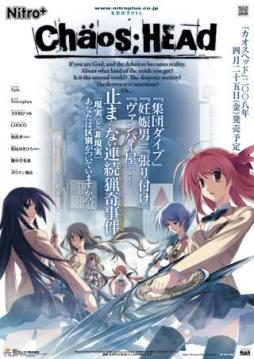
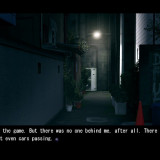
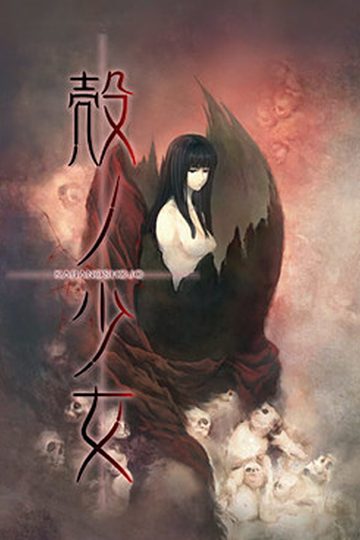
Takumi is a high school student. He is withdrawn and is not interested in 3D things. In his town, a mysterious serial murder case happens and people get panicked. One day, when he chats on the internet, a man suddenly contacts him and gives him an URL. He goes to the website and finds a blog image that suggests a next murder case…. On the next day, it really happens….
Chaos;Head



781 comments
I have smoothly followed the instructions posted here and successfully run the game but there's no sprites!!
I suspect is it because of LCS patch? Because I didn't have it or installed it along with RC2?
tl;dr -_-
btw, can someone post an existing file of LCS patch?
I tried googling it but I can't find any.
http:()//www(.)mediafire(.)com/?mjareibaw54hjwb
http:()//www(.)mediafire(.)com/?56o9u25johwd4of
http:()//www(.)mediafire(.)com/?4dt4v22eri777z1
http:()//www(.)mediafire(.)com/?lfquyh73234o21t
http:()//www(.)mediafire(.)com/?dsny5zg8u33rg81
(remove the parenthesis)
broken or deleted links, tell me so I can reupload them :D
enjoy.
You're truly a big help!
Currently downloading them now.. thanks so much~
If it's the latter then I wouldn't mind playing all over again (I'm currently at chapter 3) because playing with no sprites isn't satisfying at all >_>
Using Win 7 btw, just recommending to people trying out all these methods to try doing the basic install first, it just might work for you.
I wonder what kind of obscure assembled rigs these guys with trouble have... :/
The VN is much better
LAUNCH THE CRACK THROUGH APPLOCAL ON THE JAPANESE LOCALE.
ON WINDOWS 7 IT MAY TAKE SOME TIME TO STARTUP, BUT WAIT FOR IT AND IT WILL WORK!
There's not a clear solution to this (that's why there are no answers on how to work around it) however some possible causes might be.
-Use of Jap locale program or a similar one
PLEASE, DON'T USE THIS, REGARDLESS OF HOW FOND YOU ARE OF THIS TOOL, IT HAS KNOWN ISSUES WITH SEVERAL VN'S (SAVE YOURSELF THE TROUBLE AND CHANGE YOUR LOCAL LANGUAGE MANUALLY UNDER WINDOWS LANG SETTINGS.
-local language is not japanese
I know it should be obvious, but please double check if your local language is indeed set to japanese.
-Faulty video codecs
Download as much video codecs as you can, LOTS of em.
-Admin/permission rights
you'll need an unlocker tool of sorts and apply it on the game's exe. (not yet confirmed if it works or not)
-DVD iso image load
you need a no DVD cracked exe, otherwise the game will kick you back to main screen. alternatively, keep the iso mounted on daemon tools you'll be able to load the game that way but you'll need to mount the iso everytime before you play.
-Win vista/win 7 x64 bits
Not confirmed if this is an issue or not (the game runs fine on both my x64 PC's..
B: Obviously needed xd
C: Usually works with regular codecs and the main comunnity codec pack
D: Being admin is necesary on higher versions of windows... when you think something does not work because of that, right click, run as admin.
E: This site should have the NoDVD patch for download... i found it uberly necesary
F: I cant comment on that
I hope you people keep at it and can play this amazing story have fun
(although i still fear the crash on ep 9... though i havent reached it xD)
P.D: i love nichijou xD your name is awesome
Beta english patch also caused the game to freeze if you tried to save your game while on chapter 7, other common bugs triggered crashes and freezes if you tried to read the glosary tab and config options from the ingame menu.
RC1 english patch crashed randomly though lesss often and the patch didn't work on 64bit systems.
RC2 english patch (The one provided here) has no issues or whatsoever, you'll still need the underwear patch if you enable LCS since if you enable it without it character sprites will be missing.
The only reall problem lies with the noDVD cracked exe
which is NOT provided here (I believe this to be the main cause for the kickbacks to the mainscreen at gamestart.)
at about 5% of its progress , it stop.. said:
エラーコード: -5003 : 0x8004ace8
エラー情報:
>SetupDLL\SetupDLL.cpp (1001)
pAPP:CHAOS;HEAD
PVENDOR:NitroPlus
PGUID:C0AEC1BB-5731-439A-96B1-66ABD2B24F62
$10.50.0.125
also same prob on hanachirasu
help pls mates,, tnx b4 :)
Update your .dll files and also update directX
try to update NET framework 1 as well.
my old war lappy need total reinstal actualy, or rplacemen ehehe
il try some other time then when got free time
thanks anyway Helvetica ;)
I wound up getting a preinstalled version elsewhere, and the game doesn't start up at all, with the same issues as the installer. No error messages, no pop-ups of any sort.
My system locale is set to Japanese, I've tried running as an administrator, I've tried AppLocale, and I've tried every compatibility mode in the list. Any ideas?