
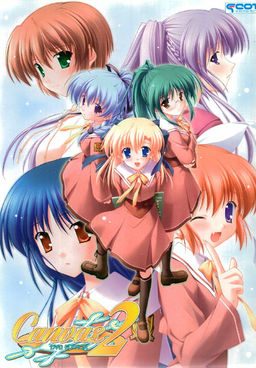
The series focuses on the lives of some students and teachers at Nadesico Academy both at school and their private lives. The main character of the series is Kamikura Hiroki, who lives with his younger cousin Elis. Hiroki is training to become a full-fledged art teacher while also trying to take care of Elis. When his childhood friend Kiri starts working at the school, drama begins to flare as he has to juggle his work, private life, and the feelings of these two important girls.
Canvas 2
- Canvas2.part01.rar - 199.3 MB
- Canvas2.part02.rar - 199.3 MB
- Canvas2.part03.rar - 199.3 MB
- Canvas2.part04.rar - 199.3 MB
- Canvas2.part05.rar - 199.3 MB
- Canvas2.part06.rar - 199.3 MB
- Canvas2.part07.rar - 199.3 MB
- Canvas2.part08.rar - 199.3 MB
- Canvas2.part09.rar - 199.3 MB
- Canvas2.part10.rar - 199.3 MB
- Canvas2.part11.rar - 97.4 MB
- Canvas2DVDPatch1.10.rar - 1.4 MB
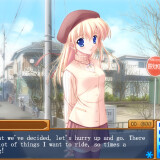







318 comments
They really could've gone a bit deeper with the painting subplot though I reckon.
I can't install the game..
I have DirectX so it's ok but i can't install the game anyway..
What can i do?
Can't rename the protagonist and can't input any comment in the save-files - the game simply doesn't accept any keyboard-input there, and sadly, i then can't even use the mouse to cancel my input, leaving me a bit helpless and with no other option than to button mash in hope to get out of the input-field somehow, or quit the game altogether.
Not really essential for the game-progress itself, but i'd like to fix it anyway, if anybody has any idea...?
* Main menu is not translated, since we were unable to edit any image file.
* On Kana's route, her book scene and epilogue are not translated due to the same reason as above. See "Documents\Canvas 2 Kana Book Scene.txt" to read their translations.
* It is not possible to enter English characters while changing the protagonist's name.
* It is not possible to enter English characters on the save function.
* For the backlog to work correctly, you shouldn't use any previously saved game file or change the protagonist's name at the beginning.
* Emotes in game are not displayed if you're using AppLocale instead of changing your system locale setting.
other issues to take note of are:
* On Kana's route, her book scene and epilogue are not translated due to the same reason as above. See "Documents\Canvas 2 Kana Book Scene.txt" to read their translations.
* It is not possible to enter English characters while changing the protagonist's name.
* It is not possible to enter English characters on the save function.
* For the backlog to work correctly, you shouldn't use any previously saved game file or change the protagonist's name at the beginning.
* Emotes in game are not displayed if you're using AppLocale instead of changing your system locale setting.
Translations are provided for on the patch under the folder "Documents".
So I was wondering if a kind-hearted soul here could please supply me with a save from just after the op? I would be very much appreciated!
You might also try changing the opening video with the subbed version. Get it here "http://www.mediafire.com/?z0q3cdte5p42tg4".
heres how i installed from the iso
1) Make a folder on the desktop (or wherever on your hard disk) & rename to 'Cvs2' (or whatever name you want). This will be the main folder
2) Copy the entire content of the Canvas 2 dvd game into the 'Cvs2' folder
3) Open 'C2_DVD' folder & find the advwin32.exe. Copy & paste this into the main (Cvs2) folder.
4) Download & save the Canvas2_DVD.exe (no DVD patch) into the main (Cvs2) folder.
5) Download & save the game01.mrg (translation patch) into the main (Cvs2) folder
6) Double click the Canvas2_DVD.exe
and as for the adv error part
(win 7)
in your start bar type regedit and run it
open up HKEY_CURRENT_USER - > software
find a file called F&C. when you open it up it should say advwin32 and inside that c2_dvd
delete the F&C folder and try running the game again
I appreciate the help you are trying to give though.
can someone help me ?
when i'm playing this VN there's no sound and voice also BGM...
Any idea?
Thank You,
Someone other guy told me to re-extracting it.
Still testing.
So in my Win7 laptop after re-adjust whatever i like in "game config":
i go to the loud speaker icon on the taskbar,
right click,
chose "open volume mixer",
turn "Cavas 2 ..." volume up,
????,
Character voices sounds clear and loud.
Hope it helps, my fellow hentai.