English visual novel downloads

Saya no Uta

Saya no Uta

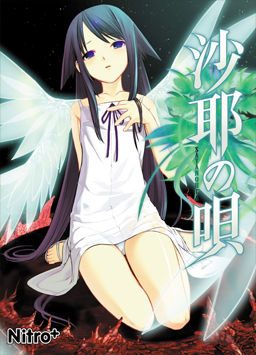
After a traffic accident, Sakisaka Fuminori’s perception of the world changes: everything he sees becomes blood and guts, people’s looks and voices seem like monsters, and food that normally appealed to him tastes disgusting. As he contemplates suicide in the hospital, Fuminori meets a beautiful girl among the flesh-covered walls, who introduces herself as Saya.

338 comments

AstralReply
"Could it be that the name may be different from what the .exe expects and that messes things up?
Would you mind telling me what’s the exact path in your pc (from the nitroplus foder onwards) just to see if I have to rename anything? Thanks in advance!"

I think the .exe only worries about the name of the files inside the folder, so yes if a file has a different name it doesnt recognize it.

yes i will post the path from my nitroplus folder, but i gtg right now so i will when im back home.
AstralReply
NitroPlus:
-e,I%S (another folder inside NitroPLus)

then inside "-e,I%S"

cg (folder)
SAVE (folder)
_patch.pak
data.pak
image.pak
ogg.dll
readme_patch
saya
script.pak
sound.pak
system.dll
system.pak
voice.pak
vorbis.dll
vorbisfile.dll
ErogeDeviantReply
I am having trouble with Getting the English Patch to work and when i click on "saya" which is supposed to be the english version it plays three things and then cuts to a black screen I NEED HELP!
ChaosReply
Well, I finally got it after following your path. THAAAAAAAAANK YOU!^_^ Now...could you help us with Chaos;Head? X3
AstralReply
Your welcome ^_^
I was gonna try Chaos Head but did Da Capo first. Im going to download and see how it goes.
ChaosReply
Cool^________^
angelicaReply
i dont knwo how to intall this helP!!
MomochanReply
Just downloaded this - super excited.

Thanks a bunch!
KiisuReply
No words can express how grateful I feel. Everything works perfectly. Thank you.
AshleyReply
The password isn't working for me. :(
OneManArmyReply
Password works fine. Pls copy the text between the "" and try it again. "erogedownload.com"
kazeReply
how to get this to work ?
I have noo idea.
All i did so far was extract the zip files lol.
The link in the folder doesnt work lol
HELLLPPPPPP
flabbergastedReply
this is awesome i rly love eroge and i love not having to hold a jap to english book the whole time... i love you for creating this site admin!!!!
flabbergastedReply
saya no uta was the hardest to install so fair cuz unlike lightning warrior it does not extract well with pea zip but it works perfect with 7-zip
magisticsReply
how do i dowload english patch??
BlackreaperReply
Ok I managed to install the game. What exactly do I have to do to apply the english patch?
Christian LercheReply
Problem (yeah,you can never get too many of those): I seem to have installed the game correctly and also installed the english patch, however, there isn't any subtitles to read. The options are in english, so I trust it must be something else.
Any advice would be appreciated.
TallOneReply
This was a very enjoyable game, but short (took only 6 hours to finish).

Thanks admin for you hard work
BahaReply
Uhmm.. Im having a problem playing it when i start the game it only show black screen hmm... did i do something wrong or the files just now are different?
LazichuReply
You have to mount the files with a program like DAEMON tools. It should work after that.
JLReply
I tried extracting, password worked, and it installed, but in the last minute said it didn't work. I see a .img and .ccd file, but after mounting them, i try to install, and it fails. Any help here? Or should i just look for another place to download from?
lilsly2flyReply
i downloaded and install this game but when i start it up the screen goes black with no option to continue what should i do?
OokamiReply
which files do i have mount? all i get is a black screen with some kind of little leaf on the lower left corner after the main menu. some assistance will be appreciated.
EgbertPootReply
Gotta give props to whatever group translated this, had to have been difficult to choose vocabulary. One of the best novels I've seen so far as long as the disturbing stuff doesn't get to you.
barefootkaedeReply
Everything works fine except the text autoscrolls even when I turn the option off. I got it to stop for a while by turning the option on and off a bunch of times, but now it's messed up again and won't stop autoscrolling. Anybody know how to help?
yamaneReply
Hi~! I installed the Japanese game alright, and the english patch too. However, when I play the game there are some part that are still in gibberish. I mean, it's English alright, but I think the dialogues of the characters are the ones not in English. I tried playing the game both in Japanese and English system locale, but they're both like that. There are some parts that aren't in English. Anyone know how to solve this?
GibberishReply
The parts that are showing up as gibberish are intentional, as some of the characters' lines are not intended to be intelligible.
EstReply
ummmm, hey. I need help... I passed all the gibberish but when they talk in japanese, it's still giberish sub's... wat do I need to do to solve that???
anonymousReply
when i start to install the Japanese version of the game some error message pops up and the installation stops
plz help
BODONReply
I can't see it! All it shows is after the "no 18 below" warnings and after that, it just went black. HELP ME!
LighReply
The best graphic novel ever with Bible Black!
AuGReply
This game is just...
Beautiful.
The ending redeems the sick and twisted nature of this VN.

Can anyone suggest me a VN like this?
Anything with horror elements really.
^^
rentouReply
thank youuuu
plzhelpReply
when i start to install the Japanese version of the game some error message pops up and the installation stops
plz help
<-
same problem
AuGReply
Have you set your computer's locale to Japan?

Thats the only reason I know...
Or maybe a DirectX problem...
GrayReply
Um, how do you save the game? 0o"
I never played such an old visual novel, so I don't understand how to open the menu and save. Or does it autosave or something?
AuGReply
Just right click and select the save option.
Its the same as most VN's I've played.
SeanReply
Ok, people keep asking questions but noone is answering. I don't think that is right.
Danilo AntunesReply
Works perfect, just set the locale as japanese and all works.
No passwords needed.
Thanks admin.
Jan MikaeelReply
@AuG what VN stands 4??
adminReply
Visual Novel
guestReply
Hello, thanks for the upload, wanting to play this for long time, but like someone up there I seem to having this same problem...

"when i start to install the Japanese version of the game some error message pops up and the installation stops"

I am using daemon tool alright, setup menu turns up, i select the directory to my D: drive (my windows/systems files are installed in D), but after i click next, it tells me something on the line of 'wrong directory', etc. I've set the locale to Japanese too.

Do you know what the problem is? Would be nice if you know, but if you don't, thanks anyway for upload.
AlexReply
Saya No Uta is the best visual novel i have ever read, and still remains to be my favorite.
ErogeDeviantReply
Nevermind i finnaly figured out how to make it work thatnk you admin and all who posted
KrimReply
I wanted to post a fix for the black screen issue some people are having, this is differ's some other's and I believe it is a Windows 7 issue, I think I had the same problem with Clannad a long time ago.

Issue: After going past two screens (one including a warning) the screen will go black and the program will freeze.

Fix:
1. This first step may not be needed if you can move fast enough. But first remove or temporarily delete "image.pak" from the directory.
2. Start the game, now when it loads it will go past the two loading screens, the screen will go black again, but now it wont freeze.
3. Right click the screen to open a menu and click 'Settings'
4. In this menu click "Don't Play Movies"
5. Click the "Close" button.
6. Replace the image.pak into the directory.

It should now run with no problems. I believe this has something to do with the resolution of the videos being differen't than the game, but I don't quite know.

If you have problems with the steps or w/e you can get a hold of me on AIM 'KrimTheDecimator'.

Good luck and enjoy the game.
KrimReply
Disregard this whole thing, all that you need to fix the problem is a codec pack. The Combined Community Codec Pack fixes all the problems caused by videos completely, this will come up in many VN's causing them to crash when a video is played. You can download the codec pack here http://www.cccp-project.net/download.php?type=cccp . If you want to know what you're downloading before you download it the link to the wiki is here http://en.wikipedia.org/wiki/Combined_Community_Codec_Pack . If you don't want to download anything my ass-backwards instuctions do still work, but if you're into VN's then you should just get the codec pack.

/End Text Wall
AlulimReply
I downloaded the thing and it still comes up with the black screen...what else do I need to do?
DubsibwaReply
I have any problem again.
I didn't found where "image.pak" is.I have install but I can't play because it being black screen.Please help me.
JamesReply
I have installed the game by mounting it on DAEMON but once I click to play on the English version I hit a blank screen and if I click to play the program that came out of DAEMON its just a bunch of random symbols. Can anyone please help me?
Flameur18Reply
I can start the game, but I dont see the text.
I see image, but no text... Why ?

Leave a comment