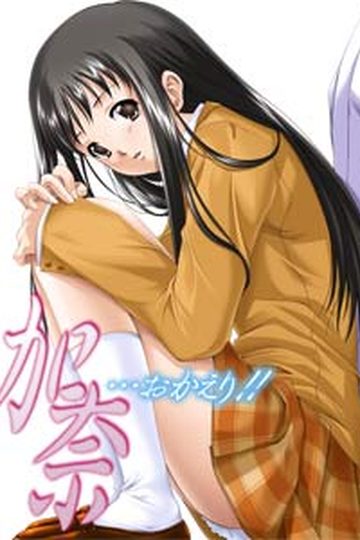
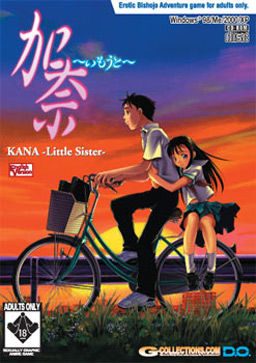
You have a sister two years younger than you. Her name is Kana. She has been ill all her life, and she spends more time in the hospital than at home. Because of this, Kana has always been a higher priority than you. In the past, you have experienced feelings of hatred towards her. However, this all changes one day, and you suddenly find yourself being more and more protective of Kana. Throughout her terrible ordeal, your feelings for each other slowly begin to change. You feel it’s your duty to protect Kana from all harm. After all, you love your sister, and would do anything to save your little sister Kana…even…
Kana Little Sister
Tags:
Adolescent Romance
Brocon Heroine
central heroine
depression
Drama
Dramatic Love Triangle
dying heroine
Hospital
Imouto Heroine
Life and Death Drama
Loli Heroine
male protagonist
Philosophy
Protagonist's Sister as a Heroine
Terminal Illness
Leave a comment
See also:

Kana Okaeri - Welcome Home Kana
A total remake of the classic “H” game, Kana Imouto (Kana Little Sister), this game …

Narcissu 10th Anniversary Anthology Project
“Life is like a waiting room, except people don’t leave in the order they enter.” …

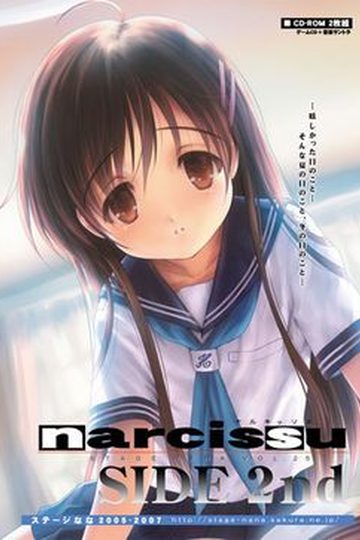
Narcissu: Side 2nd
Narcissu: Side 2nd’s plot revolves around Setsumi, the heroine from the original visual novel, …

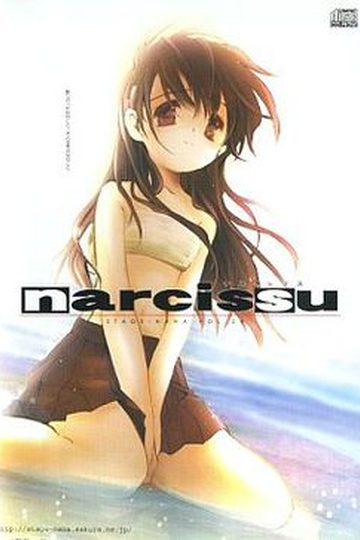
Narcissu
The anonymous protagonist is diagnosed with a terminal illness shortly after his twentieth birthday, …

Figures of Happiness
Welcome to the world of Figures of Happiness, a love story that goes beyond life and death! Minamo …

Wind -A Breath of Heart-
That summer day. Makoto Okano and his younger sister Hinata sit across from each other in the box …

234 comments
first get DAEMON TOOLS
I just used the "LITE" version.
make sure you have the crack as well...
and put the crack in the game folder. (I'm sure you've done that, just making sure.)
Now get Daemon on and then pick the ISO or whatever IMAGE file you got the game from. Got that? Then pick the MOUNT option. ( again, You should mount the ISO/IMAGE file) when the program says its okay you run the game. I honestly did not get how to do this at first haha...
Good luck.
put the nocd patch in the folder with the installer, and then installing the game from my pc.
nothing works except the sound
basicly the problem is that is cannot run in fullscreen mode on vista
so create a desktop shortcut for the game
right click on it
properties
and where it says "C/programmefiles/do/kana/whatever"
add a space followed by -W
this loads the game in windowed mode and makes it work :D
im runnin it on win 7 and tried all the suggestion above..still none works..
click explore
and run the installation file as administrator
that works in vista, not sure about win 7 but give it a try
the installation file is called KANAUST.exe i think
simply go to gamecopyworld website and search kana little sister and then download the no cd patch theyu have there
then extract into your game folder and voila
shout if this doesn't work
1. I dont know which file is said registry key
2. THERE WAS NO SETUP PROGRAM TO BE FOUND SO I DONT KNOW WHAT THE CRAP AM I SUPPOSED TO DO???
drive the game music wouldn't work.(this is in the English uncensored version)It´s the same whith this version?
Well, I installed the game whit the Directx Media option because the other two didnt work for me, but the problem is you can play but the sound don´t work.
Mount the cd image and don´t execute the autorun, instead open the folder and clik in the kanaust.exe file.
Choose install, it will appear a window whit three options.(Game aplication/Directx/Directx Media) Hit ok and the install program will do all the work.
That worked for me, hope it work for you, the problem is the sound.
http://www.the-z-projects.com/kana/misc/troubleshooting.htm
Work fine for my sound/laund probs.
1. get DAEMON Tools Lite and find Kana -Little Sister-.ccd.
2. Go execute and change the place where it going to install, Install in where Kana Little Sister file is
( where Kana -Little Sister-.ccd is). and it will install it.
3 After finish Installing go Extract Kana_US_NoCD to where you installed it the Kana little sister file
(where Kana -Little Sister-.ccd is)and replace the KANAUS.EXE it apear when you extract the Kana_US_NoCD to kana little sister file and just say "yes".
4. when you made that far congratulation only problem now is the music sound doesent work but do not worry there is a solution. As one of the guy said in the comment.
Visit http://m0001.gamecopyworld.com/games/pc_kana_little_sister.shtml
and you can find below Kana Little Sister v1.0 CD AUDIO FIX which you have to download and when you done that extract the file to Kana little sister file ( where you installed the game ) and to be sure make sure mount Kana -Little Sister-.ccd or it wont work.
I wrote this as easy as possible.. ask if you still have problems.... shouldnt be neccessary.
anyway enjoy the game. :) im playing it right now.
the crack is not in this download, so you have to find a crack online google it its about 1.61mb approximate size.
paste but NOT replace in the installed folder VERY IMPORTANT
paste the music patch(bass.dll ,kanaus and Op.dom)only
most importantly you can only play if the image file is open in daemon or alcohol
enjoy this worked for me so hope it works for u guys
I'm going to include what should be blatantly obvious steps, but you never know who is new to this process and truly doesn't know.
Dumb assumption on my part: You know what a .rar file is and know how to use it.
Dumb assumption on my part #2: You read the FAQs on this site that talk about disc images. (I personally use DAEMON Tools.)
Optional but recommended:
Create a new folder somewhere convenient. I will continue under the assumption you did this and refer to it as your download folder.
(I made one a few layers into my C: Drive in an obscure place and gave it the hidden attribute to prevent accidental discovery by anyone I don't want knowing I have these files. Note, if you give your folder the hidden attribute, give it an easily remembered name for when you have to manually type in the address.)
First:
Download all three parts of the image file to your download folder. You can mix a match from the two different mirrors listed above and it should still work. Down load the crack File. Download the Audio Patch File. Download the Uncensored Patch File. (Again, all to your download folder.)
Second:
Select and extract part 1 of the three part .rar file that contains the disc image to your download folder. The result will be a folder titled "Kana" that contains three files, a .ccd, a .img, and a .sub. The .ccd file is the file you will mount as your image, but the other files are needed as well for the image to work. Leave the three files in their folder.
Third:
Extract the Crack .rar file to your download folder. There will be two files, a .exe and a .txt. The txt file is just some tech jargon about the .exe for anyone who is currious. The two files do NOT come in their own folder. Make one for them and place the two files into it. I refer to this as the crack folder.
Fourth:
Extract the Audio patch .rar file to your download folder. You will end up with three files (.exe, .dll, .dom) and a folder called CD. The CD folder contains 16 .off files numbered 2 to 17. (Don't ask, I don't know.) These for items do NOT come in there own folder. Create an "audio" folder in your downloads folder for these three files and the CD folder and stick them in it.
Fifth:
Extract the Uncensored .rar file to the download folder. You will get two untyped files and another .exe. These files do NOT come in there own folder. Create an "Uncensored" folder for them and place the three files into it.
Note:
It is important that you extract the three patch/crack .rars one at a time and stick there resultant files into there own folders, or the .exe files will try to overwrite one another.
Sixth:
Amend the names of the two .exe files in the Audio and Uncensored folders so you end up with three distinctly titled .exe files. Leave the .exe file in the Cracked folder alone.
Seventh:
Mount the image file and install the program. Make note where the game is actually being installed so you can find the folder later. (I forgot this step and spent ten minutes hunting through "Program Files" to find it.) Find the KANAUS.exe file and delete it. Note, your anti-virus might squawk about this file being a trojan/worm/virus etc. If it does, let your anti-virus delete it. As to whether or not it really is mal-ware, I don't think so, but you'll need to talk to Admin for the final resolution on that argument.
Eighth:
Copy the KANAUS.exe file from your crack file to the place where the original KANAUS.exe was. We'll call this place the program folder for future reference.
Ninth:
Attempt to run KANAUS.exe. You may need the image mounted. I have yet to try to run the game without the image mounted as of when I typed this. If the program loads and appears to be working, then so far, so good.
Tenth:
Copy the Contents of the Audio Folder to the Program folder. Make sure you renamed the audio .exe file so they don't try to overwrite each other. I don't remember for sure, but other than the .exe files, there should be no attempt to overwrite anything. Try loading the game from the audio .exe. There should now be sound in the game when you get to the first background image of a new game. (before there wasn't any background music). From this point forward, you should be able to use the crack .exe file to start the game. Also, the start menu shortcut should also still be functioning.
Eleventh:
Copy the contents the uncensored folder to the program folder. Again, make sure you renamed the .exe so as to avoid an overwrite. Not counting the .exe, there should be one file overwrite. Let it happen. Try loading from the Uncensored .exe I don't know if the patch actually uncensored anthing, as I have yet to actually play the game.
Conclusion:
At this point you should be good to go. You should be able to use the start menu short cut or the Cracked .exe (which the shortcut should be pointing to) to start the game. I don't know if you need to keep the the other .exe files but as they don't appear to do any harm, you might as well keep them.
So far I can only get background music to play if i start the game using .exe file that came with the sound patch. I can not get any of the other .exe files to play background music. This do not seem to affect the uncensoring patch however. I was playing use the sound .exe and reached an H-scene involving Yumi Kashima and there was nothing I would consider to be censoring.
I followed the given instruction exactly and I don't know what else I can do.
Any help?
1a: Mount the image file and run the installer (You might have to run it as an administrator) if it doesn't run, run KANAUST.exe in windows 95 compatibility mode.
1b: Install it to the same folder as the image file. (You'll get no errors if you do this)
2: Copy the music patch to the game folder.
3: Done! The game works and the music is playing!!!!!!
Now this worked for me although I didn't bother with the uncensoring patch and the crack but I'm not playing this game for some fucking nude cartoon porn!
/ObviousOne
Do yourself a favor, play it.
Send the exe to AVG so that they can verify it and update their databases.
Hope this helped you.
I only hear the music.
Can someone provide me a save game in window mode?
The game itself works perfect except my screen displaying BACKWARD for images and everything in full screen mode.
Is anyone have same problem with me? fix and suggestion will be much obliged
i'm using XP SP3
Required:
1. Change your system locale into "Japanese".
Installation:
1. Extract the .rar files
2. Mount the Kana -Little Sister-.dea
3. On autoplay...click folder to view files
a.On desktop make a folder
b. Copy all the contents of the CD file. Paste it into the folder you made in the desktop
4. Open KANAUST and then reinstall.
a. tick DirectXmedia and Gameapplication
(at the end of the installation...an error will appear: "Stopped Working".... just ignore that..)
5. Extract the no cd patch and copy-replace it to the original KANAUS.exe.
6. Click KANAUS.exe and done :)
How to install music patch:
Recap: Remember that I've asked you to install or rather copy the CD files and place it in a folder placed on you desktop. Assuming you've followed the steps above.. have a working game placed on your desktop.
Let's say we named the folder (wherein you copy pasted the contents of the image file) placed in your desktop 'GAME'
1. Extract the Music patch....open the folder 'GAME'. Drag and replace all the files.
2. Now, Go to your X:/Program Files ---> and folder DO -->KANAUS. Again extract the music patch, and place all the files in the X:/Program Files/DO/KANAUS directory (Copy and replace).
3. DOne!
**: Note that bakc-up the original files before you paste and replace. :D
Anyway, I'm using windows-7 32bit.
thanks for admin too
This game is very touching
Once complete, I copy the no-cd, music, and uncencored files to the C:\ProgramFile\DO\KanaUS... then I play the game C:\ProgramFile\DO\KanaUS\KANAUS.exe...
But upon startup it only reaches the black screen without showing the intro D.O. then hangs [not responding]... is there anyway to fix this?
I'm using Windows 7 64bit
Best workaround would be to install XP (or any other version of Windows that supports this program) as a virtual machine and use that to run it.
thx for the reply!!!
and great work from the hoster on this site. Have tried just Kara no shojo, but this one seems good too
Hello, thank you for the email. There are no viruses in our games. Your AVG is picking up a false positive, most likely due to an unorthodox .dll hooking method used in some older games.
I installed the game, but when I try to run it all I get is the D.O animation and then the game crashes.
But I have not installed the Music patch or Uncencensored patch.
I am now downloading the Music Patch and am going to install that also, but is the Uncencsored Patch required also?
And if you could provide detailed instructions as to how to install the Music Path that would also be very much appreciated.
Thank you for taking your time and reading this.
But I must admit I am also emotional. This one struck me right to the heart, and I cried. I don't care if it was manly tears or not. I just cried. Even if you took out the 'ero' parts from this one it won't change the greatness of the story.. This will be the most appreciated visual novel in my life ever.
Highly recommended. A must-read.
mount the image with an iso program "i use ultraiso"
and then open file "KANAUST.exe" click execute, wait until it finishes... "you have to disabled your antivirus first in order to install the game"
click finish.
extract the music patch to C:\Program Files\DO\KanaUS\ "Replace It"
its done. happy playing :)
---------------------------------
never use the cracked one. em i mean KANAUS.exe in the crack folder
I'm having the same problem with Daemon tools :/
You will also need to download AT LEAST 1 patch file to the big stack you have, there should be a big list
Once you have (daemon tools or poweriso) Daemon worked best for me, most simple you need to open the "Kana-imouto" with the daemo tools sign on it and install the game onto your disk drive, there will be an option to install when you open, you then re-open the game and it should work perfectly
Katawa Shouji is the first good VN I read and I thought I wouldn't find something better until Fate/Stay Night and Muv-Luv Series.
So for all the VNs both good and bad out there its thanks to this story that they exist
there is : Please put NoTitle CD in your CD-ROM drive
I click 'Retry' but it's doesn't want to play and just Warning! warning! warning! again when I click retry :< please help me...
And yes its running.
But I have a problem, once the game start, the whole thing is upside down.
The screen, display and the mouse movement are all upside down.
Any solution?
and some tips for j-games: install the language "japanese" on your computer (its on the installation disk). if you dont have one then you have to buy it lol, but before you buy it check out if you have already installed it but still left it packed ;). in the language sector should be a message that says: installing east-asian language with a box to click on, on the right of the message or so, just press on that box and press ok ^^. then change your regional settings to japanese (thats the non-unicode).
you can also use windows applocale to avoid changing the regional settings, but you still need to install the japanese language 'cause otherwhise you won't find the language japanese in the applocale list (at least for me it was so)
info: im using windows xp, i dont know how that looks in vista or 7 and i f i said something wrong pls. correct me then :)
Somebody please help...!
and i will tell it to ya step by step :)
first off: im using xp home edition
first: download all the parts here on this website
than extract the first 3 parts.
use daemon tools to mount it.
you should now see the options: execute, finish and quit.
press on execute and install it (note: i didn't press on any icons, so i didn't install the direct xmedia stuff ^^)
after that you copy the uncencor patch and the music patch and paste it into the file order of KanaUS (it should be in your program files in the fileorder DO).
i extracted the music patch first, overwrote it, than i extracted the uncensor patch and overwrote all the stuff.
after that i mounted that game again, but insteat of reinstalling it or so i just pressed on the file exe of the game (in the fileorder KanaUS)
and voila, it worked ;).
PS: forget the crack exe, its fucking useless. i know how to use those crack exes and this one didn't work for me so i had to use the trick with the mounting to get it to work...
i hope i could help :P
and if ya have problems downloading the parts: try an other browser like firefox or so, or delete your cache. maybe the website is down (i had it once too) so just wait some days and it should work again. otherwise i would recommend you to throw your computer out ^^
and the monitor just gone pitch black and nothing happen.
someone, halp me please.
After this, I moved the KANAUS executable from the Crack directory into my Kana directory, and the game works just fine. I installed the Music patch afterwards, unmounted the ISO, and I'm playing it now. You'll know the music patch worked when there's music playing on the main menu after the options load up.
Hope this helps!
I warn everyone ! unless you like to be depressed...
this isn't exactly catering 'hentai' or 'eroge' in anyway
and there's no Incest either !!
Just go to walktrhough and play according to Ending 1# other endings are depressing as HELL !
Okay Ending 1 SHE LIVES IN OTHER 5 Endings SHE DIES !!
Happy ?
first of all: the game is clean, my antivirus doesnt say anything and is updated dayly
besides, i trust the hoster of this website ;)
second, now to the game:
put all rarfiles together, mount it, install it. use uncensore patch (even though its pretty useless), than use music file patch. the music file exe should be already a cracked one so just mount the game and start the game with this new exe. you should be able to play the game and listen to the music. if you have problems launching the game, i would check out if its the compatibility mode, cause the game is kinda old.
if you still cant play it, write everything down you did (from extractring to launching), so we can check out what ya forgot ^^
C:KanaUS. I have it for months thinking that the file is broken. I even downloaded from torrent and when mounting time, it always mount only 294mb and the file has 700+. but that is solved now and the program is working.
This isnt just some eroge game. Its probably qualified as one for the few erotic scenes.
What is it when it aint just an eroge game?
Ill tell you!!!
Kana - little sister is a game about your little sister.
She had a disease in her liver from her birth.
This game shows the life of a brother and sister that live that way.
The way of knowing she is sick but still trying to live life to its biggest potention.
You (taka todo) help her to enjoy life as it is and protect her in any way you can.
In this game you have to make choices, on which the game will follow through.
This isnt an eroge game in my opinion, but a game about the romance and love you can have with your sick sister.
I am a very emotional guy of 22 years old, and in many scenes i had to dry my teary eyes, just because this game makes you feel the emotions that the characters are going through.
Even the music/sound is very good. And i bet its a very important part of the game, because when the scene is sad, the music is, when the scene is about enjoyment or daily life, the music enforces that emotion perfectly.
So even if you are looking for an eroge game, which it isnt really in my opinion, its still a very good and beautiful game to play.
My ratings for this game:
Audio: 10 out of 10
Background: 8 or 9 out of 10
Storyline: very touching so 11 out of 10
Translation: not the best but understandable, 7 out of 10
Yes, my opinion is to play this game and see how an young ill girl lives her life to its best potention.
Keep up the excellent work like this game
I mounted the 'Kana-Little Sister-.img', opened the image file, then double clicked on 'KANAUST'.
Clicked on 'Execute'.
I had to change the destination from it's default to 'D/New Volume/Visual Novels/Kana/Kana Game' a folder set up in the main Kana folder.
Installed just fine.
Opened 'KanaMusicPatch' copied 'CD, bass.dll, and Op.dom' pasted into 'Kana Game'.
Opened 'KanaUncsensorPatch' copied 'DRSSNR and HCG' pasted into 'Kana Game'.
Went into the cracked folder and copied the 1.61MB 'KANAUS' file and pasted it into 'Kana Game'.
Ran the cracked exe I just pasted.
Game runs fine.
My only question: How do I change the settings? If that is even possible.
I still have the .img file mounted in the same virtual drive, and have not changed the location or name of the file I installed Kana to.
(Well I changed the name, and that forced me to go through the above process again.)
Also, unlike all other games of this type I've played, the options are not in an 'options' tab, but at the top of the screen once I started playing, all options are separate.
Just in case anyone had the some problem. (Completely new to this. So if its obvious, please forgive me.)
tprivatewindowssetupsetupapiansi..diamond.c: h==0 Call Debug Break()?\
Should I just try to reinstall and try again?
please help
I'm using windows 8 and already changed my locale to japanese..is there something else i need to changed or software to added?
Thank You in advance..
I have the same problem as you but i tried so many ways and none of them work. Help me please..
I can't play this VN on my win 8.
I don't know why but when the DO appear after i click execute my screen turn to 800x640 resolution and a black screen appeared with my task bar on it. I already follow all the steps, is the game just can't be played on win 8 or i miss something?
Please Help if anyone knows how to sort this out...
after you download the two files and the censored patch, what you do is unzip the two main files then install them in a folder then unzip the censored patch then put the drssnr file and HCG file into the main folder and over right them , as for the kanaus.exe file from the censored patch folder, DO NOT MOVE IT into the main folder just leave it there or delete it
Then to start the game just go into the main folder and double click the shortcut ONLY THE SHORTCUT, because if u click the main .exe of kanus it will not work and if you do that what would happen is the screen will change resolution and the game will crash lol
Thats how i got my game to start , its weird cause i didnt mount anything lol
I can not play this game , when in the open game it says "Please put -Little Kana Sister- CD in your CD - ROM drive is " how do I fix ??
And the game has no voices or sound effects.
Any ideas what to do?
Thanks in advance.
Here what to do...
1)I using Windows 7 and just change location to Japan
2)use 7zip to unpack 1st folder
3)after unpacking just run kana install
That how it work for me.I donno what kind of problems do you have?Old install stuff
Forget about patches, to fix music error simply install game on your Desktop. You'll get the same error window at first but then bgm plays as it should.
You're welcome.