English visual novel downloads

Kamidori Alchemy Meister

Kamidori Alchemy Meister

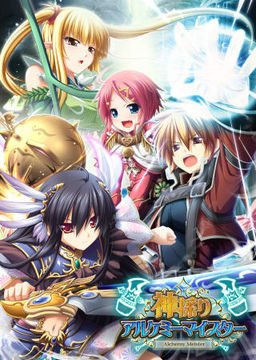
In the Setetori region of the southern part of the Raulbhach continent lies the Mikelti Kingdom. Among the seven major cities is the artisan city of Yuidora. This is where a young orphan named Wilfred lives, pursuing his dream of becoming an alchemist. As tensions between neighboring nations rise and a threat of war looms, three girls in distress come to his place and he helps protect them. Using a new technique that he discovered and with the help of other races, will they be able to restore peace to the lands?

2336 comments

OttoReply
But i can't beat that reaper... All my attacks missed
HiReply
You're not suppose to beat the reaper.
OttoReply
so how i can complete all stages when she appears on 35 turn and i dont have 100% of control
HiReply
You're suppose to fight her and lose.
OttoReply
that doesn't working... when i lose then its game over... when i withdraw noting happens
HiReply
Hmm, I used Yuela to fight her and everything was fine.
OttoReply
what do you mean by fine? please tell me what you remmember from fight with her? Yuela was alone? You survived to turn 40?
HiReply
At least I don't think so, because I didn't beat her.
HiReply
It was only like 15 turns, I used Yuela to solo the reaper and lost. It brought me to a cutscene and that was the end.
OttoReply
i give up ;/
answerReply
well.... i used emirita's area of effect magic which damages the reaper by 20 then there will be a story and then u will withdraw... if u went there and stayed till turn 20 u have a chance the reaper will apear.... unless u beat it at chapter 4(?) or 5(?)
WhoaReply
you just need to hit the reaper once.
raymReply
this game need a serious walkthrough, it's as hard as sengoku rance with gazilion of heroin u.u
raymReply
speaking of walk through, how do I clean Aht? I just got to the begining of chapter 4, will the success condition will automatically come later?
OttoReply
so if you at chapter 4 tell me how to level up workship and store :P I want it :D
Some random guyReply
Just wait, the event will pop up in chapter 5.
OttoReply
im at chapter 1 and need rise up level of workship and store but can't ;/ Hi says i need to complete all stages but i can't because that reaper appears on 35 turn ;/
answerReply
to level up the shop... collect materials.... stone for store.... wood for room.... soil for yard and clay for workshop.... with enough money click on the expand above the areas... thats how you expand your house....
OttoReply
if that work you are my god and i build for you a sacrificial altar
OttoReply
that working :D thanks :)
GeezusReply
in my opinion sengoku rance was a lot harder... you really had to use your turn efficiently if you didnt want to miss tons of events or fail hard in the later turns. xD it could be really kind of depressing and i beat the game only with the help of a walkthrough. kamidori alchemy meister isn't as hard and you can play it without a walkthrough. but i don't know how high the amount of missed events is.
kR1pt0Reply
Any1 else got problem with first battle???!

1. Windows 7 Ultimate x64
2. Locale is set to japanese
3. Installed the game without any problems
4. Applied the patched ap01, ap02 , 200
5. Installed eng patch
6. Applied the Kami_Textfix_1_0
7. Installed the gothic font
8. Started the game
9. Changed font to Gothic
10. Everything works - no problems so far
11.Then you get into a dungeon and fight your first battle.

This is where my problem appears.... for some reason i hear alot of combat noises in the background when battle starts but the screen just stops... it looks like its stuck but its not since i can use the menus when i move mouse to top of screen..

Any1 got any idea why this is happening???
SinXCrossReply
Did you set it to "Run as Administrator"?
kR1pt0Reply
Yes. Problem was with codecs.

I needed to uninstall AC3 codec. It works fine now.
answerReply
help.... someone know about exp multipliers for this game? its getting hard to level up the characters when they reach lv 20 or so
jarva212Reply
how do you complete "deal with misanhell" i already get the item and i dont know what to do
Some random guyReply
I'm at chapter 6 in the alchemy testgrounds and i have to solve a riddle in a room full of chests. It looks like the chests are arranged like the event places(market, church, etc) in yuidora and there is the text "two open chests marking people together".
I have no idea which chests... I (think) tried all possible combinations... any suggestions?
WhoaReply
Should I spend money to upgrade Wil's first armor? I think he's going to get a second one later?
Some random guyReply
I'm at chapter 6 and he still doesn't have another one ...kinda sucks.
WhoaReply
oh.. that's really odd. so is his second armor like a new game plus sort of thing?
Dr.OrangeReply
You get it upon becoming a master . Startign the 7th chapter
AnonymousReply
Hi after installing and playing i noticed in the beginning that my game freezes when animations happen in the dungeon or battles. I first noticed it when i tried picking up the feather in the first dungeon it would just freeze and doesnt respond. I've tried reinstalling many times and following the install guide shown in comments but nothing seems to work i was wondering if someone else is getting this same problem and a solution plz
zeroReply
hmm i deafeted the reaper prety easy
giray15Reply
i'm using vista sp2 and getting 1155 error when installing. can someone help ?
lXDarksunXlReply
Did you change your locale to japanese? (NOTE: Locale not location. They are easy to confuse.)
giray15Reply
I don't know what is that locale think can you teach me :/
lXDarksunXlReply
one minute. I'll repost another version of my install guide. it'll guide you through it.
MeReply
Parts 12, 16 and 22 need to be reuploaded. Thanks for the work ^^
Some random guyReply
Weird they work for me.
lXDarksunXlReply
Here's yet another version of my guide. It now includes the fix for error 1155 and the error that prevented you from saving. Just check the ADDITIONAL NOTES at the bottom of the guide.


---------------------------------------
KAMIDORI INSTALL GUIDE
---------------------------------------
V.2.5
(NOTE: Before INSTALLING OR PLAYING Kamidori, change your system locale to Japanese. To do this in Windows 7, Open the control panel and set the view by to category. Click “Clock, language, and region”. Click “Region and Language” and then click on the administrative tab. There will be a button that says “Change system locale…”. Click on that and scroll down until you find “Japanese (Japan)”. Set it to that and apply settings. You will need to restart your computer afterwards. For how to do this in XP:
http://erogedownload.com/faq/installing-japanese-support-for-windows-xp/
and in Vista:
http://erogedownload.com/faq/installing-japanese-support-for-windows-vista/

(IMPORTANT: DO NOT CONFUSE LOCATION WITH LOCALE. Locale and location are in the same dialog box, but locale is a button in the administrative tab of that box.)

STEP1- Extract the game download. Run KAMIDORI.mds in a virtual drive program such as Daemon Tools Lite. Follow the installation and make no changes to the default installation location.
(IMPORTANT: Be very careful to not change that default install direction. It could possibly make the folder unfindable for the patches!)

STEP2- After the setup has finished extract the patches. Run each .exe file in this order:
kami_ap01
kami_ap02
kami_200
If you have not accidentally changed the default installation location from step 1, then the patches will have installed correctly.
(IMPORTANT: For the english patch to install correctly, all three patches MUST be installed.)

STEP3- Extract the English patch. Copy the Kamidori English 1_0.exe file into the installed games folder. The default location is:
(C:)ProgramFiles(x86)/Eushully/神採りアルケミーマイスター
After placing the .exe file in the installed game folder, run it.

Congratulations. You have (hopefully) successfully installed Kamidori onto your computer.

ADDITIONAL NOTES:
Restarting your computer before installing is a wise idea. it minimizes risks of unsuccessful installation.

After you install and patch successfully, the name of the folder can be changed however you like, so never worry about the folder’s default location being something you don’t like.

Always remember to close unnecessary processes and programs in the task manager. Games tend to eat up high amounts of memory which won’t be a problem if you have enough to spare.

Turn off your antivirus before playing a game. Antiviruses can screw with a running game and cause some minor errors. In some cases the use of an antivirus during the game CAN KEEP YOU FROM SAVING THE GAME.

The game saves are located at:
On XP:
C:\Documents and Settings\UserName\Local Settings\Application Data\Eushully\神採りアルケミーマイスター\SAVE\
On Vista & 7:
C:\Users\UserName\AppData\Local\Eushully\神採りアルケミーマイスター\SAVE\

The install ERROR 1155 is caused by not having your locale set correctly. Make sure to have the correct setting or else you will be greeted by this pesky code.

Instructions by lXDarksunXl
Thanks erogedownload.com for this awesome download.
giray15Reply
Thanks man but i have problem with english patch its says software not found
lXDarksunXlReply
There could be 3 things wrong there. Did you change the default install direction? Did you not install the other patches first? Did you not move the English patch to the game's folder before running it? All of these may cause problems with the patch's installation.
einzelReply
could you help me please?
my problem is when opening menu, or unequip weapon or something, or in the middle of battle, the game freeze, only sound that was playing. already set my locale to japanese but still freezing, even when I click intro movie it freeze, it's really annoying. I'm playing on xp. is there some ways to repair this? thanks
anonReply
I followed lXDarksunXl instructions but am still getting the Game not Found error in the english installer.
RistemReply
Hey, I followed your directions and it started up fine but in Japanese. Not sure what went wrong. Help?
RistemReply
Never mind. I got it to work. Thanks for the guide though. Was very helpful.
FrenkeReply
I still have the same problem, when in the tutorial you have to pick up the feathers it freezes and after some time it opens another window called ActiveMovie Window with some sort of effect. And everything in the game still moves and the sound is okay as well. It's only the effects that aren't working. Please help.
NehzReply
Changing the locale under the ADMINISTRATIVE tab fixed the 1155 error I was having. This isn't the same thing that erogedownload has you do in its install guide (at least I'm pretty sure it doesn't). In the same window where you change your location, there's the ADMINISTRATIVE tab, change that and you're good to go.
JacobReply
So .... how did you guys advance to chapter 6 ?
LeonzellReply
anyone know how to change the game screen size, when loading the game once a menu appeared and it seems accidentally changed something and now the game screen in windowed is bigger than before, i want it smaller.

Leave a comment