
English visual novel downloads

If My Heart Had Wings - Uncensor Patch
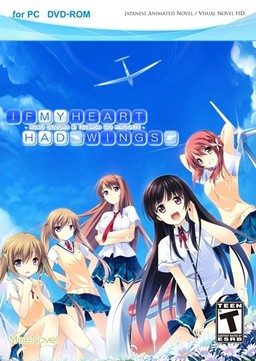
If My Heart Had Wings - Uncensor Patch

This patch restores removed content ( hentai scenes, kissing, dirty jokes etc. - basically everything that localization company deemed unsuitable for 12 year old French girls ) in English release of “If My Heart Had Wings” (“Kono Oozora ni, Tsubasa wo Hirogete”).

295 comments

GodSadistReply
Game crashes, blue screen of death (a lot...), typos and is censored

Frustration level:MAX!!!

But has good story
AruReply
When you extract all the patch files, you've to run apply_diff.bat as a normal user, NOT as admin.
AoReply
the patch works but when I play, the background goes black unless it's CG.
TomoyaReply
if i install this patch
will my saves be destroyed??
im about 10 hours into the game so... im scared of losing it...
by the way, im only doing this to solve the problem im having..:
WHY ARE THE BOARDERS COMPLAINING ABOUT KANAKO BEING SEEN BY AOI IN HER UNDERWEAR EVEN THOUGH SHE'S IN HER PAJAMAS

and somewhere in the internet, someone said its like that cause in the original game, Kanako is really naked...
so i downloaded this just to find out
kaiserReply
Folks! i saw the oppai of kotori when she's trying to go in the bathtub, but when i opened the CG, kotori wears a towel. Does that mean that the installation is failure?
Lotus JuiceReply
please help me.i have succesfully applied the \apply_diffs\ and run the game but there are errors at the start of the game when Aoi met the girl in wheel chair
Lotus JuiceReply
im using wondows8.. please
Leroy JanReply
I need help, how do I install it? I don't know what an installation game directory is. Can someone please tell me the steps to do it?
-M-Reply
Installation directory is the location in your computer where you decided to install program or game.

Here's the process I did when install this VN:
1. Decide the installation directory
2. Install the game
3. Copy the files inside uncensor patch to the installation directory
4. Run apply_diffs.bat and wait some time until you see "pause. choose any key to continue"
5. Run the game. Enjoy :)
noireReply
ugh! why choose a hentai game to translate to english and then remove the sexual scenes?why don't they just choose visual novels that have no sexual contents, instead of ruining a perfectly great game(with sex included)
KazumaReply
I finished re-installing the VN, copy the patch and run the apply_diffs.bat. I also change the locale to Japanese.But when I started the VN, I can't see the pictures. he screen is all black but I can see the dialog box and the story is on but there are no PICTURES and after a few seconds, an error appear on the bottom-right side of the screen and I can't understand and fix it. Please help me. I sacrificed my first game finishing Kotori and Ageha route for this. I want to finish this.. Please help me..
LyonReply
This happens to me as well :/ How did you fixed it?
JetReply
Welll , it works for me. I have played Kotori route, the patch is ok and now I am playing Amane route, it is work too.
JetReply
I ever have this problem before and I found that you must put all the patches(normal patch and uncensor patch) to your game location first. If you have played it and then you put the uncensor patch into the game, I will crashed. So don't play it, put the patches first.
LyonReply
I played the game before because I thought the patch was applied D: But everytime I install it comes with my old save, how can i fix that?
LyonReply
Since there's a lot of pople having trouble with this patch, I'll post instructions on how to apply it correctly and what is needed :3 But before starting, I want to make sure you understand the following:

1. This patch will unlock +18 scenes of the game. Just keep that in mind before downloading it.

2. I'll be REALLY specific with my explanation, even with obvious stuff such as how to install something and extract it. Hopefully, this will make it easy to understand for everyone :D

3. I'm not sure if I can link outside pages in here, so I won't do it. Which means that if you're missing something, you'll have to search for it by yourself. Sorry I can't help :/

4. English is my second-language and can result to some horrible mistakes T_T Please, forgive me for any error I make and hopefully the phrase stays understandable.

Now, LET'S START! Please read the full explanation first so you can download everything beforehand.

- Requirements:
1. All 16 parts (.rar files) of 'IF MY HEART HAD WINGS'. The process should still be the same if you downloaded it from the DA-1click option.

2. All 7 parts (.rar files) of 'IF MY HEART HAD WINGS UNCENSOR PATCH'. Again, the process should remain the same if you downloaded it from the DA-1click option.

3. A computer with Windows 7. Vista should also be compatible with it, but I've heard some people having trouble when using Windows 8.

4. WinZIP or WinRAR installed. They are needed to extract the parts of the game and the patch. Both work exactly the same so download any of both (I prefer WinRAR, though).

- Instructions:
1. Extract all the parts of 'IF MY HEART HAD WINGS' in a single folder. This can be done by selecting all 16 parts and right-clicking on them, choose the option you prefer (I always go for 'Extract here').

2. Run the application found in the folder obtained by extracting the game's parts. The app should be called 'IfMyHeartHadWings' and have a blue icon.

3. An installation window will open after running the app. Agree with the license and choose the direction of the folder (choose somwhere easy such as Downloads or Desktop). After the installation is done, you'll be asked if you want to run the game. DESELECT this option and click finish. DON'T RUN THE GAME.

4. Extract all the parts of 'IF MY HEART HAD WINGS UNCENSOR PATCH' in a single folder. Follow the instructions in step 1 for extracting the files.

5. Copy all the files that are in the folder obtained by extracting the patch's parts. COPY ONLY THE FILES, NOT THE FOLDER. Go in the game's folder (the direction you chose on step 3) and paste them there.

6. Run the 'apply_diffs' file and a cmd window (black backgound with white text window) will open. This is applying the patch so it'll take a while, when is done it'll say 'Press any key' or something around those lines, press any key and the window will close.

7. Change your location to Japan before you start playing. The patch SHOULD NOW BE WORKING. Saddly, there's no way to confirm this until the first H-scene which is about 4 hours in-depth (a bathing scene with Kotori, she should be naked and not in a towel). So just hope it worked until the scene.

If it didn't worked, it may be because you played the game before installing the patch. But don't worry, just delete and re-install the game and follow the same step.

Also, if you're having a problem because the 'd3dx9_43dll' is missing, don't worry. That's just the version of DirectX. Download a program called 'dffsetup-d3dx9_43' and install the file with it.

Hopefully this helps everyone :3
LyonReply
Also, it seems that changing the location BEFORE running 'apply_diffs' on step 6 may fix the patch.
erogeloveReply
mine said lacking xinput1_3.dll after i installed d3dx9_43.dll
so i downloaded the installer for xinput1_3.dll and tried to install it like what i did with d3dx9_43.dll. then it doesnt let me install. how can i fix this?
MishiReply
Hey sorry to bother, but I am suck as well. I downloaded everything. First, after I installed it, I extracted the uncensored patch outside of its directory folder; then I copied and paste the uncensored patch on the directory folder, and I replaced all of the files that are in the same name, so I try running apply_diffs.bat, but it still tells me that the files cannot be specified. Finally, I decided to play and it worked perfectly well, but the problem is that whenever I am in a scene, the characters does not appear when it is suppose to and a error box keeps popping up (which I think the files I replaced affected this result). Also, the game works perfectly well when I play the censored version.

Thank you very much for the help, DR
YamiReply
hey why chip3.arc.diff corup
anyone know how can fix it?
IssunReply
I have the Kotori bath scene working, but when I get to the group bath scene all I get is a cg of the house while they are talking.
IssunReply
Also seems I am missing a lot of other cgs as well.
LyonReply
I don't understand, you can't install the game or the .dll file? If it's the .dll file then try looking for it on Google and hope for the best. If it's the game then I have no idea :s Sorry.
amedaiusReply
I gotta say admin I love the description on this one. "everything that localization company deemed unsuitable for 12 year old French girls"

Two thumbs WAY way up.
AngiusReply
It's the exact way the publisher justified them butchering the content (a whole route was redone from scratch!): they wanted even 12 y.o. girls to be able to read it and be introduced to VNs.
RinReply
I kept getting stuck in this screen where there are no text or anything appearing. May I know if anyone knows how to go through this part or is this some kind of glitch?

http://i60.tinypic.com/339qg3q.png
DudeReply
Sorry dude I'd love to help, but your link doesn't work for me :(
IzzyReply
The Problem with this may be your applocale. The Text doesnt work propperly cause the game doesn't know how to render it right in the box. SO yeah try chaning your applocale then your language locale in the same place as the applocale is. If that doesnt work then ask around for the games font and download it directly. I cant help much more since those solutions work with most no text in the box problems. SO I hope it helps :3
anonymousReply
it looks like that problem is just a missing line, you should be able to just click next or just try reinstalling the VN, if those don't work then try getting to where you were on a japanese version, and take a pic and see if you can find someone to translate it.
gainasReply
I installed the uncessored patch, but the game still censored, and i cant play the extra content, what should i do?
MarekReply
How to quick check that patch is applied correctly?
MarekReply
after installing patch I don't have sprite's and instead of it I get error messages
Kawada-kunReply
yeah, same goes for me...
got solutions ??
noniReply
hm, I've just installed the game and copied the unpacked patch into the installed path. But I got the same errors, so heres my solution:
reinstall the game, but not into the standard path, I chose just C:
After that, i unpacked the patch right into the new gamefolder
C: /IF MY HEART HAD WINGS
and pressed the apply_diffs.bat

There has to be an cmd with every some seconds a respond...
Finally search for Rio.arc.bkp <- when it's there, your patch was successful :)

Ps.: sry for my bad english :P
Ecchi -kunReply
is this typically the C: only or on program 86x
Kawada-kunReply
Thanks a lot! ^^
MadnessReply
HMMM i've been looking for the "game" itself to download (without paying ofc) so if anyone could gimme a hand here that'd be great! i'm dying to play this one so please! thanks.
Kawada-kunReply
the game works correctly before
but after i apply the patch
it's showing me no character images and
error messages keep pointing out..
what should I do ??
Baka-ChanReply
I had the same problem. I fully uninstalled the game (Made sure to remove the uncensor patch(Before or after don't mater)) Reinstalled the game threw the uncensor patch into the install directory. Ran the "apply_diffs.bat" then reran 'apply_diffs.bat" as administrator. Then i ran the game and no error messages or missing images. Hope it helps you enjoy the game to the fullest it can.
Ecchi -kunReply
So how am i supposed to know if the patch is applied in the game. Coz i havent even start the game. (More VN i have to finish before i jump into this one)
Ecchi -kunReply
Oh, nevermind my previous post (sorry for spam), i tried to do what the others says, that is to reinstall the game, it is because i get the same problem as them having error as such. But now it working properly with no error message. But who knows if i encounter some error mid game (I just tested it you know) but for now there suggestion is advisable
TrollerloadReply
I can't seem to get the patch to work properly. No characters appear in the scene (background is normal, text too) unless it's a cg (during the normal non-cg scenes an error message pops up saying \error level crit, error 0x00000039,task id leg(1), more bs...\). Audio works fine and the background, cg and text is working fine. What i did was basically installed the game into C-drive (just in c-drive, not in progam files or program files(x86)) and then extracted the patch into the game there and ran the applydiffs thingy until the press key to continue. During the apply diffs program there was no error and everything went smoothly but the problem of no characters is here. It can't be an error with the game itself as the game worked perfectly fine before i installed the patch (yes, i played 10+ hours into it until i realised it was all ages version) so i assume something went wrong with the installation of patch. No files seem to be missing from the patch (there's xdelta3, chips 1 thru 6, graphic, voice, rio and apply diff) and thus i assume something somewhere went wrong. I've reinstalled the game and re-applied the patch multiple times but it and the process was the same as before: smooth but resulted in the same problem of no characters appearing and the same error message. Oh kind and gracious people of the internet please help me. p.s. The problem of the characters not appearing went as long as i bothered to skip to (until the first actual choice) so its not just the windmill part that has issues
TrollerloadReply
After quite a bit of struggling, apparently setting my computers locale to Japanese the patch has been run smoothly and the game works perfectly fine now.
playerReply
what do you mean by that? "setting my computers locale to Japanese" what did you do exactly?
playerReply
perfect! I can confirm it worked:)
LutherReply
WHADYA DO?! OAO
TrollerloadReply
For me i ran the application file which led to running an installer which installed the main game for me. I hope this helps.
KyoReply
:/ I've managed to download the patch, paste it into the game files, and run "apply_diffs.bat" but when I run it all that happens is it says "press any key to continue" and then it closes. The file that should be in the game files to show the patch was installed is not there.. I have absolutely no idea where to go from here.
FufuReply
It seems that the CG gallery is broken, can't open some CG (actually i can only open CG in the first page) Anyone have the same problem with me? How to fix that?

Leave a comment