
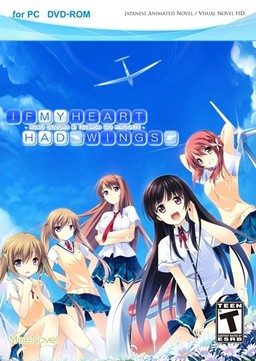
This patch restores removed content ( hentai scenes, kissing, dirty jokes etc. - basically everything that localization company deemed unsuitable for 12 year old French girls ) in English release of “If My Heart Had Wings” (“Kono Oozora ni, Tsubasa wo Hirogete”).
If My Heart Had Wings - Uncensor Patch
- IfMyHeartHadWingsUncensorPatch.part1.rar - 200.0 MB
- IfMyHeartHadWingsUncensorPatch.part2.rar - 200.0 MB
- IfMyHeartHadWingsUncensorPatch.part3.rar - 200.0 MB
- IfMyHeartHadWingsUncensorPatch.part4.rar - 200.0 MB
- IfMyHeartHadWingsUncensorPatch.part5.rar - 200.0 MB
- IfMyHeartHadWingsUncensorPatch.part6.rar - 200.0 MB
- IfMyHeartHadWingsUncensorPatch.part7.rar - 51.1 MB
295 comments
BTW you guys are all pervs including me
we are just more honest to our sexual desires.
and want to play the game with its most original form.
this is completely not what perverts do :)
is it normal or i should reinstall everything?
I've been brooding over this for like, the same amount of time I've taken playing this game, and I still can't figure it out..
What did you do? Like step by step if you will.
Also, after you pasted all the stuff into the installation directory, did you did anything after that?
Note: Do not install the game in Program Files (x860. This causes the patch to get the 'access denied' error when you run apply_diff batch.
if after staring and something like advhd not working then just turn off that characters voice volume.
rio.arc.new Rio.arc
the system cannot be specified
thats the main problem i think how do i fix it?
does the game work properly in japanese and english all ages version,without the uncensored patch that is?
if so then extract the uncensored files anywhere other than the main directory and copy the content to the main one.then apply diff.
the system can not be specified comes when either the changes are already made or the file is missing altogether.
Did the error popped up when you launched apply diff for the first time or in the 2nd time,If first time then re-download every thing and try again.
sorry couldn't be of much help.
Mine worked just fine from the start.
although i have some in game problems.
when i redownloaded the patch the type of file from rio.arc is different from the first one
I've been waiting 'till the full patch gets released....
Other than that, great story so far! I enjoy how they hint towards other characters problems (during the Kotori Route anyways), the art work for the visual novel, and also the idea of this town in a nice setting where people dream to, "extend the little wings which fly in this sky highly," or however the saying is supposed to go. :P
apply_diffs
Chip1.arc.diff
chip2.arc.diff
chip3.arc.diff
chip4.arc.diff
chip5.arc.diff
chip6.arc.diff
Graphic.arc.diff
Rio.arc.bkp
Uncensor patch - erogedownload.com
Voice.arc.diff
Xdelta3
thats all i have, nothing else and i don't know if its enough
:S
2) Run apply_diffs without admin privileges and without applocale
3) Wait a little and press any key when you see "pause"
4) Now run the game with applocale
You can delete all the .diff files once you've finished
At first the patch did not work "something like access denied", then i remembered that if you want to change, edit, etc. programs on the C drive you have to do so as administrator(windows 7, right click, start as administrator) but it still did not work "some data was not found". Then i installed the game on my desktop copied the patch into the folder and started it. What a surprise now it works! I hope my comment was helpful to some of you and i really want to thank admin for the hart work, i really love your site!!!
(P.s.: please excuse my poor english since it's not my native language)
reinstall game on desktop
extract patch in game folder
thats what i did
my problem was the runtime error with that Rio.arc thing. I've been reinstalling this game on different drives but after following this advice, I finally got it up and running. I feel like kicking myself in the nuts for not trying this first ^.^
I installed the game on my desktop, and then installed the patch as administrator... but for some reason, at the start of the game game when the "duck" started to talk, a screen popped up saying "code error" and the small image of the animal didn't showed up...
I don't know if you had this issue, but I tried running the game using "Applocale" (with japanese as target languaje) and guess what... no problems so far...