
This guide will show you how to install English version of Clannad.
1. Download all 17 parts.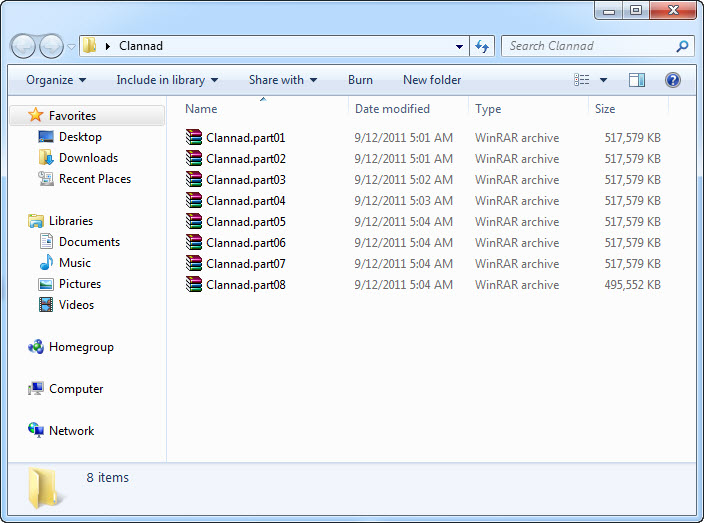
2. Right-click on first part and select “Extract here”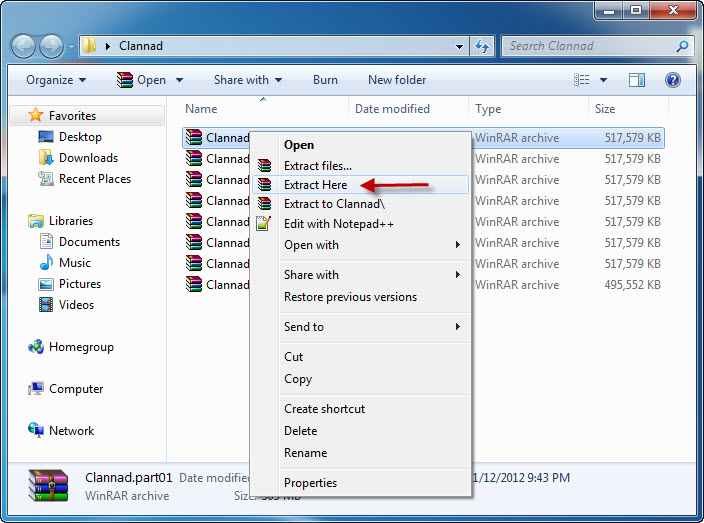
3. Extraction might take a while. Once it’s complete, open newly created folder and start the game with REALLIVE.EXE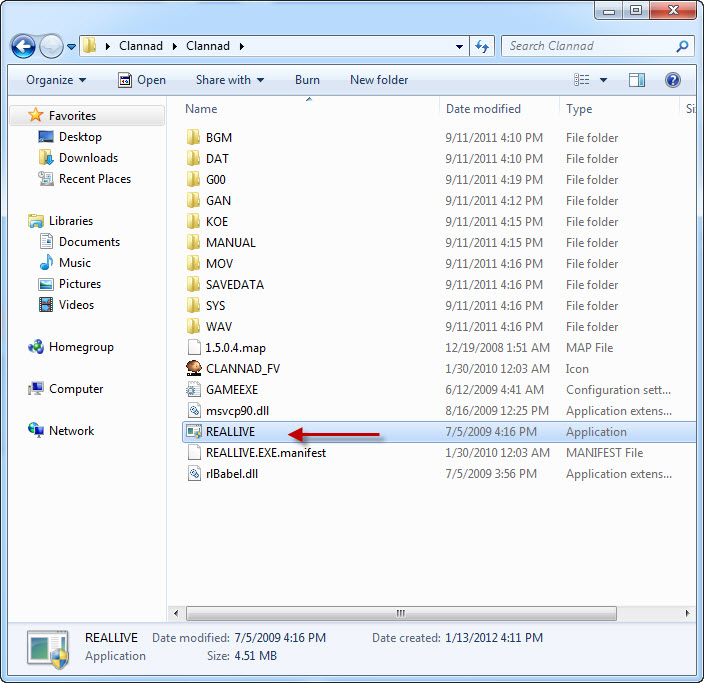
Common Clannad Errors:
After starting the game, there’s only black screen with cursor working
This problem occurs usually on 64bit systems. To fix it download this patch and replace 4 files in game folder.
Patch download (9 MB)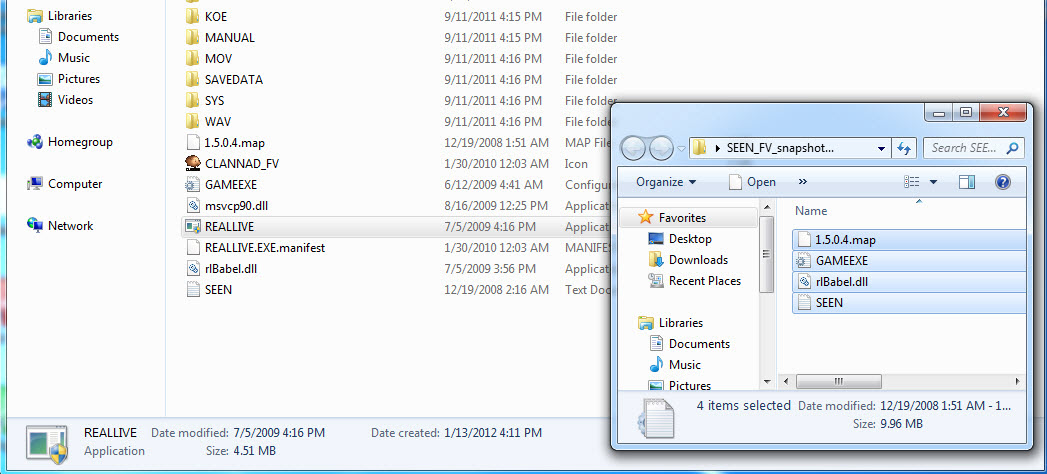
66 comments
come on...I wanna play some eroge.....someone please upload the patch to mediafire please....
It works now! :D
http://www.mediafire.com/?w17e1ax1o65xy1w
http://www.mediafire.com/?e8rx62y83j53xv7
then extract and yes to all....then overwrite the clannad file...Done
this one is better than the FV above...enjoy
My files look like the last screenshot you see in this guide, only SEEN is not there. While I'm at it, when it says replace, should I just delete all of those files shown and download the patch? Or do I need to do something special to "replace"?
At this point, I downloaded the black screen patch and it did change, but still isn't right. The game is a black screen, but the cursor is a normal mouse. When I rightclick, I get a few options in gibberish that's mostly a bunch of f's and ]'s. Can someone please help me with this game?
I started this game a long time ago using a pretty old patch.
after quitting for a while, I decided to go back into it and tried to apply the patch exactly as this site describes.
The result was that the game started fine, but whenever I try to load a save file, I see the scene where I saved, but there's no dialogue box. The curser works, but the game is frozen.
Please tell me what to do, I don't want to lose my progress!