
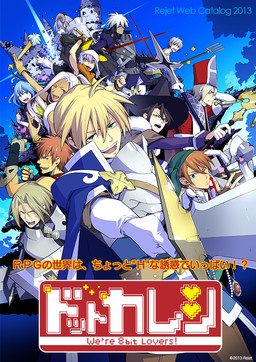
Have you already forgotten the time you spent playing with us back then? You’ve also become an adult and you’re probably busy. But even if it’s just a little, please remember us. Because of you… we’ve become warped!
An RPG world with many “H” temptations!? Now is the time to carve out a new legend together with the characters who were changed when you played the game!





123 comments
To name a few: Queen of Darkness, 月ノ光太陽ノ影, 銀の冠碧の涙, いじわるMyMaster (this one has Spanish patch that translates a few routes).
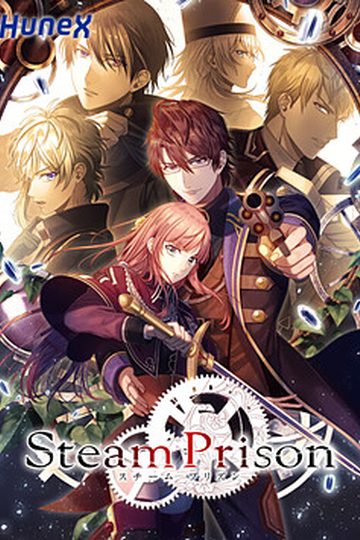
Yes, it is an Otome game - and yes, it has explicit sexual content.
But ONLY the demo has been translated for now.
More infos can be found at vndb(dot)org.
There are plenty more, these are a few that I have actually played myself.
Nukige, on the other hand, i play for the Hentai.
Help please !!!
Pretty cute, though.
or where I can get it..
By the way admin, do you only check comments in new posts? I'd like to know just in case.
However I like games with litle H content too. It is sometimes quite good for the story (FS/N isn´t bad), but once I am watching 8-10th H-scene again in the same style I often start skipping quite long parts of them.
Btw, I would nominate Tsukihime for a good game with rather quantity (and not bad quality) of H.
But yeah. Some one needs to translate the Sugar Beans Games. Those Otome Games are 18+ and interesting looking. I played the demos and wished I could read Japanese and play the full version. TT__TT
Now I can't wait to for the second and third part. >W<
Thanks Admin for this amazing game!
(P.S. Is there anyone knew the place where I could download the full version in japan for all this series? If you do, thank you very much for your kindness!)
Also, my captcha was \rowdy panties!\ Sounds appropriate to me!
Looking forward to future releases from you guys! You rock!
Btw, I'm using Windows 8 64 bit.
Error message is "DotKareshi stop working..."
Right click at DotKareshi -> Run with graphics processor -> Change default graphics processor
A window called manage 3D settings will pop up
Then click Add and choose DotKareshi.exe
Next, at the drop down menu choose High-performance NVIDIA processor.
Let run the game again.
(using mac and Wine ) pleas help :(
I followed all of the instructions above and still i cant open the game :'( Everytime i try to open it there's always this thing popping out saying \Dot Kareshi -We’re 8bit Lovers!\ Has stopped working
ANY GOOD SOUL OUT THERE WHO CAN HELP ME? T_T I WOULD REALLY APPRECIATE IT!
Right click at DotKareshi -> Run with graphics processor -> Change default graphics processor
A window called manage 3D settings will pop up
Then click Add and choose DotKareshi.exe
Next, at the drop down menu choose High-performance NVIDIA processor.
Let run the game again.
!!!!!!!!!!!!!!
even dot kareshi 2 and 3 released already we should download full japanese of it right??
did you know... where.. to.. download it...?
or maybe admin wanna upload those?! :3~~~~
-Right click "meiryo_dot_kare_0.ttf" and left click "Install"
First right click the dot kareshi application and click on properties. Then go to the compatibility tab and click on the box "run compatibility mode with". Then change the compatibility to windows 7.
Hopefully this works for you guys as well!
I used the same version on my previous laptop, Windows 10 but somehow my new laptop can't click anything on this game ...
HELP.
Is there anything I can do? ;n;
Right click at DotKareshi -> Run with graphics processor -> Change default graphics processor
A window called manage 3D settings will pop up
Then click Add and choose DotKareshi.exe
Next, at the drop down menu choose High-performance NVIDIA processor.
Let run the game again.
Hopefully this helps.
I have also been experiencing the no text issue.
I have already successfully changes my locale to Japanese, I have also installed the font multiple times and yet there is no text showing up in the message box. I already uninstalled and reinstalled the game many times.
First had the problem that the game was closed as soon as it opened and changed the "Language for non-Unicode programs" to Japanese. After restart the program could already be opened but the voices are not heard.
And I realized that you can also start the game and then in the options menu and verify that this activated the voices of all the characters in the game.
(This is pretty stupid but spend several hours to realize)
I hope I have been able to help someone
When characters are talking, their speech ends+up+in+annoyingly+long+sentence+that+can't+fit+in+my+screen+and+continues+beyond+it so sometimes their talk is not finished. Is there some way to fix it?
Even though my computer was in Japanese locale, it wouldn't work until I did this. It seems to be a thing with Rejet's games. It happened to me with ALICE=ALICE too.
When you install the game (with the patch and all), make sure you install the desktop icon. Right click it and go to properties. Under the Compatibility tab, there should be a check box that says “Override high DPI scaling behavior. Scaling behavior performed by:”
Make sure the box is checked and change “Application” to “System”
Click OK and start the game. Font was fixed.
(or change the display of your desktop to 100% instead of 150%
As I wrote this I realized I'm just an idiot. Here's my problem:
I can't even start the game.
I already installed the meiryo patch.
My system locale, time zone, and region are set for Japan.
I have Daemon Tools installed but it doesn't seem to require it.
I even installed the Locale Emulator to see if it would solve my issue but it didn't.
I run Windows 10 64 bit.
I keep getting the same error, which google translates into "Configuration file is invalid. Please correct it and start again. Error message: input stream error. Error Code: 8"
Here's my solution:
The folder that forms after extracting the files (DotKareshi1) MUST be MOVED (not copied; it will require ADmin permission) to Program Files (x86). If it still doesn't work, move it to Program Files.
That's it. I'm stupid.
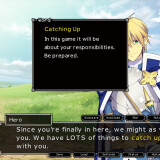
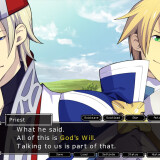
i'm on Priests route and the text dialogue isn't showing at all!!