
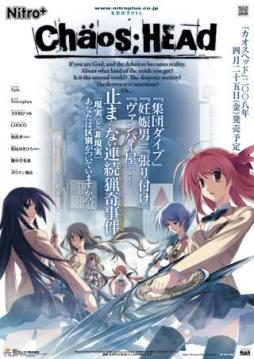
Takumi is a high school student. He is withdrawn and is not interested in 3D things. In his town, a mysterious serial murder case happens and people get panicked. One day, when he chats on the internet, a man suddenly contacts him and gives him an URL. He goes to the website and finds a blog image that suggests a next murder case…. On the next day, it really happens….
Chaos;Head


781 comments
did everything to the letter, did the batch file thing..
but I haven't been able to make the english patch to function
If you are using Windows 7, you should not install it with the default installation directory that the setup provided "C:\Program Files\Nitroplus", instead of taking that one,
create your own directory in download folder (documents folder or desktop)
provided by the serial 000-702-000-114
After installation, copy the NoDVD patch (ChaosHead.exe) and place it in the directory you've made
(ex: "C:\Documents\Ark\Nitroplus")
After coying the NoDVD patch, extract the "Chaos_Head_English_Translation_RC1" the game folder but don't extract the "everything.rar/do not touch.rar”!!" file!
I repeat "DON'T EXTRACT THE "EVERYTHING.RAR/“DO NOT TOUCH.RAR" FILE"
Read "Read Me.txt"
run the Antifail Installer.bat also called the Glorious Installation.bat
Answer to the question: "trickquestion"
Then just follow the other instructions
after that you can play the game with english subtitle!
Cannot create ./dx/mvOP.ngs
Acces is denied.
Cannot create ./dx/mvINTER01.ngs
Access is denied.
No files to extract
Deleting RAR and extraction files to clean up space
./crass/, Are you sure (Y/N)?"
What should i do?
Both of them deleting the extracting.
Then i clicked the chaoshead.exe from no dvd and nothing happened.
I do remember when I extracting antifail batch and in the process got somehow cancel to open this files...
But when the game is loaded, the Caution text appears first, skipping the Nitro+ Logo. Then the black screen with the menu music appears, and nothing happens. Only can be closed through Task Manager afterwords.
Anyone know a solution to fix this?
I have the pictures all installed in the game folder, and I would see it's in English. But how come it's not when I play the game?
J'ai besoin de l'aide! >.< *sniffs*
Erogedownload is not the only "illegal" site I'm running - i operate two more "warez" forums and one "porn warez" forum and several 'grey area" projects - since i'm fulltime webmaster and those sites are my main source of income, i'm keeping track of changes in related copyright laws, so that my sites always stay legal and don't get taken down.
and thx
My wifi is a complete pain, so I'll try downloading again, but until there, anyone have any advice or something?
/redundant comments
As for downloading it, I figured out a way for the game to work properly.
First of all, I downloaded all the game parts. Then. I downloaded the NoDVD Patch. Second, instead of the Glorious Installation, I downloaded the old English Patch, the Anti-fail Patch.
Anti-Fail Patch: http://www.mediafire.com/?3p7o0owd4lx1scw
As you install the game, you'll notice it's in Japanese, and it will ask for the Serial Number. Concluding that, if your computer is a Windows 7 or Vista, it's not a good idea to extract the game folder into Program Files. The right way would be sending it to your Desktop. After that, there will be a Japanese question-poppy thingy, and I believe it was asking if you want a shortcut. Click "no" since the game is still in Japanese. Then click finish.
Then, I followed the instructions in this video: http://www.youtube.com/watch?v=6ViG6CYgQ6Q
Note 1: You must follow the user's instructions consistently.
Note 2: You shouldn't drag the anti-fail patch like he did. Extract it into your game folder instead. It should extract successfully.
Note 3: Drag the folder to your Program Files this time.
Then double click Antifail Installation.bat.
Follow his instructions from there.
And that's what I did. The game worked out fine for the most part, but there are certain bugs you should be aware of.
For the walkthrough: http://www.gamefaqs.com/pc/952182-chaoshead/faqs/61850
Happy Gaming!
Um, I'm not sure how to figure that one out. It took me at least three hours to resolve the installation by myself. And surely, I think putting the game folder at best should be in the desktop or in the documents. And have you changed your language to Japanese for your system locale? Hmm, and you're not supposed to have several errors for it.
From my imagin I am end the game rout A i think..was set this
mediafire.com/?8u2nx9xao0q318d patch(easy install and translate switch underware)^_^ oh yeah - do not switch if underw. not install
+underwear patch(not necessary its bad for gameplay and hard to find, only on torrents like isohunt 2gb game(patch 480mb)^-) WELL! trouble was on 8 chapter(good if you do save game on darth-spider) cant save game\load\crash, its fine just not to save until chapter 9, then save correct.
imaginary route BB not tried yet..need time for begin new game.
It says that there is an Error in ChaosHead.exe at line 2252.
How can I fix this?
is answer
When i start the game it runs perfect with the patch and all, but the CAUTION text in the begining is in Japanese and it's the same for the movie in the intro
Can anyone help me?
I read that someone had the same problem but he figured it out, so i thought i did something wrong.
Please help~
Thank you for this upload! ^-^
Do you know if you will be putting up Steins;Gate?