English visual novel downloads

Chaos;Head

Chaos;Head

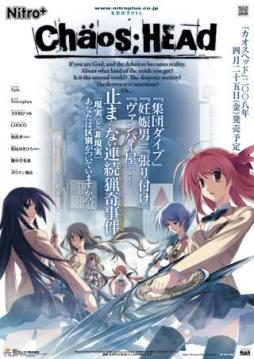
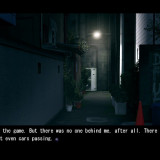
Takumi is a high school student. He is withdrawn and is not interested in 3D things. In his town, a mysterious serial murder case happens and people get panicked. One day, when he chats on the internet, a man suddenly contacts him and gives him an URL. He goes to the website and finds a blog image that suggests a next murder case…. On the next day, it really happens….

781 comments

darkwings02Reply
any solution on the black screen with voice only?
JLReply
this is really weird. I have different save files in the same slot on the other computer I'm using...
JLReply
but I am running it on the same usb.
loqReply
for the black screen... change your pc colour quality to 16bit............ it works for me.......
loqReply
another is install cccp codec pack
king98765Reply
install success!! after i start 10~15 sec it turned off. then .exe went missing!!!
king98765Reply
i was wondering...where is that NoDVD patch/folder? i can't seem to locate it in the game or the English patch. i wonder if it was me who did things wrongly.
DecadenceReply
Wait a sec, do I NEED to use app locale because I tried English and Japanese Unicode settings and the very first part had these weird characters (I don't know if its supposed to or not) and then it was in Japanese. Anyway seems to be working otherwise, thanks for the upload, and hope for a solution (or I need app locale).
syranReply
same thing happened to me
KyouReply
well thing is i don't know where is the no DVD patch thing if you could kindly tell
In HidingReply
i got a weird problem here the game just suddenly stopped showing the char. sprites and i tried to reinstalling it but the same thing happened, can someone help me?

Thanks for the uploads!

You rock admin!
AsashiReply
Same for me,in that place should be video but it shows only black screen only voices can be heard
.....Reply
dont understand how to intasll it and where is the crak ???, can somebody explain it ??
AsashiReply
Found solution,just need to download k-lite codec pack and problem with movies will be resolved
PirceReply
Can somebody give me a link to NoDVD patch (a .exe). I can't seem to find it. Is it even included?
MoonfreeReply
Is this an h-game?
adminReply
No, it's all-ages game.
gcsasukeReply
Hey the game doesnt have any english words even though I applied the patch. Can anybody explain why?
MikoteyReply
I am using Win 7.
Every time I try to run the Antifail Installation, it seems to progress as normal. It asks if I have npa_backup and I type, "no". A box appears saying it is confused about how to open a file and I click cancel. Afterwards, a window pops up and says, "crage.exe has stopped working." I click cancel, close, and OK several times; the installer continues. When I try to run the game, it shows the caution in English but no menu; I get a black screen with music. When I try to close it, I get the red box to close, yet no options to actually leave. I read the previous conversation by Chaos and Astral, however; the steps did not solve my problem. Can anyone help?
RayneReply
Uhhhh I tried doing the steps, but I don't have any cracks or anything. The game runs, but I can't get english. My nitroplus folder with Chaos;head then another folder called 1.00 which just has two folders: images (empty) and common (which has two files, not sure about them.) I put the english patch stuff in the 1.00 folder, went through the process, it did some stuff, I tried running the game again. works fine, but no subtitles. I opted for hardsubs, I don't have the thing required for softsubs. This is my first time ever having an issue patching a game.
athrinReply
admin i cannot find NoDVD patch (a .exe)
EndoReply
admin i cannot find NoDVD patch (a .exe) too

also i can't download the english patch because the file has been deleted...
Melon BreadReply
The link for the English patch is down, anyone got a mirror?
RetretReply
hotfile file is gone :(
sosharuhichanReply
admin reupload the link 4 english patch plzz...T_T
ArcaneReply
Um, I just tried installing this game by clicking CHSetup and all I get is a warning message saying "The requested operation requires elevation." 0.0
ArcaneReply
nvm, but I have a problem with the engish patch, I tried running the batch file and I keep getting "Please reinstall the game; an error was detected in ChaosHead.exe at line 2252."
sosharuhichanReply
@Arcane umm.. there's no problem with my english patch though. I've already patch it n play it rite nw. Prbbly there's somethin wrong wif ur ChaosHead....just try reinstalling it n try the patch again.
P.S sry 4 poor english, english is not my 1st language.
PhoxReply
you have to set your pc complet to japan and than all j-games will run smoothly :3 i don´t re answer any questions :P
Lilsly2flyReply
can you upload these in fileshare there all removed on hotfile
TrazeReply
Okay,there's no longer an antifail installer,now there's a Glorious Installation.bat file instead.By crack he means just put in the NoDVD Patch.The "DO NOT TOUCH.RAR" is now "Everything.rar".DO NOT EXTRACT THAT FILE.

The answer to the question that the .bat will ask is NOT "UNRAR"."
The correct answer to put in is "trickquestion".
If you don't put that in,it will lie by saying that there's some 2252 error.(It's test to see if you can read or not.)
TrazeReply
Also,how do you get it into fullscreen mode?
BobReply
Ok if anyone can help me then bless the gods.
(Just want to say that i have tried many many times. I can count how many times i unistalled then installed.)

My problem is that After i use "glorius translation" (I used the password and everything) I click the application, or i started the game, but no matter what i do the text stays in japanese..... (Oh yeah i forgot to say that my system locale is Japan)
If anyone could help thanks
ArcaneReply
Yeah I'm having the same problem as Bob. =/
MarkReply
Heads up, the script was fucked for me. To fix it right click glorious translation, click edit.
Now find this line
set /p myon=(Soft) or (Hard):

Create a new line after that and enter:

cd C:\Program Files\Nitroplus\CHAOS;HEAD

Please note that since I was forced to fix the filepath in the script, IT MUST BE RUN IN THE CHAOS HEAD FOLDER.
Save and exit after you have finished editing.
MarkReply
glorious installation*
PauReply
Should I put the path where I installed Chaos;Head in the line "cd C:\Program Files\Nitroplus\CHAOS;HEAD"? It's because I installed it in the D:\ drive that's why I'm asking.
MarkReply
For the lazy, use this instead of the zipped installer, again it must be run in its default folder with everything else in the zip file in the same folder.
(which would be C:\Program Files\Nitroplus\CHAOS;HEAD)
http://www.mediafire.com/?b3c7295i32gcw0n
PauReply
@Bob's problem

Try not to run the glorious installation.bat as administrator (it worked for me in Windows 7). I dunno if it'll work on earlier versions of Windows, though.
ArcaneReply
I've got windows 7 too and I've never ran it as administrator either and it still doesn't work. I even tried Mark's solution and it's still very much the same.
BobReply
@Arcane looks like were the only 2 who cant play :/

At everyone, keep the suggestions coming im trying all of them
Jan MikaeelReply
is the antifail needed 2 dl 4 this game??
Jan MikaeelReply
and also when i try 2 run the setup exe its asking me a password code what is the password there??
SherineReply
If you are talking about the serial number. It's 000-702-000-114 I think.
BobReply
@Jan Mikaeel the answer is
trick question
good luck
RetretReply
I can't play it either. Nothing's been translated and the game doesn't start :(
BiGnIcK_54gReply
i'm still a little confused about the sub prob can some one explain a little bit more about that glorius file?
wild_oneReply
For all those hoping to play this on Windows 7, and have at least Pro or greater, the way to play this game is through XP Mode running through VMware Player. Just grab Windows Virtual PC and Windows XP Mode from Microsoft, install but do not run XP Mode, install VMware Player, then have it import the XP Mode you just installed. Now you will have a virtual machine that supports DirectX 9.0c!
DeathnotebReply
How do you put it in fullscreen.can't find the option
sparenooneReply
For those with windows 7 having problems (able to play the game, but is still in japanese) you'll want to follow mark's post.

"Heads up, the script was fucked for me. To fix it right click glorious translation, click edit.
Now find this line
set /p myon=(Soft) or (Hard):

Create a new line after that and enter:

cd C:\Program Files\Nitroplus\CHAOS;HEAD

Please note that since I was forced to fix the filepath in the script, IT MUST BE RUN IN THE CHAOS HEAD FOLDER.
Save and exit after you have finished editing."

However since you're windows 7 it'll look more like
cd C:\Program Files (x86)\NitroPlus\CHAOS;HEAD

After that run the batch file (glorious installation) as administrator. The installation should would fine then. Except I messed around a bit more so the menu is still in japanese, game is in English though.(not sure if its supposed to be like that).

Also, for those wanting to know how to go to into full screne, start up the game, right click, go to "F".

Leave a comment