English visual novel downloads

Chaos;Head

Chaos;Head

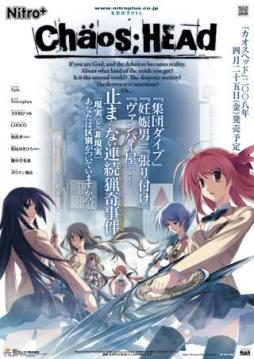
Takumi is a high school student. He is withdrawn and is not interested in 3D things. In his town, a mysterious serial murder case happens and people get panicked. One day, when he chats on the internet, a man suddenly contacts him and gives him an URL. He goes to the website and finds a blog image that suggests a next murder case…. On the next day, it really happens….

781 comments

AstralReply
"and does your folder looks like this"*
AstralReply
It sounds like you made a mistake while installing the patch
ChaosReply
The only thing I have in the Chaos;Head folder besides all of that.(Don't have VSFilter.dll is the AntiFail ChaosHead patch zipped along with the antifail installation.) If that didn't make sense, I have everything in the above post except that after the Anti Installation I have the Chaos_Head_AntiFail_Patch. After that everything is the same except I don't have VSFillter.dll
AstralReply
the only file that should be zipped is "crass"
try deleting that zipped file.
AstralReply
no wait D:
dont delete "crass"
i mean the antifail chaos head patch zipped
AstralReply
i like this game .-.
ChaosReply
Ok...I did...and still a black screen with the music playing*BAWLS*
AstralReply
aww :/
AstralReply
im thinking ;/
AstralReply
Okay lets go over the important steps
-Install game to desktop (or my documents).Not to (C: )disk
-Get the noDVD.exe and paste it to Chaos;Head folder.
-Be sure to replace the .exe inside the folder with noDVD.exe
-Get the english path, and extract it directly to chaos;head.
-Do not unzip "DO NOT TOUCH" rar
-Run Antifail batch.
-After is done, the only zipped file is "crass"
-Get applocale installed.
-Run the game with applocale.

so do you see something that you think you forgot?
ChaosReply
Alright, I'm going to uninstall and try from scratch.
AstralReply
ye i was going to suggest that
ChaosReply
I should just need to delete the anti fail patch right?(shouldn't need to download the exe again right, should I delete the chaos;head folder?(don't know if its there still gonna check)
AstralReply
if you used daemon tools to install it, you can mount the .iso file again and open the installer window. You shouldsee the option to unistall from there.
Dont delete the files you downloaded from here, but you can delete anything else you extracted from them
ChaosReply
Ok, didn't delete the rar files 1-4. Everything else is gone.(just the english exe and the antifail witch I'm have in my dock now)
AstralReply
okay then start installing it ^^
ChaosReply
Ok, in my downloads. I have the Chaos;Head.Exe from your rapid link and the antifail patch...mounting the iso dvd file thing now...
ChaosReply
Ok, sorry(if you don't want to walk me through this...again. I understand. Not -_-;;)
ChaosReply
Also, should I just game install it or directX install?
AstralReply
nah i dont mind at all ^.^
just game install
im pretty sure your computer has directX installed, is used daily
ChaosReply
Ok, I placed it on my desktop.(Says C:User Nekonapper Desktop
AstralReply
wait
ChaosReply
eh...comes up with some japanese...should I just click yes?
ChaosReply
Doing this step by step. Thanks for taking the time to do this.
AstralReply
okay, just checking if it was okay "C:User Nekonapper Desktop"
Yup
okay now you can extract the english patch
AstralReply
yes the installer is in japanese (if thats where you are)
just to verify, which step are you doing
and your welcome
ChaosReply
At the install wizard part.
ChaosReply
Should I leave the box checked?
AstralReply
okay
just watch out when you see, "programfiles(86)..." something like that.
when it asks for it, thats when you change to install desktop
AstralReply
yes leave the box checked.
thats for making a shortcut
and the last box is for running the game
AstralReply
just so that you know, if the game gets installed in (C: )disk,
when you run the "antifail. batch" it will not decompress the files of "DO NOT TOUCH"rar, it will say that the installation is done but nothing will be change.

thats why the game has to be set to install at desktop.
ChaosReply
Ok...I just got an 1512 error...
AstralReply
thats normal
when you try to run the japanese game is going to bring that error asking for the cd.

now you need to noDVD.exe that you downloaded.
copy and paste it to chaos;head and replace the .exe that you just run.
ChaosReply
Just drag it from my downloads to the folder right?
AstralReply
i would prefer copy and paste, just in case you may need it again
ChaosReply
Or copy paste?(copied and pasted)
AstralReply
yup, it should ask to replace a file, *replace*
ChaosReply
Ok, I replaced it.
ChaosReply
Should I try playing the game?
AstralReply
yes
you should be available now
you will see a nitroplus sing then another sing, a caution screen, then the menu of the game (with no music i believe)
AstralReply
you should also be available to change things in config, and to start the game
ChaosReply
Ok, got the menu(with music playing along with sound effects) and I'm able to change things in the config.(didn't since I don't know a lick of japanese.
AstralReply
oh music :o
well maybe i didnt have headphones at that moment.
AstralReply
well lets install the english patch now
AstralReply
go to the chaos head english file, and extract it direclty to the chaos;head fodler
ChaosReply
Ok...that's opening the antifail zip...do I extract it in the chaoshead folder or on the desktop(don't think the desktop)
AstralReply
to the chaoshead folder
ChaosReply
K...its under the voice.npa extracting it now.
ChaosReply
Ok, did it.

Leave a comment