
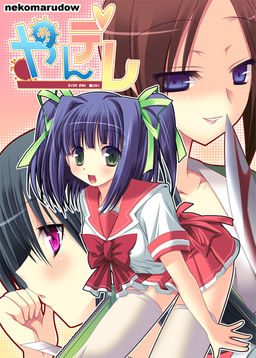
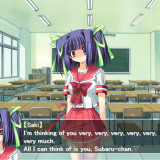
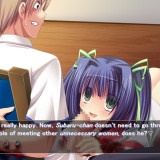
This is a kill or be killed brutal and deadly love story. Can you stay alive all the way to the ending?
The girls are all violently possessive and go head over heels after sex. Every single one of them is sick!!
Please be aware that there are elements in the story that the faint of heart may find too grotesque.






344 comments
Tienes que abrir las imágenes de disco del juego con el DAEMON. Primero descomprime el contenido de los dos .rar donde quieras. Abres DAEMON Tools Lite y le pones Agregar ("Add"). Tiene un ícono de un gran "más" verde. Busca la ubicación de las imágenes de disco. Primero abre el más pesado, éste es la primera parte. Luego añade o agrega el otro. Ahora los dos van a estar en la lista del menú del DAEMON. Da doble clic en el primero. Se pondrá a instalar. Cuando te pida el disco dos dale doble clic en el segundo archivo y dale en Continuar.
Creo que eso es todo porque hace tiempo que no lo uso. Yo también me hacía bolas la primera vez que quise ejecutar las imágenes de disco en el DAEMON Tools Lite. No te preocupes, sólo ejecuta la primera parte y todo lo demás va salir fácil.
1. Download the files (part 1 & 2) along with the English patch.
2. Select the two game files and extract them. When this is done you will be left with a a .bin and .cue file along with a html link.
3. Open Daemon lite tools (or go download it if you don't already have it then open it up).
4. Create a virtual hard drive and mount the .bin onto it.
5. Open the file up from the virtual drive.
6. Try the install.exe. If you aren't able to do this step then skip to step 8.
7. Copy everything in the English patch into the folder that you installed or copied. If successfully up to this step then you should be able to play the game. Find the YANDERE.eXe file and give it a go.
8. If you are unable to get the install.exe to work then copy the NEKO20 folder somewhere you want the game to be. Rename the folder to Yandere to match the folder with the game title. Go to step 7 after you have done this.
please help me
It really is a ... unique game.
Btw... HOW TO GET THE LAST 3 CGS D:
Thanks
That's odd. Why is there an option to adjust voice volume? Are the files just missing (like with the maid game- which I found the voice files for separately)?
Their is no really good endings, you either die or get crucified to a chair. The Olympics ending that's satisfactory is where that psycho gets hit by the car, the option to "Fight Back" is there but that works about as well as putting a fire out with gasoline. But still after all that pretty funny.
I'm doing a flowchart with all possible outcomes for all choices possible, just for your pleasure hahaha :)
Well, I'm half done, maybe in a week or two I finish it.
So, just to not make you guys bored:
-The 3 Last CGs aren't obtained by the hidden blackjack game.
-Although may look like the texts are pretty much the same despite what you choose, in some routes, they change! Like with Yummi visit and when she tries to break into your house at past midnight, there are other things mentioned/done but they seem to happen just once.
The last 3CGs aren't unlockable, but i checked the game files and found them, guess what?!
They aren't unlockable cause they are just slightly yellow-ish version of the last unlockable CG...
Well that's it guys, try follow every route just to check the small changes from the girl's speech cause the CGs aren't worth the trouble :/
Here is a link with all CG's:
https://mega.co.nz/#!7QQ0jYYS!c4okXTDgZbSlOhY7Y55-uSemVuP5fPsF3v2rcPn1TDg
Actually, he deserved it
1.) Unzip the first part with winrar. This will automatically unzip the second part as well, which will give you a folder called "Yandere" in which you can find a .bin and a .cue-file
2.) Mount the .cue-file with Daemon Tools Lite
3.) Install the game (the installer is in japanese, but you can just click to continue)
4.) Once you installed the game locate the folder where you installed the game. With the standard installation it should be in Programs (x86) -> NEKOMARUDOW -> Neko20 -> Neko20 (Note: This is NOT a mistake).
5.) Unzip the English-Patch and replace the Data.xp3 in the second Neko20 folder with the one you found in the patch folder.
6.) Now use the YANDERE.eXe to run the game. It should start now. If you get a blue window and the game won't start you have to delete the "Save" folder within the Neko20 folder. Now it should run without a problem.
Sorry if it's hard to follow, English isn't my first language, but I hope this will help you or anybody who has problems.
The regular save files of the japanese Version should be, like I already said, in the Neko20 folder. (I have to add that I'm not sure wether this folder is created with installing the game since I started the japanese Version up before installing the english patch, so it might not be there if you didn't start the game in japanese)
If you're looking for the English save files, they are saved somewhere else. I'm not 100% sure about the exact place, since I already finished and deleted the game, but I backed up my save files and they should be found somewhere around C-> User -> (Username) -> AppData -> and then either Roaming or Local (some of these folders are hidden, so you might have to unhide them first). In one of these folders you'll find a folder named KillerQueen-En (something like that at least), wherein you can find the english save files.
Again, sorry for not knowing the exact spot anymore, but I hope I was able to help you. If you still don't find what you're looking for or it still doesn't work, you probably did something wrong.