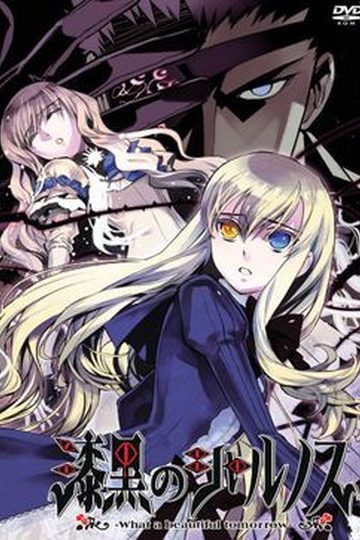
Re-release with full voice, additional CGs, and the option to skip the minigame on first playthrough.
Visit Shikkoku no Sharnoth download page for plot synopsis and sample images.

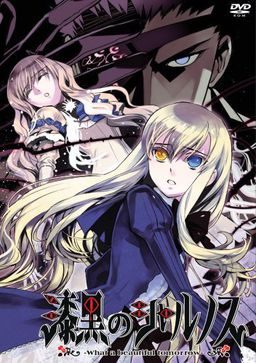
Re-release with full voice, additional CGs, and the option to skip the minigame on first playthrough.
Visit Shikkoku no Sharnoth download page for plot synopsis and sample images.

20 comments
Will it be posted here too?
It has a partial english patch according to VNDB.
The "sequels" for Sharnoth in the What a Beautiful series are, in order of release:
Hikari no Valusia ~What a Beautiful Hopes~
Shiei no Sona-Nyl ~What a beautiful memories~
and
Ourai no Gahkthun ~What a shining braves~
I've downloaded half of Shikkoku no Sharnoth before see this version at Google. Downloading everything again -.-
Whatever. I want to play this game. I've heard 'bout it some time ago but I completely forgot LOL
Thanks for the hard work!
Finally got it working but the text is weird. Theres odd gaps in between words ("proni se" and such) also there seems to be text cut off (it looks a "w" at the start of each dialogue line). Is this just a issue with the translation or am I doing something wrong?
(besides the size)
Can someone tell me how they ran the game?
1. Download the game and the SECOND REVISED patch (link: http://amaterasu.tindabox.net/download.php?id=53 )
2. Extract the game files altogether FIRST.
3. Extract the patch (it should be in the form of an application).
4. The final game file should be titled \SharnothFullvoiceREBORN\ or something along those lines. The file name may follow with \.part__\ [example: SharnothFullvoiceReBORN.part08] That's fine, just click that.
5. A file titled \SharnothFullvoiceREBORN\ should appear, click that too.
6. Within that file should be three items \SharnothRVR.mdf\, \SharnothFVR.mds\ and an internet shortcut file.
7. EXTRACT the first two files TOGETHER. A file called \SharnothFVR\ should appear in the same location where the files you just extracted are. If you use 7zip, it may say \There are some data after the end of the playload data\ and \Can not open file as archive,\ THAT'S FINE and as long as it is done extracting (Green bar should be FULL), close the 7zip window.
8. Click the \SharnothFVR\ file. You should see a total of SEVEN items in that folder starting with \program files\...\漆黒のシャルノスFVR\
9. Click \program files\ > \Liar\ > \漆黒のシャルノスFVR\
!0. The last item in that folder should be the game. Click it and the game opening movie should play. The title/menu screen should be in Japanese. We're about to fix that.
11. Open a new window and click the file made from extracting the patch, \shar-r2\ There should be 15-16 or 17 items in that folder. The last item being the game. (If you try to open the game and start a new game, the title screen will remain but the text will appear and overlap each other. Again, we're going to fix that.)
12. Select ALL 15-16 or 17 files and cut and paste it into the last window with the Japanese game application aka \漆黒のシャルノスFVR\
12. Open the English patched game in that folder (the one among the items you just pasted onto there), titled \Shikkoku no Sharnoth\ THE OPENING SHOULD PLAY AND BE FOLLOWED BY AN ENGLISH SCREEN.
13. And voila, the game is ready to be played! Have fun playing the game!
So is second edition realy important or anything?
If someone could help me with that, maybe I did something wrong.