
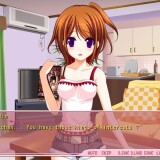
I have a little sister…
She’s cute. She’s my cute little sister Rin.
Our parents got married and we became a family.
However… Recently I started to feel strange.
Now I feel lust for Rin.
I just see your body or touch it and I got an hard on…
Haaa… Rin… You’re so cute Rin…
I think I’ve reached my limit…
Imouto Ijime








457 comments
One more to myh collection!
so whats next?
thx for the hardwork admin. i so Admired you!
1) Go to Configuration Panel and select Japanese Language
2) Run the install program, and when you have to select your installation folder, go erase manually the part of the folder where you can find a few japanese characters (there are 3 or 4 of them, but DO NOT erase the "Y" looking one, cause it is the equivalent of our "\"
3) Rename with western characters the part you just erased
4) Run the install
5) Come back to your previous language settings
6) Run the game with HF AppLocale
Sorry for my quite bad english, but I hope this will help some of you.
When we say "put the patch in the game folder", it means you have to unzip de file you've downloaded, and put the "patch.xp3" file in "Program Files (x86)\NOIR\妹いじめ" or wherever you put the game.
Thank you Admin!
Imouto eroge!!!!!!
thanks admin!
P.S. Thanks for uploading all the great games.
Try out Isley's way of installing it. it REALLY does help!
you can skip using/downloading the HF AppLocale though if you still use the Japanese Locale on your System for sure.
when i tried to install it .. a window poped up saying :
windows can't open this file: patch.xp3
is there something wrong ? .. what should i do ?