
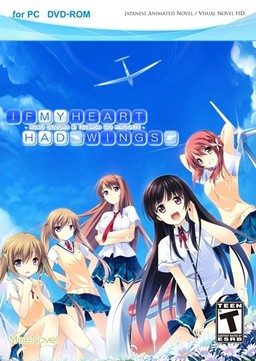
This patch restores removed content ( hentai scenes, kissing, dirty jokes etc. - basically everything that localization company deemed unsuitable for 12 year old French girls ) in English release of “If My Heart Had Wings” (“Kono Oozora ni, Tsubasa wo Hirogete”).
If My Heart Had Wings - Uncensor Patch
- IfMyHeartHadWingsUncensorPatch.part1.rar - 200.0 MB
- IfMyHeartHadWingsUncensorPatch.part2.rar - 200.0 MB
- IfMyHeartHadWingsUncensorPatch.part3.rar - 200.0 MB
- IfMyHeartHadWingsUncensorPatch.part4.rar - 200.0 MB
- IfMyHeartHadWingsUncensorPatch.part5.rar - 200.0 MB
- IfMyHeartHadWingsUncensorPatch.part6.rar - 200.0 MB
- IfMyHeartHadWingsUncensorPatch.part7.rar - 51.1 MB

295 comments
and thanks for the patch..(y)
Why leave it out in the first place.If they wanted all ages they should have translate an all ages game. To me leaving out the romance and the H is like building a house and not putting the roof on it.
1) This is not the final version of the patch, there will be bug- and translation fixes in the next few weeks, so if you want a REALLY finished translation, wit for those.
2) There is a version of this patch that can be applied on the original Japanese game and does not require the English version.
I see
Thanks for this information
I'll just wait for that
if there are only minor bugs like typos, line breaking .v.v. then it's ok for me :)
if you are really picky on your grammar you could wait, but imo its fine as is.
there are several errors such as the CG is not in order, the Hscenes only have voices and texts without pictures
someone please help me to install the patch pls
Another full release )version 2.0) further down the track.
Instructions can be found on the site on how to install this but if you really want to enjoy the game I would wait until the bugs are fixed which should be finished around the end of the month.
"For example, we want 12 year old French girls who like anime to know about it as well, and make it so that there is no problem appealing it to these girls. Thus we will need to make it easy for such girls to tell their friends who also like the same type of anime."
So I was wondering would someone be kind enough and share a link of a save file with Kotori's route cleared please ?
So I tried to run it via admin and I get these error messages "the system cannot find the file specified" and "xdelta3.exe is not recognized"
Anyone know what the deal is? Did the patch work even though I got these things?
Thanks.
minor or serious?
Thank God All Mighty the PATCH HAS COME!
Not worth downloading until they get a working version out at least, I would be fine with typos, but not not things that just about break the game.
Then when the game plays, it will start stringing errors every time a character picture is going to be displayed.
the files i got all asked me to overwrite the existing files that got extracted from the previous rar file?.
the file name as follows:
apply_diffs.bat
Chip1.arc.diff
Chip2.arc.diff
Chip3.arc.diff
Chip4.arc.diff
Chip5.arc.diff
Chip6.arc.diff
Graphic.arc.diff
Rio.arc.new
Uncensor Patch - ErogeDownload.com
Voice.arc.diff
xdelta3.exe
Please let me know
thanks!
Also there is a bath scene in the common route. If the girl is with a towel your game is censored, if naked, then it's patched.
Also, i think you guys should wait. A better patch will come with all the game being tlc.
first, there's no animation from girls.
second, so many crit from this patch
so what's wrong, how i am install this game or the patch?
sorry my english bad
Thank god for these patchers, looks like moenovel has no clue what they are doing
all text match all dialog perfectly. no overlap message window too.
- laptop lenovo y560
- win 7 ultimate 32 bit
- Japanese local
- play in full-screen only
is this game don`t have pic when they talk..?
iam already patch it, but always have error or crits in windmill scane, and there's no picture of the girl character
have you already fix it??
I am completely new to this games.
1.- Install the game in C:
2.- add the path files and rune the instaler.
or if you already installed in program files
2.- add the path files to the installer carpet
3.- Move the installer carpet to Port C:
4.- use the Run apply_diffs.bat
5.- Move the carpet again to program files
in an other carpet.
now i have error message and the game is crashing, please help
(sorry for my bad english)
Help...?
word of advice for anyone who isnt sure if the patch worked; there is a scene 4-6 hours in where kotori slips in the bathtub. if the patched installed correctly, shes supposed to be nude. if not then she is wearing a towel.
i did everything that was asked.nudity,jokes and h scenes all were there.
there is a little problem in the cg gallery but doesn't bother me.The game crashes when yuka speaks and yoru speaks.so i went and reduced the voice of yoru and other women to zero.
the game works perfectly after that.
it has good graphics and good plot but takes unnecessary long time.
Thanks.
BTW you guys are all pervs including me
we are just more honest to our sexual desires.
and want to play the game with its most original form.
this is completely not what perverts do :)
is it normal or i should reinstall everything?
I've been brooding over this for like, the same amount of time I've taken playing this game, and I still can't figure it out..
What did you do? Like step by step if you will.
Also, after you pasted all the stuff into the installation directory, did you did anything after that?
Note: Do not install the game in Program Files (x860. This causes the patch to get the 'access denied' error when you run apply_diff batch.
if after staring and something like advhd not working then just turn off that characters voice volume.
rio.arc.new Rio.arc
the system cannot be specified
thats the main problem i think how do i fix it?
does the game work properly in japanese and english all ages version,without the uncensored patch that is?
if so then extract the uncensored files anywhere other than the main directory and copy the content to the main one.then apply diff.
the system can not be specified comes when either the changes are already made or the file is missing altogether.
Did the error popped up when you launched apply diff for the first time or in the 2nd time,If first time then re-download every thing and try again.
sorry couldn't be of much help.
Mine worked just fine from the start.
although i have some in game problems.
when i redownloaded the patch the type of file from rio.arc is different from the first one
I've been waiting 'till the full patch gets released....
Other than that, great story so far! I enjoy how they hint towards other characters problems (during the Kotori Route anyways), the art work for the visual novel, and also the idea of this town in a nice setting where people dream to, "extend the little wings which fly in this sky highly," or however the saying is supposed to go. :P
apply_diffs
Chip1.arc.diff
chip2.arc.diff
chip3.arc.diff
chip4.arc.diff
chip5.arc.diff
chip6.arc.diff
Graphic.arc.diff
Rio.arc.bkp
Uncensor patch - erogedownload.com
Voice.arc.diff
Xdelta3
thats all i have, nothing else and i don't know if its enough
:S
2) Run apply_diffs without admin privileges and without applocale
3) Wait a little and press any key when you see "pause"
4) Now run the game with applocale
You can delete all the .diff files once you've finished
At first the patch did not work "something like access denied", then i remembered that if you want to change, edit, etc. programs on the C drive you have to do so as administrator(windows 7, right click, start as administrator) but it still did not work "some data was not found". Then i installed the game on my desktop copied the patch into the folder and started it. What a surprise now it works! I hope my comment was helpful to some of you and i really want to thank admin for the hart work, i really love your site!!!
(P.s.: please excuse my poor english since it's not my native language)
reinstall game on desktop
extract patch in game folder
thats what i did
my problem was the runtime error with that Rio.arc thing. I've been reinstalling this game on different drives but after following this advice, I finally got it up and running. I feel like kicking myself in the nuts for not trying this first ^.^
I installed the game on my desktop, and then installed the patch as administrator... but for some reason, at the start of the game game when the "duck" started to talk, a screen popped up saying "code error" and the small image of the animal didn't showed up...
I don't know if you had this issue, but I tried running the game using "Applocale" (with japanese as target languaje) and guess what... no problems so far...
Frustration level:MAX!!!
But has good story
will my saves be destroyed??
im about 10 hours into the game so... im scared of losing it...
by the way, im only doing this to solve the problem im having..:
WHY ARE THE BOARDERS COMPLAINING ABOUT KANAKO BEING SEEN BY AOI IN HER UNDERWEAR EVEN THOUGH SHE'S IN HER PAJAMAS
and somewhere in the internet, someone said its like that cause in the original game, Kanako is really naked...
so i downloaded this just to find out
Here's the process I did when install this VN:
1. Decide the installation directory
2. Install the game
3. Copy the files inside uncensor patch to the installation directory
4. Run apply_diffs.bat and wait some time until you see "pause. choose any key to continue"
5. Run the game. Enjoy :)
1. This patch will unlock +18 scenes of the game. Just keep that in mind before downloading it.
2. I'll be REALLY specific with my explanation, even with obvious stuff such as how to install something and extract it. Hopefully, this will make it easy to understand for everyone :D
3. I'm not sure if I can link outside pages in here, so I won't do it. Which means that if you're missing something, you'll have to search for it by yourself. Sorry I can't help :/
4. English is my second-language and can result to some horrible mistakes T_T Please, forgive me for any error I make and hopefully the phrase stays understandable.
Now, LET'S START! Please read the full explanation first so you can download everything beforehand.
- Requirements:
1. All 16 parts (.rar files) of 'IF MY HEART HAD WINGS'. The process should still be the same if you downloaded it from the DA-1click option.
2. All 7 parts (.rar files) of 'IF MY HEART HAD WINGS UNCENSOR PATCH'. Again, the process should remain the same if you downloaded it from the DA-1click option.
3. A computer with Windows 7. Vista should also be compatible with it, but I've heard some people having trouble when using Windows 8.
4. WinZIP or WinRAR installed. They are needed to extract the parts of the game and the patch. Both work exactly the same so download any of both (I prefer WinRAR, though).
- Instructions:
1. Extract all the parts of 'IF MY HEART HAD WINGS' in a single folder. This can be done by selecting all 16 parts and right-clicking on them, choose the option you prefer (I always go for 'Extract here').
2. Run the application found in the folder obtained by extracting the game's parts. The app should be called 'IfMyHeartHadWings' and have a blue icon.
3. An installation window will open after running the app. Agree with the license and choose the direction of the folder (choose somwhere easy such as Downloads or Desktop). After the installation is done, you'll be asked if you want to run the game. DESELECT this option and click finish. DON'T RUN THE GAME.
4. Extract all the parts of 'IF MY HEART HAD WINGS UNCENSOR PATCH' in a single folder. Follow the instructions in step 1 for extracting the files.
5. Copy all the files that are in the folder obtained by extracting the patch's parts. COPY ONLY THE FILES, NOT THE FOLDER. Go in the game's folder (the direction you chose on step 3) and paste them there.
6. Run the 'apply_diffs' file and a cmd window (black backgound with white text window) will open. This is applying the patch so it'll take a while, when is done it'll say 'Press any key' or something around those lines, press any key and the window will close.
7. Change your location to Japan before you start playing. The patch SHOULD NOW BE WORKING. Saddly, there's no way to confirm this until the first H-scene which is about 4 hours in-depth (a bathing scene with Kotori, she should be naked and not in a towel). So just hope it worked until the scene.
If it didn't worked, it may be because you played the game before installing the patch. But don't worry, just delete and re-install the game and follow the same step.
Also, if you're having a problem because the 'd3dx9_43dll' is missing, don't worry. That's just the version of DirectX. Download a program called 'dffsetup-d3dx9_43' and install the file with it.
Hopefully this helps everyone :3
so i downloaded the installer for xinput1_3.dll and tried to install it like what i did with d3dx9_43.dll. then it doesnt let me install. how can i fix this?
Thank you very much for the help, DR
anyone know how can fix it?
Two thumbs WAY way up.
http://i60.tinypic.com/339qg3q.png
got solutions ??
reinstall the game, but not into the standard path, I chose just C:
After that, i unpacked the patch right into the new gamefolder
C: /IF MY HEART HAD WINGS
and pressed the apply_diffs.bat
There has to be an cmd with every some seconds a respond...
Finally search for Rio.arc.bkp <- when it's there, your patch was successful :)
Ps.: sry for my bad english :P
but after i apply the patch
it's showing me no character images and
error messages keep pointing out..
what should I do ??
It makes all the new chip files correctly, everything seems to go well up until it tries to replace the rio.arc file
1. I install to the desktop as other people have done and successfully run the game with the patch (I can't find a specification on whether it needs to be installed in Japanese unicode or not. For now, I am assuming Japanese unicode is needed.
2. after installing I do NOT start the game, I move the patch files into the game directory.
3. I run the patch Not as admin, I have tried this both ways, with admin makes the cmd default to windows32 folder, which will result in failure, since none of the files are located there.
4. It goes through and replaces the chip.arc files, as well as the graphic.arc file and the voice.arc file.
NOW: the patch goes like this:
C:¥Users¥User¥Desktop¥If my heart had wings>ren Rio.arc Rio.ark.bkp
This step seems to go off without a hitch, as the file does appear in the directory.
Then: C:¥Users¥User¥Desktop¥If my heart had wings>ren Rio.arc.new Rio.arc
The system cannot find the file specified.
Now, with all the other files the patch replaces it seems to make the .new files automatically so that it can edit and save the file, but not for the Rio.arc file. After this, I am unable to start the game, I get two critical errors:
Error Code: 0x00000000 Detail: [Rio.arc:Start] (There is a bunch of kanji after this that I can't read.)
Error Code 0xffffffff Detail: (More kanji I can't read.)
I am at the end of my rope here...Without the patch the game works normally, and the errors suggest that the Rio.arc is the problem Can anyone think of anything else I can try?
I don't understand how other people are getting this to work, I'm doing everything that everyone else has done.
Thanks for your time!
pushd "%~dp0"
that's it
You are a gentleman and a scholar.
Thanks!!
I changed my system locale to JAPANESE (JAPAN).
I installed the Censor Patch into the Install Folder.
I copied the files into the main folder.
I ran Apply_Diffs and let it run until the white text said: ""Press Any Key To Continue"
I tried to run the game by double-clicking AdvHd. (Got an error about two start-up files AFTER I got the settings dialog.
I tried to run the game by using the run file in my start menu. Same results.
This is the second time I attempt to make the censor patch. I don't know what to do at this point.
The errors are both Crittical errors, Legacy. One of them is Rio.Arc start.
Help?
also my captcha was "that will not work" fffff
The game now starts up fine but the CGs won't open and my load games end in the game crashing.
-_-
\\\ Muphet:
December 31, 2014 at 2:38 am
if sb is stuck on blackscreen after patching, go to directory, find file Rio.arc.bkp and rename to Rio.arc
that’s it \\\
However my game is now crashing when I load a file. It also does not let me view CGs. When I start a new file is crashes...
My local system setting is English (US).
I didn't change the local system language as it has nothing to do with the game.
So I uninstalled the game, and re-install... this time, I specified the installation path to drive D:/.
Trust me, what you need to do is to install the game straight to directory D:/ .
Don't install to drive C:/ , as it requires administrator permission to do anything inside the system drive (C:/ by default, anyhow.).
So, I installed the game to drive D:/ , which later I copied the patch files to the installation folder and I just run the apply_diffs.bat file.
And viola! Everything is ok. :)
Very Good Tip
I hope someone will reply soon for some information to how to fixed this problem
If you require any help on a certain step to the installation, please reply here with an attached jpg.file
I have completed the game, but it seems like my CGs are misplaced and some are even missing, granted though, I have played this game way way back, so for clarification, was there a new version of the patch that was posted here that would fix this bug?
Installed the uncensored Patch and there comes up an Error. The girls don't show up and i tryed everything what was written here to fix it but nothing helped at all.
im sorta troubled here -
i downloaded both, the game and the patch and installed them correctly but the only thing that appears to drive me crazy is that my computer shuts down after playing like 5min? am i the only one here? D;
ps.: sorry for my bad english, it sorta became rusty over the last years...
thanks and cheers
Funcsen
[Humor Intensifies]
1. Change your system locale in Japan
2. paste the patch folder in your game folder (IF MY HEART HAD WINGS)
3. run apply_diffs then after you finished it should have a \press any key to continue\ in the cmdp then click any key to continue.
4. as you can see there is a new files in your game folder like Chip1.arc.bkp - Chip6.arc.bkp / Graphic.arc.bkp / Rio.arc.bkp / Voice.arc.bkp. after that delete the old following files (Chip1.arc - Chip6.arc / Graphic.arc / Rio.arc / Voice.arc ).
5. after deleting the old files change all bkp files into arc files, for example Chip1.arc.bkp into Chip1.arc repeat it untill there is no bkp files left in your game folder.
6.Run AdvHD Load a files then viola enjoy your game!
Thanks for reading may it help you :)
This version has pixelated H scenes or completely uncensored ?? :3 :P
i hope someone will notice this
1. Right click an affected folder.
2. Click Properties.
3. Click the Security tab
4. Click the "Advanced" button.
5. Click "Change" next to Owner.
6. Type your username, click the "Check Names" button, then click OK.
7. Check "Replace owner on subcontainers and objects" under the owner's name.
8. Click OK again. If you get a message saying "Do you want to replace the directory permissions with permissions granting you full control?", click "Yes" and you're done.
9. Click the "Edit" button.
10. Click on your username from the list.
11. Check "Full control" underneath it.
12. Click OK.
13. Click OK again.
Another option, which I prefer, is to use Applocale. It's one of the first results on google (its on the Microsoft website). More than likely, you'll need use compatibility mode to install it.
To use-
Search for Applocale and open it.
Click next and select “Launch an application”
Click browse and find the exe of the game you want to run/install.
-in this case it's "AdvHD"
Click next and select Japanese (日本語) from the drop down menu.
Select create a shortcut and click finish.
The shortcut should be found in the same folder where you find Applocale. Feel free to move it.
Good luck!
Why were even kissing scenes removed?
I don't want H-scenes in the game, but were the kissing scenes really removed?!
Were the kissing scenes really removed?! Why?! It's just a kiss!
I don't want H-scenes in the game, but were the kisses really removed?
Or are the french kids under 12 years not allowed to see a kiss?
Did it install? '-' Does that, in any way, shape, or form mean that the patch has been applied, or am I doing something wrong?
I'm seeing these files called \Chip1.arc\, Chip2.arc\, etc up until number 6, A \Graphic.arc\, a \Rio.arc.new\ and a \Voice.arc\. I can only assume these are the patched voice and graphics that add the desired scenes back into the game, but am I supposed to do anything with them beside launching the 'Application' file in the folder?
I also used the 'Apply Diffs\ Batch File, and that loaded a bunch of shit before closing itself as well.
I'd really like to know if the patch has been installed before starting this game again (I had it on my phone before realizing I could get it here) and still not having the damn kissing scenes '-'
but still No H-scene
Normal love ending
and some times error pops up
I have been install and uninstalling this game for a while
Can any 1 make a proper walkthrough
restart pc install game and then install patch and if the patch works u wont see the moenovel when u start the game
1. Download the main game and the uncensor patch
2. Install the game, and when prompted for an install location (default is program files) click browse and choose the desktop
3. Once the installation is finished, copy the files from the uncensor patch and put them into the folder that appeared on the desktop.
4. Double click apply_diffs.bat DO NOT RUN AS ADMINISTRATOR running as administrator gave me a ton of error messages looking for different file types which couldnt be found, but running it regularly worked.
5. You should see a bunch of processes happening in the command prompt, as it makes the .new files and the .diffs
6. Wait until it says "press any key to continue" It will take a few minutes, and just because words stopped doesn't mean its done.
7. Upon opening the game, if it worked it will go straight to the title screen, and skip the moenovel logo. Last time i tried this i was using the bath scene as a guide, but thats a few hours in.
Hope this helps others who had trouble, as this is a beautiful VN and worth the time to read in its "original" version
To clarify, you extract the files in the seven .rar files and take them out of the folder and smack them right into the game files with all the DAT and ARC files. Then you follow the things above. TY for help.
_ After installing the patch, the game will have some problems such as errors pop-up and no characters, etc...; in my case it showed "the program has stopped working" but not when starting the game but right after the first windmill part happened (I did quick-save and tried to loaded but it didnt work).
_ I tried reinstalling it many times and the result was still the same.
_ Fortunately, I started the game without patching and played it through the first windmill part (which exactly after Aoi puts Kotori to the ground part). Then I did a quick-save and patched the game. Finally, I reloaded and it worked, it didn't show the error "The program has stopped working" anymore and I went on playing the game.
_ That was my solution, but i think i just got lucky. Hope this would help you guys to run the game.
and please excuse for my bad english because its not my native language. T.T
Thanks for reading.
im confused, i have downloaded all the uncensor patch...
is this just the patch without the game? if so.. i cant find the game on downloads page
@admin please merge the main game and this pls... ty!
if my heart have wings main game link:
http://erogedownload.com/downloads/if-my-heart-had-wings/
it adds the ff:
Adds 4 extra scenes for Kotori, Ageha, Amane and Asa + Yoru at the end of their routes. Sadly, this scenes aren't translated.
Replaces the Moenovel UI with the original Pulltop UI, fixing some weird sprite issues.
Increases CG pages from 8 to 12 and adds a Scene Replay option.
I had to repost this because the last comment glitched out.
I've used the patch as explained but I still have a problem : the game works but I get a strange error message which is this one :
http://hpics.li/495be8d
It doesn't shut the game down but I still haven't any H-scenes.
Does anyone know what I should do ?
Thank you a lot for your answers !
List+of+what+has+been+successfully+downloaded+by+me...
1)+Maji+Koi+S
2)+Maji+Koi+A1
3)+Maji+Koi+A2+(Found+at+hhdgames.com)
4)+Funbag+Fantasy
5)+Free+Friends
6)+Free+Friends+2
7)+Bunny+Black+1
8)+Bunny+Black+2
9)+Taimanin+Yukikaze
10)+*working+on*++If+My+Heart+Had+Wings
They+all++managed+to+start+up+just+fine.+I+didn't+even+do+any+setup+or+anything.+I+just+found+the+application(to+play+the+game),+double+clicked+on+it+and+the+game+would+start+up+automatically.+Every+game+would+bring+me+to+the+title+menu+like+it+always+should+and+it+the+sounds+are+working+just+fine,+I'd+close+the+game.+I+have+yet+to+try+playing+any+yet+but+going+through+a+bit+of+research,+I've+figured+that+it+might+just+be+the+region+that+downloaders+are+in.+If+you+are+in+the+US,+then+of+course+the+games+would+be+giving+you+errors+regardless+of+whether+you+are+in+the+game+or+booting/setting+the+game+up.+That+is+why+changing+your+region+to+Japan(Japanese)+helps+alot.+
Changing+your+region+is+very+easy.
1)+Type+in+and+click+on+"Region"+in+your+search+bar+(Windows+10)
2)+Click+on+Administrative+tab
3)+Click+on+Change+System+Locale
4)+Change+the+Current+System+Locale+to+Japanese
5)+Hit+Ok/Apply
6)+Restart!
7)+After+restarting,+relaunch+the+game+through+"setup"+(if+there+is+any)+or+simply+launch+the+game+application+(if+there+isn't+any+setup)+By+now,+you+should've+notice+that+all+the+alien+like+letters+from+before+are+in+Japanese.+That+means+that+you+are+doing+it+right.+If+you+are+confused+because+you+can't+read+Japanese,+then+search+for+a+"readme"+file+or+any+".txt"+files.+Open+it.+Of+course,+the+text+will+all+be+in+Japaneses+but+at+least+you+can+copy+and+paste+the+text+into+google+translate.+From+there,+you+should+be+able+to+get+a+rough+idea+of+what+you+should+be+doing+to+launch+the+game.(Google+Translate+doesn't+do+a+very+good+job+at+it)
This+worked+for+some+of+the+games+that+I've+downloaded.+Some+other+ones+required+a+third+party+app+known+as+DAEMON+Tools.+Some+of+the+games+don't+start/gives+you+errors+because+it's+technically+on+a+disc+but+your+computer+doesn't+have+the+disc+so+without+it,+the+computer+can't+read+the+files+that+you've+downloaded.+That's+where+DAEMON+tools+come+in.+It+basically+tricks+the+computer+into+thinking+that+it+has+a+disc+in+it+and+opens+up+the+disc+to+let+you+view+everything+inside+the+disc.+Of+course,+the+game+is+also+inside.+You+can+then+play+directly+from+that+"fake"+disc+(your+data+in+the+game+is+kept)+or+you+can+manually+copy+everything+from+that+disc+onto+your+computer+using+another+application.+I+don't+happen+to+know+what+that+application+is+because+I+decided+that+I+didn't+need+it.+I+also+had+help+from+my+older+brother+because+he's+played+alot+of+Japanese+games+before+and+he+had+to+go+through+these+exact+steps.+
Sorry+for+the+long+text,+but+I+hope+most+of+this+information+is+accurate+or+able+to+help+assist+you+in+your+journey+to+conquer+2D+girls.+I+have+yet+to+begin+mine+though.
Good+Luck!
shit
does the game have nudity despite being for 12 year old French girls? Or did I actually download the patch along with it? I don't remember so can someone tell me if the regular one has nudity or not?
Thanks!
If the regular does not then,thank god! I did everything right.
Someone help
plz tell me if i have missing files
1. DON'T install the game with your system set on Japanese locale. That seems to be the biggest mistake I did.
2. Don't install the game in the default directory. I installed it in C drive (C:/).
3. Copy the patch files into the game folder. Run the "apply_diffs" batch file normally and not as administrator. Wait for it to finish installing the patch.
4. NOW change your locale to Japan, restart your system, run the game, and you should be good to go!