
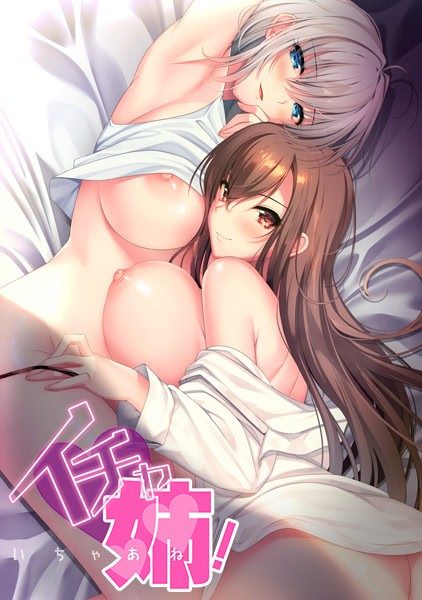
Suddenly, my father decided to remarry.
As a result, I suddenly had four voluptuous older sisters in my life, with two step sisters in addition to the two blood-related sisters I already had… *sweat sweat sweat*
And one of those step sisters was a senpai I had a crush on in high school… And her older sister I had also done a lot of things with before we knew things would turn out like this…
Why is the world so small? *sweat sweat*
Before I knew it, we were living under the same roof, and my summer was engulfed by a tsunami of spicy, steamy, erotic daily happenings.













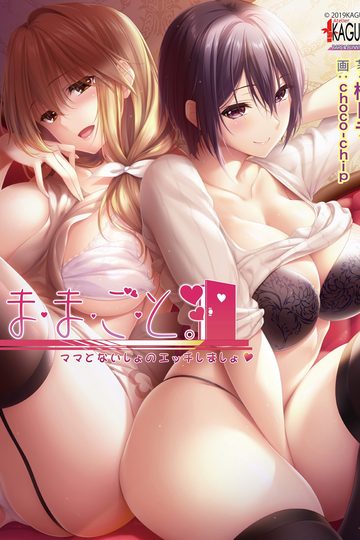
3 comments
Here are some pieces of advice that could get the game to run as intended.
First up, some general info and ideas: The games does not have an official translation, but only an unofficial machine translation (MTL) instead.
That means, that most likely no engine work took place when using just an AI translator to translate all ingame text. Hence, the engine is the original engine the Japanese devs used to make the game.
I’ve bought multiple games from e.g. FanzaGames before, including quite a few Atelier Kaguya games, and used MTL patches or fan-made patches on them. The games didn’t run.
1. The original engine only works on >> Japanese locales <<. Therefore, change your PC's locales to Japanese!
2. If that does not automatically change the date display, yes THE DATE DISPLAY, to how it is displayed in Japan, change that too.
3. Don't worry, that does not mean that all and everything is displayed in Japanese language. You can still have your language as display language.
4. Sometimes it might be necessary to download the Japanese language pack for Windows. You can do that directly in the settings, if I remember correctly.
5. It may happen that your anti-virus program "identifies" the .exe file as a potential threat. You have to give the file permission to be run. Also, as with Malwarebytes, remove the file from the quarantine.
I ran a full scan after 'installing' the game and no threats were found.
In the end I got all games to run perfectly as intended with the patches applied.
Same goes for this game here!
I downloaded all parts, extracted them, ran the .exe file and the game started.
I hope this helps some of you to run, play and enjoy the game as well!
Here are some pieces of advice that could get the game to run as intended.
First up, some general info and ideas: The games does not have an official translation, but only an unofficial machine translation (MTL) instead.
That means, that most likely no engine work took place when using just an AI translator to translate all ingame text. Hence, the engine is the original engine the Japanese devs used to make the game.
I’ve bought multiple games from e.g. FanzaGames before, including quite a few Atelier Kaguya games, and used MTL patches or fan-made patches on them. The games didn’t run.
1. The original engine only works on >> Japanese locales <<. Therefore, change your PC's locales to Japanese!
2. If that does not automatically change the date display, yes THE DATE DISPLAY, to how it is displayed in Japan, change that too.
3. Don't worry, that does not mean that all and everything is displayed in Japanese language. You can still have your language as display language.
4. Sometimes it might be necessary to download the Japanese language pack for Windows. You can do that directly in the settings, if I remember correctly.
5. It may happen that your anti-virus program "identifies" the .exe file as a potential threat. You have to give the file permission to be run. Also, as with Malwarebytes, remove the file from the quarantine.
I ran a full scan after 'installing' the game and no threats were found.
In the end I got all games to run perfectly as intended with the patches applied.
Same goes for this game here!
I downloaded all parts, extracted them, ran the .exe file and the game started.
I hope this helps some of you to run, play and enjoy the game as well.