
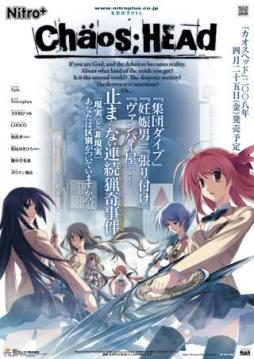
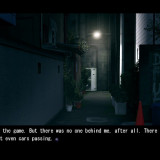
Takumi is a high school student. He is withdrawn and is not interested in 3D things. In his town, a mysterious serial murder case happens and people get panicked. One day, when he chats on the internet, a man suddenly contacts him and gives him an URL. He goes to the website and finds a blog image that suggests a next murder case…. On the next day, it really happens….
Chaos;Head


781 comments
then i did english patch it
then i copied the cracked to the folder
and now i open it. it say : "please turn off debuggers then try again"
i dont have any debugger on processes. still dont work
help please T_T
What I've done is:
-Installed the game
-Put english patch into game folder and ran it (this is where the error occurs)
-Put the crack into the gamefolder overwriting the previous one
I have also tried just using crack and game and the game runs fine in japanese, so it is definitly an english patch issue.
Also yes I have set Locale to Japanese. Any help would be appreciated.
I had the same problem and I assume that you like me, have Windows 7?
if that is the case:
-install the game in your pc(anywhere).
-copy the crack in that folder
-copy the RC2.exe in the same folder but do not run it yet.
-copy the folder into a usb drive.
-plug the usb to a pc/laptop with windows vista.
-run the translation patch.
-when the patch finishes transfer the files back to your computer.
I only saw the prologue and OP video.When the 1st chapter started I stopped playing so I dont know if there are any errors later.
I dont know if this will work with windows XP.This is the first time I had to do something like this.(Vista work,7 dont wtf?)
but I do have one problem... When I got to his room, it's all blurry, it hurts my eyes. Could it be a hardware problem or is it really like this?
(DA-Free)
Make a walkthtough!! XD
when I installed the patch the character's aren't appearing. they only appear on CGs.
It's kind of a bother.
Can anyone fix this bug or something.
I hard patch it.
Am I doing something wrong?
someone please tell me what should i do.....
I had a problem with characters that dont show after dialog with the "friend" at school.
The problem comes from the "underwear" option in the game settings. The problem is that de saves got corrupted the moment you activate this option... You have to start a new game without the underwear option to be able to see characters... ( tried just a moment ago to confirm )
The other problem that ocur with this option is that there's some random and long freeze during dialogs. Without the option the freeze time mostly disapear ( there's always some but it's less than 1sec and doesnt hurt the game ).
I think the problem comes from "missing links to characters CGs" in the english patch ( i'll confirm this if i start a game without the english patch, but at the moment, i'm lazy xD )
To do that, you need a software like Daemon Tools (you can find this one the net). Run Daemon Tools and open the ISO file with it, then you'll be able to begin the installation.
Durng he Installation, it'll ask you a Key. It is 000 702 000 114.
I don't remember if the the Crack is provided with the Translation patch. If not, it's here somewhere, move the launcher to the Folder, replace the old one and run it. You can see if the game works.
Once you did all that, next step is the Patch. Open the folder where the files are installed and extract the Winrar Translation Patch in it. Run the setup and a black screen with indications will show up. Just press enter and the patch will run (it can take a long time). The window will be totally black but no worries that doesn't mean it froze.
Then once it's installed, you can run the ChaosHead.exe and run the game.
If there are things you don't understand try the readme. I remember I had problems with the patch, it didn't want to run because it didn't locate the game somehow but I persisted, decompressed it again, tried some random stuffs and it worked.
Don't forget do NOT save the Game during CHAPTER 7, because the game will crash, so you'll have to play the entire chapter 7 without closing the game. You can save again once you reach chapter 8.
Now find your Di-Sword and find your Blue. You're (not) alone.
im using windows 7.
all i need is to install the game then extract the noDVD crack.
after that i just run the RC2 translation patch, wait some minutes and done.
the game work fine and there are no Spirit/CG issue at all.
Admin, please fix that chapter~ TTuTT
You must play the entire chapter without saving. Then you can save again when you reach chapter 8.
I hope you kept a save at chapter 6...
Hard Drive ..
You'll need :
The game ( all six parts )
The most recent english translation
and the version of crass you can find in the comments ( just search through the past comments until you find a download link ( I'll also
try to upload it somewhere after I learn how to do it ) )
First thing you need to do is make sure you have a " Japanese " locale installed .. If you don't know what that is,
go to your " Regional and Language " settings and select " Japanese (Japan) " from the drop down box in " System Locale "
( Don't confuse it with " Formats " and " Current Location ", You'll find it if you look hard enough ) ..
Now that the " base " is done, extract the ISO you get when you extract the 6 parts you've downloaded and select the CHSetup.exe
That'll start the install wizard, just do what you normally do when installing .. For convenience's and organizing's sake,
choose another loaction for the game ( select " browse " when a C: something appears in the install screen .. )
Enter the code you activation code you'll find at the top .. If you're too lazy, it's " 000-702-000-114 ", when
that's done, just wait for it to finish ..
Next thing you'll need to do is put the " English Translation RC2 ( That's the english patch you've downloaded ) "
in the folder you've chosen ( the default is in " C: Program Files(x86)-Nitroplus ", just double click it, select yes
when prompted, and wait for it to extract, after it's finished, the cmd will appear, DON'T PRESS ANYTHING !!, just leave it like that,
Go to the folder that should appear after you've run the English Patch named. well. " patch " .. Delete the " crass " folder ..
After doing that, extract the crass that you've downloaded and move the " crass-0.4.1.4.0 " to the " patch " folder
( I don't know if it would matter, but rename the crass-0.4.1.4.0 to folder to " crass " ) ..
This is the nervous waiting period before the moment of truth .. Select the cmd that you've left untouched and press any key .. Wait until
you're asked to press something again ..
The Moment of Truth is here .. Run the CH.exe, Pray, and if you see that the 5pb logo is gone and the disclaimer is in English,
Congratulations !! you can now play this piece of art ..
I hope I helped ..
P.S. You'll probably want to save a copy of the whole game folder in a hard drive or something, for safety and paranoia
purposes ..
( Disclaimer : I THINK ( big emphasis on THINK, so try it without messing with your computer first )
this might not work on Windows 7 Professional unless you've downloaded and run the directx_Jun2010redist
from Microsoft ( which is very easy to do ), cause, well, Professional wasn't made for games to begin with .. )
using the newly renamed crass folder caused problems.
the one included in the RC2 patch worked just fine.