English visual novel downloads

Bunny Black

Bunny Black

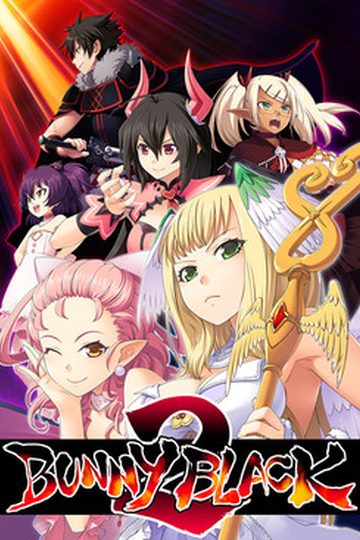
Dierks is a perverted adventurer entered a labyrinth known as the Maou’s forest and was defeated by the maou himself. But taking pity on him, the maou kindly recruited him as part of this demon army. Given a second chance, Dierks has two goals: to rise in the ranks of the demon army, and to defeat and have sex with those girls who come to attack the maou.

592 comments

AnonReply
Anyone got a fix for (Create Device : D3DERR_INVALIDCALL), thanks in advanced.
JangoReply
how can i install the game ? its extension is .mdf and .mds . please help me
~this is the same thing Happening to me when i downloaded each part and compiled all of them
jhin98Reply
I got a new laptop and i had the same problem until i realized that i forgot to download Daemon tools. So what you do is download Daemon Tools Lite and mount the mdf file then you should be able to see the files directory theyre talking about, and you put the patch in there and you shoud be fine, about to go and do this right now.
jhin98Reply
Ok so it worked,but what you'll need to do is after you mount the files, copy them to a seperate folder so that you can insert the bunny black patch. After you copy them, put the patch in the file labeled 'bunny' then run and it should work. Good Luck.
MagicReply
just rename the change the ".mdf" of ur file to ".iso" and it works like magic
ADDIReply
i dont know why people so stupid?
its so fucking ez for install this bunny black patch english
if you want play many games or someting do not use OS above windows 7
because there are too many problems
-game does not work
-error install
-etc
not only bunnyblack but still a lot of games that can not be played
i can play bunny black patch english in windows 7 (WORK 100%) and finish the game
now i am waiting bunny black 2 patch english
Darkrai69Reply
There are some people whom use this site that aren't as tech savvy as the rest of us.
Blah-SenpaiReply
I have just got this game to work with Eng patch v1.2 on windows 10. To fix the "cannot create save files and getting a 'Aoi' error with Jap", you need to just run the bunny.exe program as an admin. It clears this problem. Gl all
UtinilReply
I can not get file 4 to download at all. Keep getting file not found.
ErREReply
anyone know what to do in the room is the first thing after the prologue.....
DanXYReply
Someone teach me how do you download this or explain me how to run it, because I have tried so many times but miserably failed.
toebaloneReply
dose any else have a problem with the patch crashing not long after starting, i can install the game no problem but every time i try to install the english patch, it crashes about 1/5 into it, i have tryed instaling the game somewere else and even got patch 1.2 but still crahes in the same spot
KappyReply
admin why u put adds which opens another page? so annoying -.- put normal ones that opens another page in ur browser, and now u even multiplied them, please put them as they were before xD
DreReply
Hey, I downloaded the game and patch but can't get them to work together. every time I try to put the patch in the file it says that there isn't enough space. Please help; I really want to play this game.
Also I have Daemon Pro not Lite if that matters
KriosReply
I am having the exact same problem. I might just be missing something obvious, but as ti stands i cant reconcile the game and the patch.
DarkManReply
Im having problem with the installation, whenever i try its in japanese and no matter what i do it wont install correctly. Every time i try it gives me a pop-up that says something unknown and a Yes No option, press Yes and it reappears immediately, press no and it closes down and boot you back to the japanese menue.

Could anyone upload the english version with a click-and-play? ive managed to extract the files from the mdf file but its all in japanese again and the english patch doesnt recognise the game since it hasnt been installed.

Its really frustrating and id appreciate all help i could get.
DarkManReply
Never mind, i found a way.

Change your region/language to japanese on the computer, install the game, install the english patch and then add the fix files and you should be good to go.

I used Daemon tools Lite for the installation and later on removed it, the game works either way.
And now you have to excuse me, i found a dozen games on this site that ive finally downloaded and are now waiting for me.
Thanks for the game ^^
DarkManReply
Forgot to mention, you can change back your language after the installation (i didnt even have to reboot the computer ^^)

Its the game that needs the japanese in order to read its own files, without the japanese the game cant install itself since were using roman letters in the rest of the world. :)
kazukiReply
hi.
i'm new here.how to install this game.
exlain step by step,it's pretty messy when i read the comments upthere.
HuskReply
Anyone having problem during installation, because of the "not enough space" thing, should try compatibility mode for Win 7 on the properties menu. It worked for me.
HamptneyhambartReply
I was having a similar problem with the installer saying that there isn’t enough space. To end this problem right click the installer application after mounting the MDS file. Go to properties and after that go to compatibility. There should be an option for running the installer with windows 7 compatibility this should do the trick. There are several other games on the site you may need to change the compatibility so keep that in mind.
LOLReply
INSTRUCTIONS TO INSTALL
- Download and extract everything.
- Mount the .mds file (Convert to .iso or use WinCDEmu)
- Install, I recomended to use the path \C:/Games/bunny\ instead of \Program Files\.
- Apply the english patch, and then the Quickfix (in this order).
- Run the game from Bunny.exe

FIX FOR WINDOWS 10 FULLSCREEN:
- If it doesn't resize correctly you should change your screen display resolution to 800x600.
- You may use the following program to create a shortcut that automatically changes the resolution when opening the game: http://www.bcheck.net/apps/reso.exe
ChaosJettaReply
I'm on Windows 10 and every time I try to install it keeps saying that I the selected file doesn't have enough space even though I have 700 GB available. Can someone explain that?
ChaosJettaReply
Never mind. I got it to download but how do you install the quick fix?
doomgokuReply
is Bunny Black 3 going to be translation
MeTooReply
I dont know, but I want to play it now
sneakyapeReply
how do i apply the english patches and the quick fix?
achingbloodReply
I got everything installed and patched but how do you save?
achingbloodReply
Nevermind, I got it.
laluyanReply
i play the game but no voice help pls??
unknown2manReply
ok so i followed the readme instructions on installing the patch however when i try to run the application it says file not found i dont know what im doing wrong
HoragenReply
I tried LOL installation post above and was unable to installed the game on my Win 8.1. Every time I pushed the top button in the menu I got a popup.

What worked for me was to Mount BunnyBlack.mds.
Open the Mounted CD / DVD like you would open a normal CD or DVD like when you need to manual install a game instead of using automatic run the installer

In the open DVD there is a folder there called "bunny" copy this and put the entire folder where you want your game to be in my case "C:\Games\Bunny"

Apply the English translation then the quick fix...
Now you can play Bunny Black normally+:D
Special_KReply
I have Win8.1 too and I did everything you said and I still get the same message, at the top of the window 'black bunny patch' says, "software not found. software could not be located. please make sure this file is in the black bunny install directory" which it is. did everything per your instructions. made sure i put the english patch exactly where game was in c/games/bunny. need help.

Thanks for your willingness to help though.
Special_KReply
OK, never mind. I'm new to all this so sorry for the lack of knowledge. (this is my first PC/laptop).
For others that are stuck (I have windows 8.1 by the way) this is what I did:
After extracting the first game .rar file ONLY, number 1 looks like this "BlackBunny.part01.rar" (yes i'm going back to the beginning) You will have a folder, open it and mount the "MDS File" with "DAEMON Tools lite" or any other program like it, you can download it for free on the internet used for loading programs as if you had the actual CD in your PC, or something like that.
I went ahead and used the installer unlike "Horagen"(above) method, the installer will be in Japanese, the top left button is the install button, not sure if this is necessary but I changed the install from "C/program files..." to "C/Games...". THEN I installed. It shouldn't be hard to tell where the install directory window/section is in the installer window.
I clicked on the "Bunny" application to see if the game works beforehand, it did for me and yes it's in Japanese, close game, THEN I extracted "BunnyBlack_eng_1.00.rar" file, (THIS IS WHERE I THINK I FUCKED UP ORIGINALLY), after extracting open english patch folder, put the English Patch.exe file in into the "bunny" folder that is located in "C/Games..." AFTER YOU PUT IT INTO THE FOLDER CLICK ON THE "Bunny Black English Patch" FILE!! That file is some sort of installer in its self, you CAN'T just drop it in there and then do the "fix" file next. AFTER the English Patch.exe file is done installing (it will take a while) then you can move onto the "fix" file.
At this point I clicked on the "Bunny Black English Patch" file to see if it will play, it won't, you will have to use the original "Bunny" application/file BUT it'll be in English this time, YEAY! If it's not then you fucked up somewhere or something else is fucking with you, anyways... close game and extract the "fix" file, open folder and highlight EVERYTHING there and drag it into the "bunny" folder, as in, "C/Games/bunny". Replace all files if it asks you, NOW you can wake your cock up and tell it to get ready because the game should be up and running as it should.
I doubt this will help all but if it helps some of you then, great, have fun. If not, sorry, my knowledge regarding this game stops here. Enjoy.
PanasuReply
How to get Max 9 Units Bonus in New Game + ?

Beat the Dragon Den & Demon Gate already, and still get only 8 Units Bonus for New Game+ ?

Did I Miss something ?
big bossReply
when+i+try+running+the+game+i+get+a+CreateDevice+:D3DERR_INVALIDCALL+error
RedRSReply
Is there games like this one... as good or better than this?
i'll be thankful 4 u ..
Thx :)
visual loverReply
I have a problem with the installer i use the english patch but its still in japanese language hard to install how to fix this need help..
AkrasiaReply
How do i get Rakia's scenes?
Kuroi KaiReply
Hey guys,i have encountered a problem. It says that i cant start the program because i dont have Ags4.dll,Aoi4.dll,pgsv.dll and PgsvTd.dll
Kuroi KaiReply
does anyone know where to find those things or maybe i am doing it wrongly
YokaiReply
you just need to copy all those extract to new folder (manually)

then go to bunny folder, extract english patch and run. then extract fix bugs in same folder. thats all
wesleyReply
how do i extract this to play the game.i tryed my normal way and it aint working. only gives me 2 files and a web link. its a mds and an mdf file
XDHopeReply
Instructions: (From what I gathered from above and tested)
1. Download all files and patches
2. Download WinCDEM and install
3. extract all files except bb_quickfix and bunnyblack_eng (save em for later)
4. Open bunyblack file and u'll see two files an mdf and mds. open the mds file by right clicking it and choosing openwith winCDEMU
5. then a CD should popup in This PC like how your usb pops up when you plug it in
6. double click that file and extract manually by highlighting copy and then paste all of it to a new file/folder
6. open the bunny folder at the top and drag in the bunyblack_eng file extract it inside then run the buny black english patch
7. next is to drag in the bb_quickfix and extract that in there too and replace all files
8. Then you run the bunny application the orange icon thingy
9. Good luck boys and girls and enjoy
Morog CallReply
Thank you dude, you're awesome.
JokerReply
Thanks dude. That have helped a lot
WolfReply
Any recommendation on where to go to get the WinCDEMU?
AreruReply
Thank you man :D
WeebReply
Thanks a lot
SebastianReply
copy/paste "bunny" folder
aply the patch
it works for me

Leave a comment