
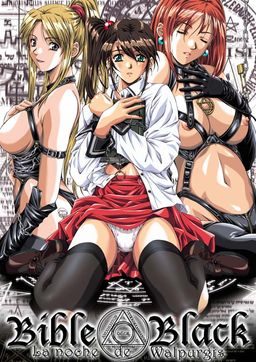
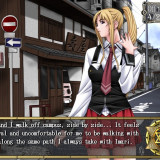
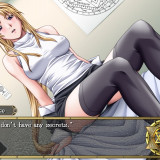
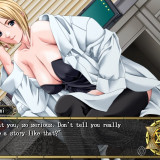
There is a legend on campus of an underground room where debaucherous orgies and magic rituals once took place. The room was supposedly sealed off after a human sacrifice was performed there. As the thirteenth anniversary of this grizzly event draws near, someone is plotting for history to repeat itself. Is it the sweet, beautiful class president, Shiraki? The kinky Saeki, whose obsessed with the occult? The innocent Imari? The well-endowed art professor, Miss Takashiro, or the sexy campus doctor, Miss Kitami?
Minase was a mild-mannered junior who never thought twice about magic or campus legends. But then he found the mysterious “Bible Black,” the book of spells that started it all thirteen years ago. Minase now has the power to control others and get any girl he wants, any way he wants. Will he be tempted by the dark path of debauchery, or will he use his power to stop the upcoming sacrifice?
Bible Black


95 comments
1) Make sure you have daemon tools or something equivalent.
2) Download files
3) Extract them with 7zip or equivalent
4) Mount them with daemon tools
5) If autorun does not kick in go to your explorer, click on the mounted CD and find the application called setup and click it.
6) Follow the installation steps and put the game files where you wish, easier if you install them in the same place you extracted your download files but to each is own.
7) I'm not sure why but sometimes just clicking the application to start the game itself will cause the game to not have music and not let you save, even though all the files are present. To solve this go back to the mounted CD and copy and paste the setup application and start the game using that instead of the default startup application. This may be a problem specific to win 64 operating system but I'm not 100% sure. Hope this helps and enjoy the novel as it is awesome.
also i am new at this
Is there other programs that does the same thing it does?
Dont want to download it if there is a chance i allready have a program that could do the exact same thing it does
Do you Know a Way on How To Change
The Directory of The Save File
more like editing the place where the save file
located
Im more like the type of guy that simply
edit the registry of the save file location
I do this so i can just simply extract the game
then play with out installing the game
but bible black seems no registry im in trouble
how do i edit the save file directory
i do install the game first so i can get the registry
of the games then edit then create a rar wala instant game
more like after uninstalling it then wanting to play it again in the future but looks like doesnt work on bible black cant find registry
well anyway anyone do you know how to do it
sorry and thanks for those people who can help me
sorry admin for posting a long one
I tried reinstalling, fiddling with the .exe properties (run as administrator, compatibilty modes, etc) but had no luck.
Does anyone know how to fix it?
I don't know what to do please help
My findings:
1. If the game is installed on the system drive(C:) then the game has to be started with the setup.exe from the disc.
2. If it is installed on an other partition then compatibility has to be set to XP SP2/3.
3. Saves made before you open your eyes can't be loaded!
I hope it'll help someone.
.exe of the game click with the right mouse button, chose "properties", "compatibility " and click on "run this program in compatibility mode for:"
and select windows xp service pack 3 if you want you can try
the windows xp service pack 2 but I recommend the 3. Hope it helped!
For instance installing the game in C:VNBBLACK works but C:VNibleblack doesn't as \bibleblack\ is more than 8 chars (and use capitals if possible).
Original DOS had 8 char limits on all files and directories and guess what? bible black is ancient and suffers from DOS limitations ...
If anyone wants a few comparable movies that come to mind when it comes to this game, I will offer this extreme analogy:
Think "Donnie Darko" meets "The Crucible," "The Blair Witch Project," "The Scarlet Letter," Stanley Kubrick's "Eyes Wide Shut" (based on the classic Arthur Schnitzler book "Traumnovelle") Tony Scott's vampire thriller "The Hunger" (1983), and with tidbits of humor reminiscent of Nick Frost and Simon Pegg's "Shaun of the Dead."
I have just changed my hard disk, so i only have the c system drive, and when any start my game either from the installation or the game file it does work and and the game can save files and i get no errors.
There's just the fact that i cannot see any text whatsoever, not in the menu and not in the dialogue.
What's the problem?