
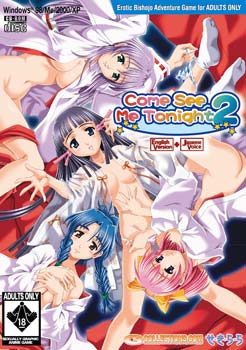
You are Kensuke Tsukikage, the son of a family that runs the famous Tsukigake Shinto Shrine. One day your grandfather, chief priest of the shrine, introduces you to a beautiful girl: Koruri Hanayashiki, a young shrine-maiden-in-training who will be studying here. It’s quite an honor to be able to train at such an ancient and famous religeous site as your shrine. A party is held withyour childhood friends Nanao and Shiina to welcome Koruri-chan.
At the party, your grandfather makes an announcement: the upcoming harvest festival will be broadcast live on television, including the climax of the festival, the beautiful “dance of the shrine maidens.” There’s just one complication: it’s the custom at this shrine that the shrine maidens have sex as part of their graceful festival dance. To make the special event a success, it’s vital that you train all the girls in the erotic act of the dance in time for the festival, and choose your true love in the process. Because the girl who you take as your wife will help save the honor and tradition of the Tsukikage Shrine.











54 comments
If you are getting "registration information is incorrect. please install again", double click the registry file to get the registry in place, and use the setup file to install. This worked for me, I'm using Windows 10.
But I got another problem with this download that occurred in the past with different G-Collection releases too. When the game starts running, my CPU becomes 100% busy. I know that the problem is with something in OS, not the game itself, but I don’t know what exactly.