Steins;Gate – Installation/Error troubleshooting

1. Download Steins;Gate game, 1.20 patch and English Patch

2. Change locale to Japanese (XP Vista 7)

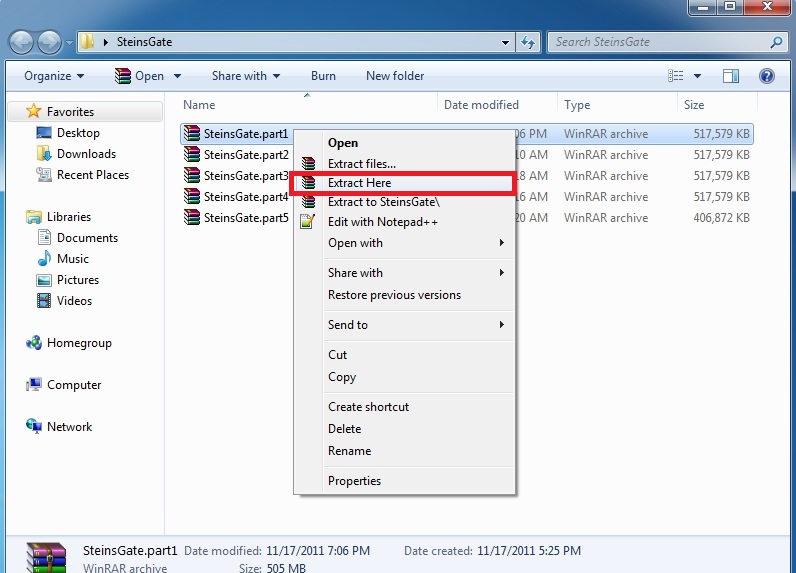
3.Right-click on SteinsGate.part1.rar and select “Extract here”.
SteinsGate Install 2

4. Once extracting process finishes, you’ll be presented with two files: SG.mdf and SG.mds . Mount the SG.mds

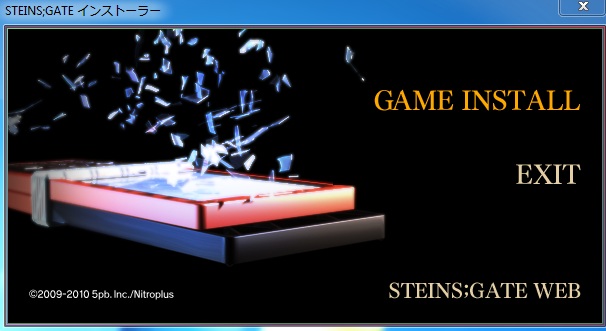
5. Setup window will appear. Choose “GAME INSTALL”
SteinsGateInstall-4

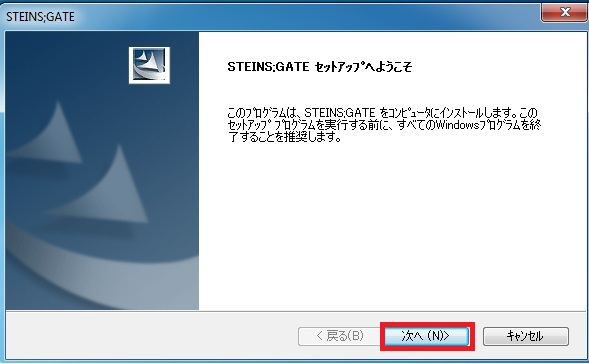
6. New setup window will appear – just click “Next”
SteinsGateInstall-5

7. Accept the license terms and click “Next”
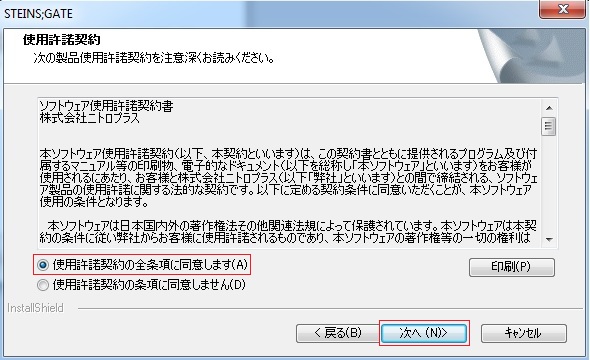
SteinsGateInstall-6

8. Choose installation path and click “Next”
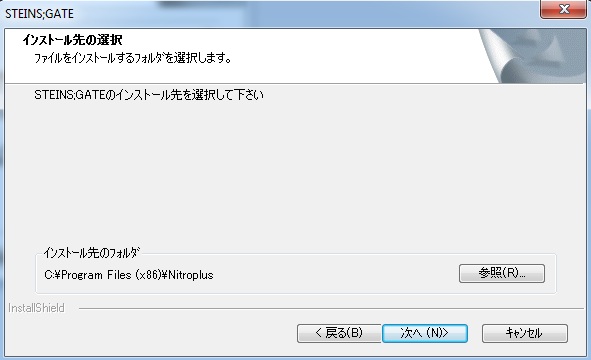
SteinsGateInstall-7

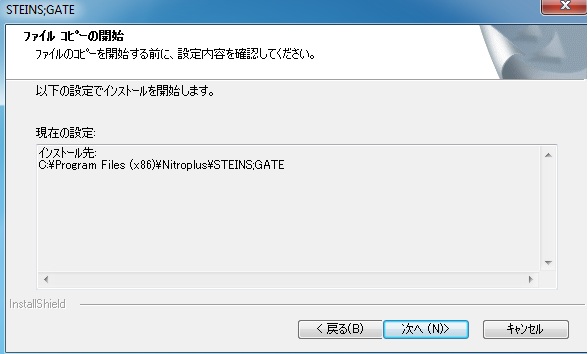
9. Click “Next”
SteinsGateInstall-8

10. Wait while the game is being installed.
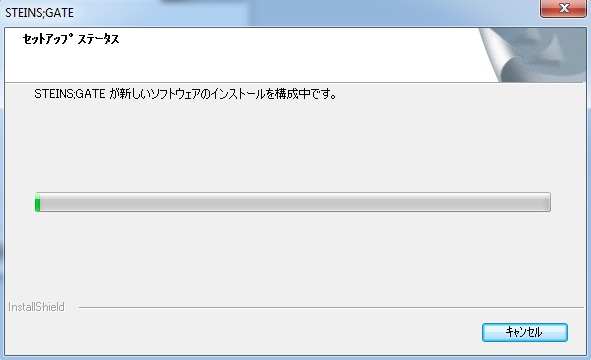
SteinsGateInstall-9

11. Now you’re asked if you want to create desktop shortcut. Answer “No”.
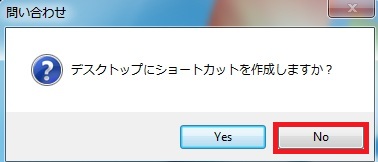
SteinsGateInstall-10

12. Uncheck the tick-box (you don’t want to run the game yet) and finish the installation.
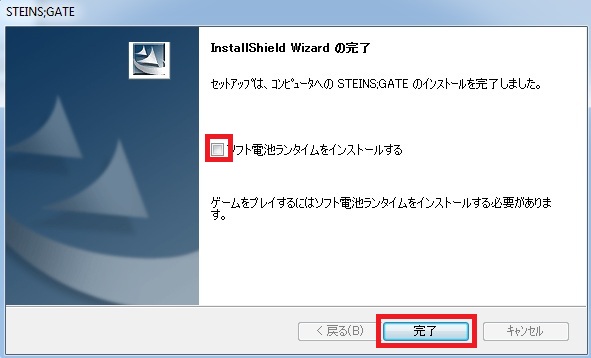
SteinsGateInstall-11

13. Run the 1.20 patch now. Select the path you installed the game to and click “Ok”
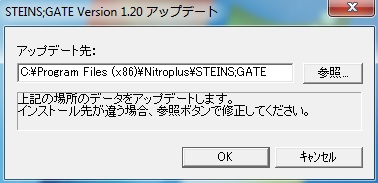
SteinsGateInstall-12

14. After few seconds you’ll get message that the patch was successfully installed.
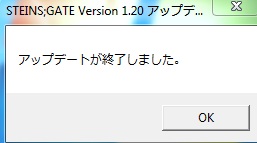
SteinsGateInstall-13

15. Finally you need the English patch. Download and extract it.
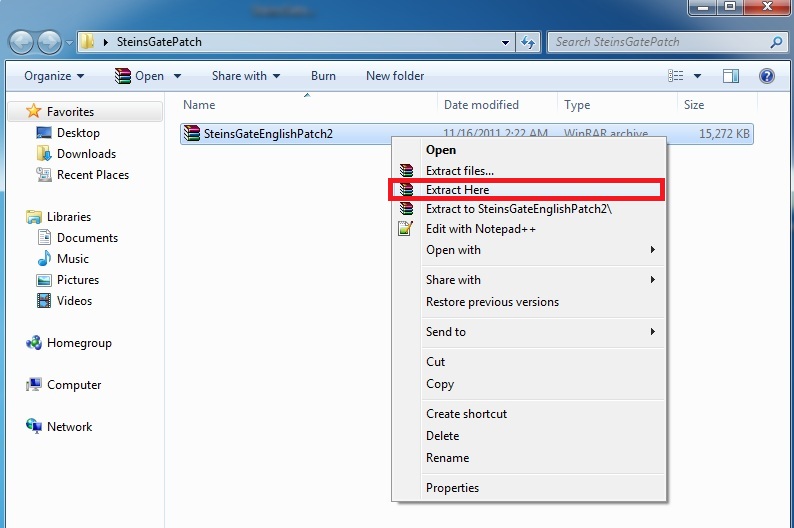
SteinsGateInstall-14

16. Move the patch contents (two files: nss.npa and STEINSGATE-patched.exe) to the game directory.
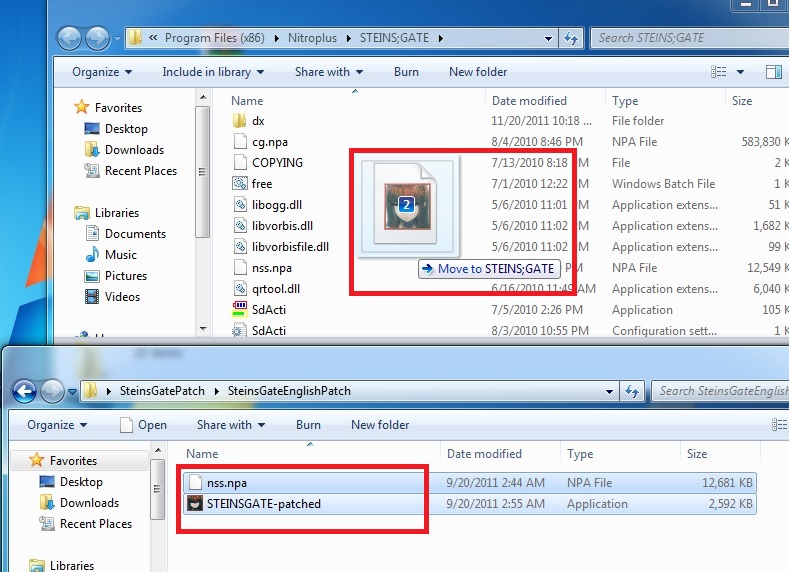
SteinsGateInstall-15

17. Start the game with “STEINSGATE-patched.exe”.
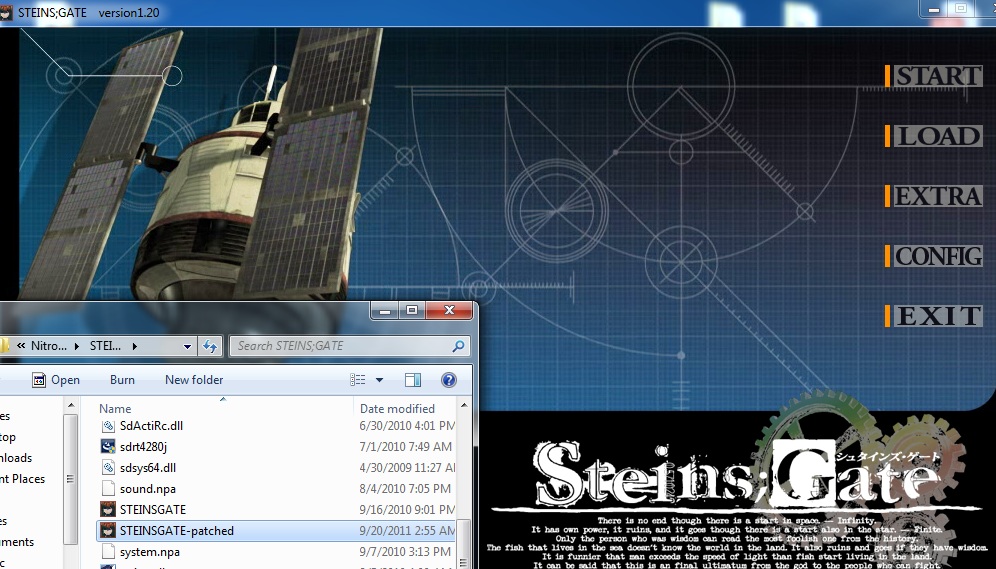
SteinsGateInstall-16

You can skip to the end and leave a response.

115 Responses to “Steins;Gate – Installation/Error troubleshooting”

  1. Newbie says:

    Hi..
    I’ve installed the English patch but the game still run in Japanese..
    Help please… please…

  2. Mock says:

    Hey, I’m having a bit of trouble with the game. I’m running Windows 7 on Bootcamp, and I did everything the guide told me to do. But whenever I try to start up the game, it says that the app crashes. My locale is changed to Japanese so I really don’t know what’s wrong.

  3. flam94 says:

    I’ve the same problem who has Newbie…

  4. kalbob says:

    i installed everything and the game starts up fine but when i press start it just takes me back to the menu!

  5. Roku says:

    I’m trying to extract SteinsGate.part1.rar with WinZip but it says that there is an incongruenze CRC (?!?!) with SG.mdf.
    I’ve tried everithing! Please help me! do i have to use another program?

  6. Roku says:

    *incongruence

  7. Roku says:

    SteinsGate.part1.rar is not complete.

  8. Ookami says:

    Hi I’m using a mac and installing with Crossover Games but when i select the same pathway for the 1.20 patch i just get a message in japanese and thats it, does anyone know what my problem is and how to help?
    Or did any one els using a mac use some other app that worked for this?
    Thanks

  9. coldeye says:

    hi i have a problem, everytime i try to start the patch 1.20 there is a error message saying: “vorbis.dll doesnt have vorbis_window”
    where can i get vorbis.dll with vorbis_window?

  10. yande says:

    Every time i try to extract SteinsGate.part1.rar it say that it is broken or split file is needed i already have the rest of the files needed what should i do to fix this and thank you for helping me

  11. Ichigo1750 says:

    hi. I installed all what I can download and I have a strange problem. I click start , I wait a moment and game back to menu please help ;(

  12. lulu96 says:

    I got the same problem as here.
    I click the START menu but it’s only take me back to the main menu. But other options such as LOAD, CONFIG etc. are fine the way they are… oh, and is some words (like config, etc.) will still be written in Japanese?

    I would appreciate any of your answer/solution. Thanks for your time =)

  13. Nick says:

    I just keep clicking start over and over TT_TT

  14. lulu96 says:

    I’ve changed my local but it didn’t work.
    I mean, I succeeded the installation part, but when I click “START”, it just came back to the main menu over and over… .__.

  15. Jelo says:

    Just like most people are getting im stuck at the main menu. Changing local to Japan did nothing. Help please =)

  16. Warsheeper says:

    when i start the english patched exe it says it can’t be started because libvorbisfile.dll cannot be found and i reinstalled it twice already..

  17. Sophie says:

    To the guys who are stuck at the main menu, I had the same problem on Vista and running it on compatibility mode for XP and as administrator fixed the problem.

  18. khorne11 says:

    ok everything works but… THE PHONE
    WHY WON’T THE PHONE TEXT BE IN ENGLISH??? WHY IT IS PISSING ME OFF!!!! AGGGGGGHHHH I’VE BEEN AT THIS FOR HOURS!!!! I SPENT LIKE A HUNDRED BUCKS ON THIS GAME I WANT TO PLAY IT!

  19. khorne11 says:

    LOL NVM, I forgot to run the patch XD now its all in English thank you :)

Leave a Reply