1. Download “Little Busters!” Game
2. Change locale to Japanese (XP Vista 7)
2. Right click on first part and choose “Extract”
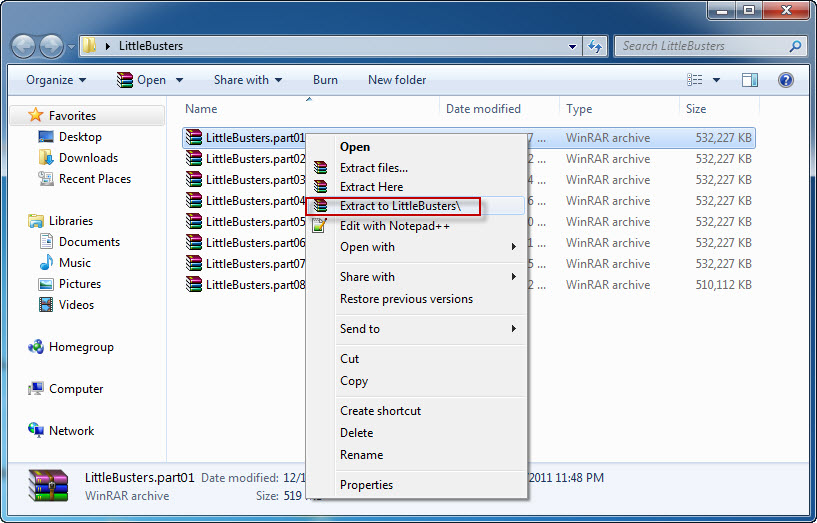
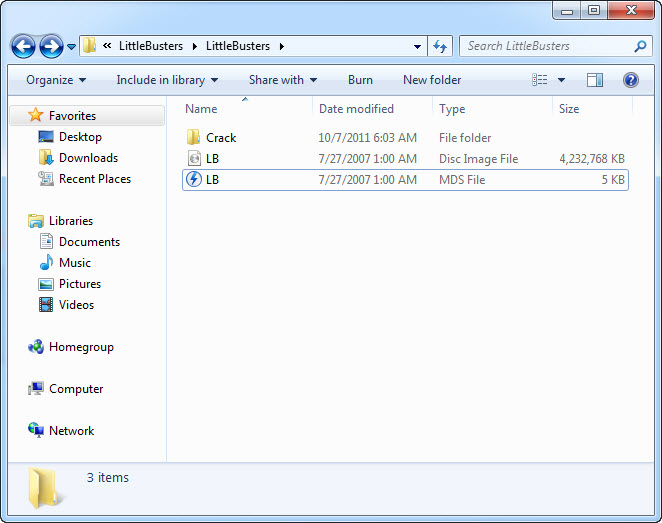
4. Once extracting process finishes, you’ll be presented with new folder, containing two files: LB.iso and LB.mds . Mount the LB.mds
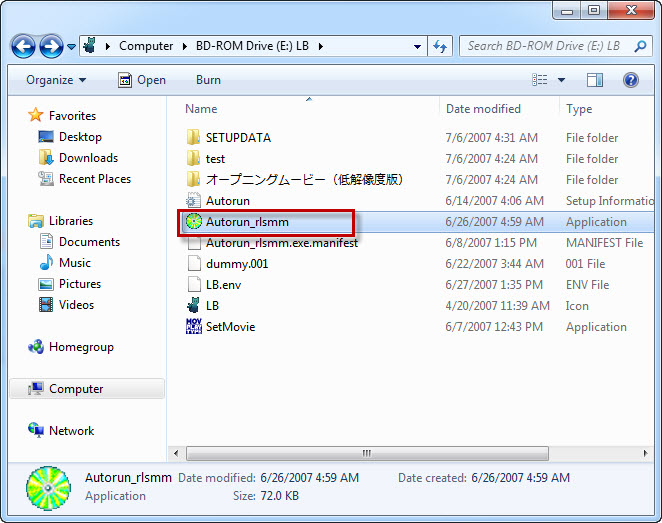
5. Open your virtual drive and run “Autorun_rlsmm.exe”
6. In autorun menu, click button in bottom-left corner.
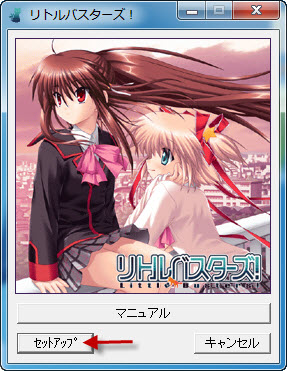
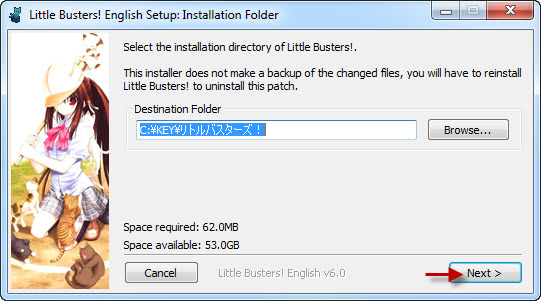
7. You will be presented with menu, where you can change installation location. You can leave the default one here. Just click button in bottom-left corner here.
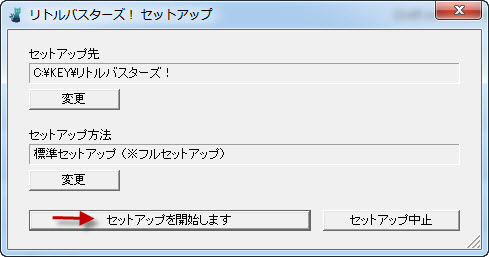
8. Pointless question now: “Do you want to begin installation?”. Of course, click “Yes”.
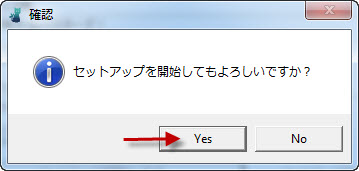
9. Installation might take a while. Just be patient.
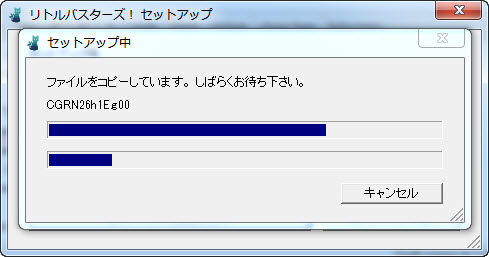
10. “Setup is complete”. Click “Ok”.
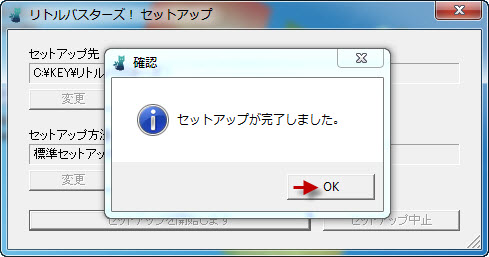
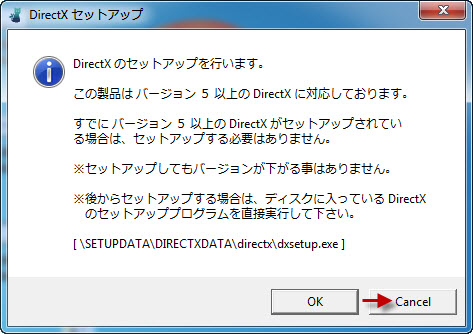
11. You might get asked if you want to install DirectX now. As the version provided with the game is very old, click “Cancel”
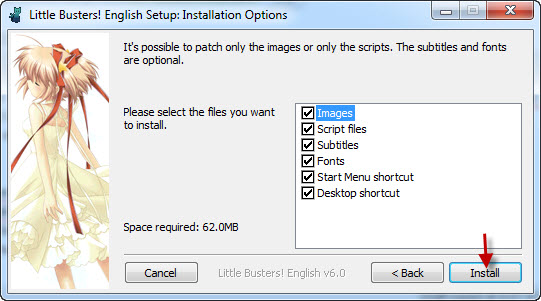
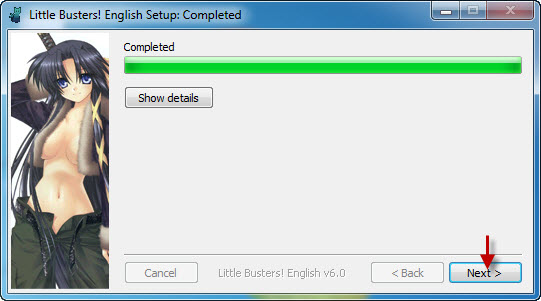
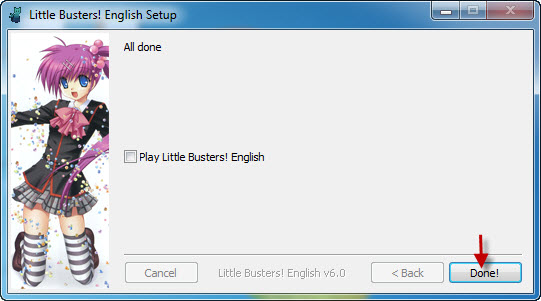
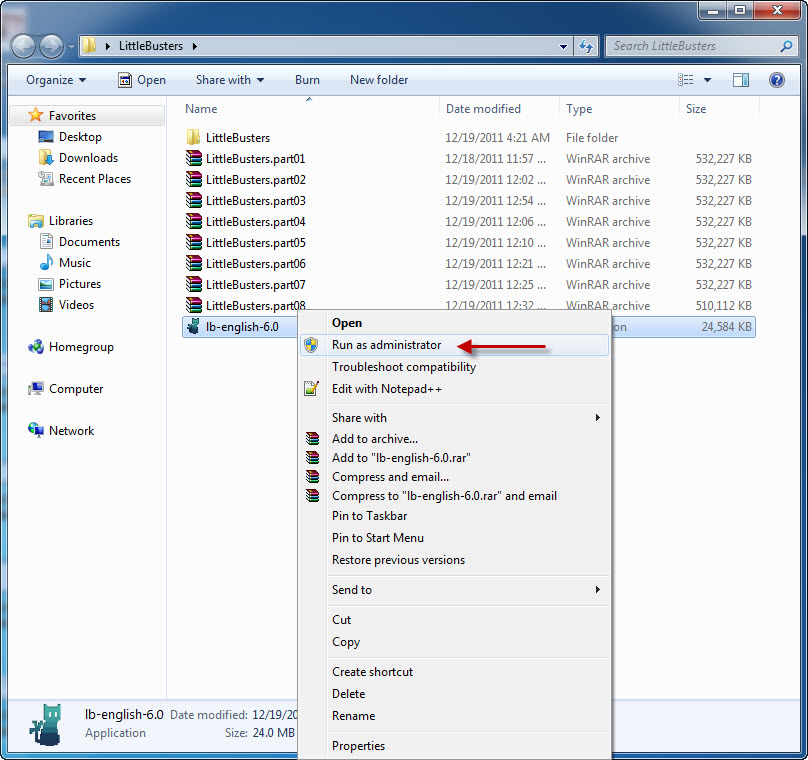
12. Now it’s time to run english patch. Download english patch, right click on it and select “Run as administrator” (you might get some problems with fonts otherwise)
17. Move file “REALLIVE.exe” from “Crack” folder to game directory.
18. Enjoy the game!


thanks!!
err… i got a problem. the patch worked, but when I tried to load my data on rin’s route, it stuck, the text won’t come out. I also tried another save file before rin’s route, but when the game go on Rin’s route, it stuck again. There’s no problem with refrain, works just fine… any fix, admin?
From translator webpage:
“Do the newer versions overwrite the old ones without problems?
-There can be various problems with your save files. Although generally your game state (e.g. CGs, route completion) is safe, this is not guaranteed.”
So basically start playing from the beginning 😉
… I regret I’ve played it earlier… just to play it another round…. oh well, it was a superb VN, so it didn’t hurt that much. thanks anyway.
theres a skip button right? use that
Which exactly is the game directory, is it game data because when i try to put the crack file there it says there isnt enough space? What should i do?
I have the same problem. Where is the game directory?
It maybe just me but when I installed the English Patch, I did not see any Crack Folder in the game directory…Did I do something wrong?
The same for me. Can someone upload the crack folder separately?
What about the other parts? Don’t you need to extract them? only part 1?
Put all the parts in one directory and extract only part 1. Winrar will do the rest of the job.
okay thanks!
I really can’t understand this
Makes sense until step 17.
I don’t have a ‘crack folder’.
The crack folder is inside the .rars where you extracted the iso. You should have LB.iso, LB.mds and a crack folder after extracting.
Sadly the crack keeps crashing at launch for me on Windows Server 2008 =/
I do not get the option to run as administrator when i left click the english patch it just says run as…. and if I click on the that all it asks is if i want to run as my current user, help please
There’s no “run as administrator” option in Windows XP
So then i can’t play the game? I have installed and uninstalled it 4 times and there is always a font error after I click new game that quits the game
The option isn’t necessary because XP doesn’t enforce admin controls, just make sure your account is an administrator and not a guest and select everything from the english installer, if possible con you post a picture of the error?
Hey, after I install the game, when I try to run it I get an error saying [1503] and then a bunch of Japanese characters. A few sources said this error was due to me not having Japanese locale enabled, but it is. Anyone know what’s going on?
You forgot to replace original game exe with cracked one (point 17. of installation instruction)
Thank you, this was it.
when I started the game its only black
Make sure you are using Japanese locale.
can some1 pls help me with the 1503 error? did my comment get deleted???
oh nvm.. so i need the crack huh?.. thanks
i need help ever time i click on the crack to run it the only thing that pops up is a black screen
Move the crack to where you installed the game and run it from there
Okay so I clicked on it to run and it gives me this:
The application has failed to start because it’s side by side is incorrect.
oops there’s a configuration in there as well after the side-by-side…
Try installing Visual C++ Redistributable package just google it and it should appear, also install the DirectX package.
so you mean you need Visual C++ Redistributable package to play this game?
is it really necessary for every OS? or anything?
whwell the game is running great for me im haveing problems with opening for the game wach time i try to view the opning the opening is upside down and is also mirrored backwards as well, someone helpme T.T
I had Japanese locale on
Copy the crack to where you installed the game replacing the one there.
Can someone help? I can’t extract part 4 and 6 (Filesonic mirror). It says “The archive is either in unknown format or damaged” and “Unexpected end of archive”.
Your download process got interrupted somehow. redownload that parts.
Having Text Spacing issues. I ran the English patch as an administrator as asked and I have the VERA fonts and the OSAKAmono! fonts also installed. Not quite sure why I am having the issue. The text spacing issues are very similar to what I had with Koihime Musou before i installed the Vera fonts. Any ideas?
You most probably don’t have the font the game is using, go to settings and change the font to one you do have like osakamono.
Sometimes, the font and spacing issues might cause of overwriting / adding fonts, usually they crashed resulting to disappearing text or changing its appearance … Try to disable or remove the font that causes it…
for example the PingPong font is the only available font on the fonts options… I delete the PingPong font on my C:WINDOWS/Fonts folder and run the game, then I check the fonts option on the settings and all the fonts appeared also the osakamono font too… The bad thing is that you need to check it or retrack the fonts that you’ve added on the C:WINDOWS/Fonts folder
Thanks admin, easy, good, and understandble guide. Give you 10 stars for effort 😀 Good way of doing it.
Umm I stalled everything right but when i plau the game the dialouge i messed up how do I fix this?
I just want to say that the crack works with Little buster Extasy too. If you dowload ot from somewhere else. But you may would like to wait until they complete the patch of that verción.
The spacing is right for my game, but I am getting cut off. For example, if there is a word like “friends” for example. Then “friends” would be cut off to “fr” on the first line, then “iends” on the next line. Kinda of a big deal, b/c it is jarring to read. Anybody else getting this?
Mee too. It happen a lot. I even instaled as administrator but i got the same problem. I don’t like it either. This problem is in both, all ages edition and EX
Change the font in the settings until one looks good, osakamono is one of them since it comes with the english patch.
It down’t wrok. You can select better fonts but the problem f words cuted is still there id doen’t matter what font i used.
Pardon me. I wanted to say that it doesn’t work. But i had some problems with my machine.
Umm I’m not sure then, are you using applocale or true japanase locale?
I’m using japanese locale.
I have followed your instructions but when i start the game the menu is in english but the games dialouge is in japanese please help.
I have also redownloaded and reinstalled the patch and reinstalled please help.
Did you use the original direcction which the game recomend you. If you are puting the game in an other place than the one it suggested and instaling the patch the patch may be instaled in the worng place.
When I first started installing Japanese games, I couldn’t read the system button messages, so eventually I just picked up on their GUI scheme, where the okay was always on the left side and the exit on the right.
Anybody has spacing issues with the words at the end of lines going to the next line? For example, “friends” would be split up with “fr” being on the first line, then continuing with “iends” on the next line.
Didnt find the crack 🙁 , can admin add the image of the step 17 ?
umm hi after i install the patch and there deosnt seem to be a crack folder in the directory u specified. Is there any solution for this?
Or could an admin or something upload the crack file seperately?
Can someone tell me more about step 17, I don’t understand what you mean by that, I get that error 1503. i have tried to move it to my desktop but that’s not working, can someone tell me what to do?
yea um i keep getting an error while installing the actual game i downloaded it from this website and i followed the steps and changed the region to japan so i dnt know what the problem is here is a pic of the error pls help
[IMG]http://i41.tinypic.com/11r41sm.jpg[/IMG]
I get the same error as you… tried looking in google but that didn’t give me any results, sad thing is, I was able to install it at first, then I removed it and tried re-installing it to another directory and have been getting this error ever since -_-
well I seem to have fixed it… I just unmounted the image and remounted it with a different software (magicDisc) and the installation finished normally. hope it helps.
I had problems when installing this, but I was able to fix it.
I kept getting the 1503 error. Turns out it wants the original CD inside your PC to run the game. Of course, if you downloaded and mounted, it won’t work. You need the crack to make it happen.
Naturally, not all torrents will have the crack included, and such was my case. I was considering download again but that wasn’t necessary. I found a torrent with the crack, and selected only the .exe file to download. Took me 30 seconds to get the file and it worked.
tl;dr
If you download from another source, just look for the cracked .exe file inside another torrent and ignore the rest of the content.
sorry to send this msn here but when they can upload this tittle = )
Osananajimi wa Daitouryou ~My girlfriend is the President.~
Title My Girlfriend is the President
Type omplete
Language Englishç
ps: my little buster dont get any error (dL here work 100%) cya
i have a problem i’m on the baseball field now but i cant see anything it’s just a field and nothing else… how do i fix this?
im stuck!!!
Work wonders. Thank you admin^^
Is there an adequate font for this game? If so, how can I change it in order to avoid words being cut?
Where is the game directory at?
plz somone help me when i run the patch its said (error launching installer) plz i need help
At step 13, no matter what I do I always get:
“That is not a valid installation directory.
Please select the installation directory of Little Busters!”
I really want to play this game and I’m tearing my hair out here, please help me.
I managed to get it working after restarting my computer and re-installing the game. This would be so much easier if I just knew Japanese.
if i downloaded only part 1..i cant play it?
okay i got all the way to step 17, but i didnt download the game from this site and i dont have a crack folder, but i get the error message 1503 help??
Go and ask at the site you downloaded it from then.
i have the patch installed on the ex version, is it normal that after a while the characters arent voices anymore?
When I try to install the game, I get an error relating to CGKD31c.g00. Any ideas what this is about?
I get it to turn on and play but the diologue is still in jap but the menus are all translated can i have some help?
So I did everything in the steps and moved the crack to the other folder but when I try to load the game I still get a black screen at start. Any advice?
i followed the steps exactly. So since there wasnt enough room in the folder for the real life exe from the crack folder i decided to make a new folder and put everything in there and put the reallife exe in the game data but i get the 1503 error some people get and yes my locale is japanese
(PLEASE HELP!)
When I say “yes” to install it a box with japanese characters comes up and the only words I understand are “REALLIFE.EXE. manifest”. Can you help me?
Hey where is the game directory? because when I go to my computer->BD-ROM drive (F:) LB->SETUPDATA->GAMEDATA and try to replace the REALLIVE it says there is not enough space so am I just looking in the wrong area? please help
It’s in C:/Key/LittleBusters (or different place if you changed path in 7. )
i tried that and it came up with a 2100 error in that i cant read
i also get a 2100 error i cant read if i use the quicklink