

Have you already forgotten the time you spent playing with us back then? You’ve also become an adult and you’re probably busy. But even if it’s just a little, please remember us. Because of you… we’ve become warped!
An RPG world with many “H” temptations!? Now is the time to carve out a new legend together with the characters who were changed when you played the game!





123 comments
Hopefully this helps.
I have also been experiencing the no text issue.
I have already successfully changes my locale to Japanese, I have also installed the font multiple times and yet there is no text showing up in the message box. I already uninstalled and reinstalled the game many times.
First had the problem that the game was closed as soon as it opened and changed the "Language for non-Unicode programs" to Japanese. After restart the program could already be opened but the voices are not heard.
And I realized that you can also start the game and then in the options menu and verify that this activated the voices of all the characters in the game.
(This is pretty stupid but spend several hours to realize)
I hope I have been able to help someone
When characters are talking, their speech ends+up+in+annoyingly+long+sentence+that+can't+fit+in+my+screen+and+continues+beyond+it so sometimes their talk is not finished. Is there some way to fix it?
Even though my computer was in Japanese locale, it wouldn't work until I did this. It seems to be a thing with Rejet's games. It happened to me with ALICE=ALICE too.
When you install the game (with the patch and all), make sure you install the desktop icon. Right click it and go to properties. Under the Compatibility tab, there should be a check box that says “Override high DPI scaling behavior. Scaling behavior performed by:”
Make sure the box is checked and change “Application” to “System”
Click OK and start the game. Font was fixed.
(or change the display of your desktop to 100% instead of 150%
As I wrote this I realized I'm just an idiot. Here's my problem:
I can't even start the game.
I already installed the meiryo patch.
My system locale, time zone, and region are set for Japan.
I have Daemon Tools installed but it doesn't seem to require it.
I even installed the Locale Emulator to see if it would solve my issue but it didn't.
I run Windows 10 64 bit.
I keep getting the same error, which google translates into "Configuration file is invalid. Please correct it and start again. Error message: input stream error. Error Code: 8"
Here's my solution:
The folder that forms after extracting the files (DotKareshi1) MUST be MOVED (not copied; it will require ADmin permission) to Program Files (x86). If it still doesn't work, move it to Program Files.
That's it. I'm stupid.
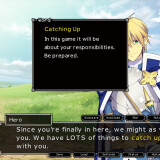
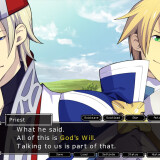
i'm on Priests route and the text dialogue isn't showing at all!!