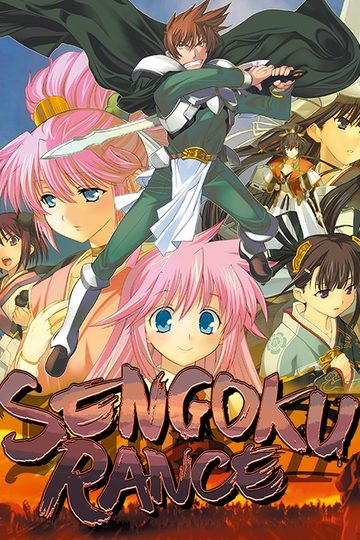
Sengoku Rance

Sengoku Rance

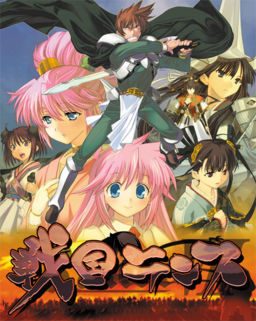
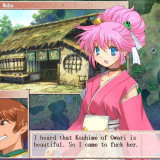
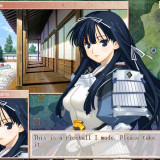
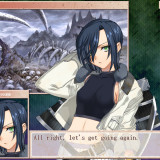
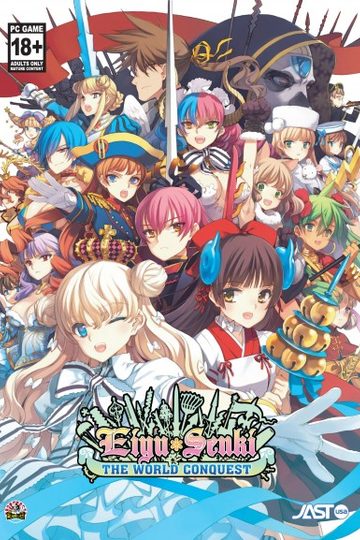
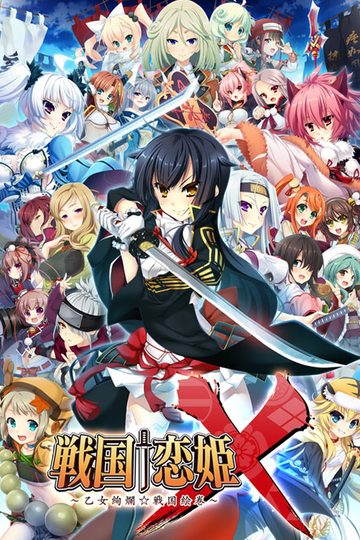
The story takes place during the 4th Sengoku (warring states) era of Japan, an area of the Rance World which parodies medieval real-world Japan.
Sengoku Rance picks up where Rance 6 left off. Rance, after saving the nation of Zeth from destruction, ran away so he won’t have to marry the princess. He and Sill ended up in Japan for a hotspring trip, upsetting the power balance of Japan, and sets the unification of its provinces in motion. Meanwhile, an ancient evil power stirs from its slumber…
Meet the alternate reality versions of Oda Nobunaga, Uesugi Kenshin, Takeda Shingen, Tokugawa Ieyasu, Mori Motonari, One Eyed Masamune, Hojo Soun, Sakamoto Ryouma, Yamamoto Isoroku, Saint Francis Xavier, and many more famous Japanese historical figures in the world of Rance!

308 thoughts on “Sengoku Rance

  1. part 5 is corrupt. what should i do? when i extract all the rar files from 1-15 suddenly a window pop out and says “! C:\Users\Greg\Downloads\Compressed\SengokuRance.part05.rar: Packed data CRC failed in SengokuRance\rance7.ISO. The volume is corrupt”. Am i the only one experiencing this error?

  2. You can easily fix the corrupt files by using the alt + r repair function of Winrar. Just make sure it’s a recent version you’re using and it’s the full version. Click on the corrupt file (in your case part 5) and when you get to the winrar menu press alt + r. Choose rebuild and you’ll get another part 5 zip that has “new” attached to the name. Remove/delete older corrupt file and rename the new one (just remove “new” from the file name)and voila problem solved.

  3. You actually encounter this problem quite a few times if your downloading a file uploaded on mediafire. Yeah just use the repair function of winrar and you shouldn’t have any more problems.

  4. Hey all, I’m having trouble with installing the English patch to sengoku rance.

    I think I mounted the game correctly as I get to the Japanese untranslated setup menu.

    The first time I tried the English patch it installed correctly and started up, it went to a small intro with a girl then it stopped and said system40 error with untranslated words below it, with no other option but to press ok..

    I tried to re install the English Patch but I am now getting a System40.exe error with this

    “The program can’t start because ijl15.dll is missing from your computer”

    I’ve tried to re install again and it keeps coming up, any suggestions on how to fix this?

    1. I had the same problem, I just unmounted and remounted the the japanese ISO file on Daemon Tools while the english version was running (I don’t know if that matters),then just hit “ok” on the error message and the game will continue

        1. mount the iso…but don’t install….
          open english patch…choose custom install…include the game file as well…
          DONE….you can just play it as usual….

          1. use NTLEA, i had the same problem as you and got the same results as you but wen i used this it worked 100%, downside is you wont be able to skip the OP

  5. I allways get an error if i try to install the japan version because he does not know the signs, i tried what the wiki said (rename stuff in Setup.ini) and it seemed to work but i get the same message as befor with the second .ald file ….
    any help??

  6. please help me i got this message “Internal error:failed to get path of 64-bit common files directory” what does it means??

  7. anyone being able to unzip? when i try it stops at the zip 5, it seems its a wrong sized zip in comparison with the others

  8. When I try to download the 1st part it gives me a blank page with a single word “Expired” on it. What’s up with that?

    My thoughts are the link expired and there’s a need to reupload it or something… But I’m no expert.

  9. Sooo, there isn’t supposed to be voice in this game? Cuz im doing everything right imo and still dont get any voice

  10. I was wondering if anyone could tell me how to get the Takeda family bonus.

    i know i’m supposed to get all the characters and go into battle with them, however i have only ever been able to get their tactician, so can someone please tell me how it is done?

  11. I gotta say the admins are on top of their game, within 24-48 hours when a link is reported to be broken it gets fixed.

    I’ve seen good support, bad support, and everything in-between but I gotta admit that for a not so well known site for a not so well known hobby, the admins are great.

  12. I’ve installed the game without problems, but when I run it after the intro with girl in a swimsuit with the bird on his head appear a message with nonarabic characters. If I press Accept the same message pops out again, and if I press cancel it exits the game. Anyone knows how to solve this? ^_^

  13. hi, i got some problem after i extract all the files and then mount the iso files but cant install it. please tell me if you know my problem, im a newbie and have no idea what to do.. 🙁

  14. I LIKE YAMAMOTO ROUTE THE MOST!!!
    If Rance could be a little more gentle to the other girl
    he should be able to fuck them without using dirty tactic or using force to other girl .. Anyway i don’t really like this game ver much , Monster Girl Request is much better in my opinion!!

  15. I don’t want to be a huge bother but I’m not so great with computers and downloading games like this but would really like to play. Is their anywhere I can go to get a detailed step by step guide on how to make the game playable? Or if anyone could reply to my comment with a detailed step by step walkthrough would be great.

    1. Well, I could try^^
      (Though be warned, there is no such thing as a failproof download method; there are individual differences depending on your machine and something always goes wrong…)
      1. If you don´t have it yet, you need “WinRar” (search google, first result, download, install, it´s free).
      2. If you don´t have it yet, you need “Daemon Tools” (check the FAQ on this site for download link and detailed installation guide; it´s also free if you choose the lite version, which is more than enough for this)
      3. Now for the actual download: Scroll upward-> click DA-free: Game Download -> click the first link. You will have to enter a captcha and wait two minutes until you can start the download;(make sure you chose WinRar archiver to open it; it should be default though) depending on your net connection that may take a while, the files are not exactly small.
      4. Now I hope you brought some time, because you will be repeating step 3 with all the other 14 links as well. Only once you got all of them, you can procceed.
      5. Now comes the tricky part: You got the entire game on your hard drive. You just have to “put the 15 pieces together” to make it work:
      Open WinRar-> search for the “SengokuRance.part01.rar” file you just downloaded (if you can´t find it just double click it in your browser´s download list to jump directly there) ->right click -> choose “Extract files..” -> choose an nice place to extract them to (maybe create a desktop folder called “Sengoku Rance” and put it there; you can also just click ok to use default location) -> drink tea and wait.
      6. The folder you extracted them to should now contain a file that ends .iso Time to open “Daemon Tools” (basically a program that creates virtual disc drives)-> click “Add Image” -> search for the folder you just extracted the stuff to and double click the .iso file -> it should now be in your “image library” in daemon tools -> just double click again to mount it. Your computer is now officially fooled into believing you actually own the Sengoku Rance CD.
      7. The rest ist relatively easy; come back to this website, click the “DA-free: English patch download” directly beneath the game download and repeat step 3 with the “Sengoku_Rance_English(…).exe.”
      After you successfully downloaded it, double click in your download list to run it (sometimes it runs automatically, nevermind). A setup will appear and you can just install the game like you would with any normal game.
      After that, just click the desktop icon, start the game, play, enjoy. If for some reason it still won´t work (as I mentioned, something always goes wrong)…well…just hope it doesn´t.
      Still, this website has a pretty amazing community, so if you run into problems, just read the comments above, 9 out of 10 cases it was already asked about and solved.
      Well, that was a rather lengthy comment^^ I hope it is somewhat understandable; at the end of the day, getting this thing to work without any experience is a tough job and I don´t have enough space to go into more detail. Just try to follow those directions closely and write another comment if you got questions.
      Good Luck

      1. i have a problem with the ISO file, after i extract all rar files and ISO file appear then i try to mount it, but cant be read, it said ????????alc?????? so i just try click the autorun but still cant install it. all words is full of ?????????????? idont know what thats mean, please guys i need ur help…..

  16. I’m having the same issue as Manwa a few posts up:
    I’ve downloaded all the parts, 1-15, and extracted them. No problems there. I’ve mounted the rance iso and used the English Patch 1.01 to install the game. Again, no problems with the installation or any other error-messages there.
    When I run the game though, I get the intro with the girl and the company logo – along with the music – to show, after that though, the window goes black and a message pops up in non-intellible letters (not japanese) and I’m given the option of “ok” and “cancel”. If I press “Ok”, the mssage repeats infinetely, if I press “cancel”, the game shuts down.
    I’ve tried unsintalling and re-installing, as well as using both Custom Installation and Quick Installation, I’ve also tried installing it into different folders – nothing has thus far worked though.

    If anyone has had a similar problem and know of a way to solve it, I’d be very happy because I really want to try the game. :<

    1. Yeah, I had the same problem…
      Solved it by doing as chaosyoukai suggested and running the game via NTLEA.
      Just google and download it, make sure “Add to shortcut menu” is enabled and then try to start the game by right-clicking on the Sengoku Rance desktop shortcut and select “Execute by NTLEA”. Works 100%

  17. the link for english patch don’t work…. well when i click send file it takes me to a blank page and givees me nothing to download!

  18. I have been exploring for a bit for any high-quality articles or blog
    ροsts іn this sοгt οf space .

    Exploring in Yahoo I at last stumbleԁ upon this web site.
    Reаdіng this information So i am glad to exргesѕ that I’ve an incredibly excellent uncanny feeling I found out just what I needed. I most no doubt will make certain to don?t forget this web site and provides it a look regularly.

  19. Does anyone know how to fix a problem with some numbers and letters not being displayed properly? I’ve installed both MS Mincho and Gothic and changed my location to Japan, yet some information just isn’t showing up.

  20. Here’s how you can easily install, if you were wondering…

    1) Download all rar files and patch.
    2) Extract
    3) Mount the file (extracting the setup file directly often
    doesn’t work).
    4) Mount with any image mounting software. (daemon tools doesn’t work with windows 7)
    5) run the patch (the patch installs the game from the mounted file)
    6) Play 🙂

    Notes: There is a walkthrough in gamefaq.

  21. Nevermind, actually read the description lol. Still, since the first 6 Rance games aren’t available, will I be totally lost when I play this? Like, is it a big, continuing story?

  22. well i got it to work, but after about two second of the blonde girl spinning in circles, it bring up a menu says ok and cancel, it has this gibberish i cant understand, and if u click ok the menu comes up again, and when u click cancel it closes

  23. so i read there is version 1.04 for this game and the english translation patch is 1.01.
    Anybody can make a 1.04 english patch.
    Don’t think it’s possible to just patch the game to version 1.04 and then install the 1.01 english patch,though i am still at downloading this game

  24. 1st part is nor working.
    while extracting with winzip the error shows as
    {
    Extracting SengokuRance\rance7.ISO
    Error: CRC mismatch in file “C:\vn\SengokuRance\rance7.ISO” in the archive “C:\vn\SengokuRance.part01.rar”
    Irrecoverable Error: CRC error detected.
    }

    how do i solve this problem.
    plz help.

Leave a Reply

Your email address will not be published. Required fields are marked *