English visual novel downloads

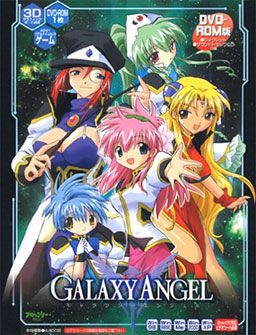
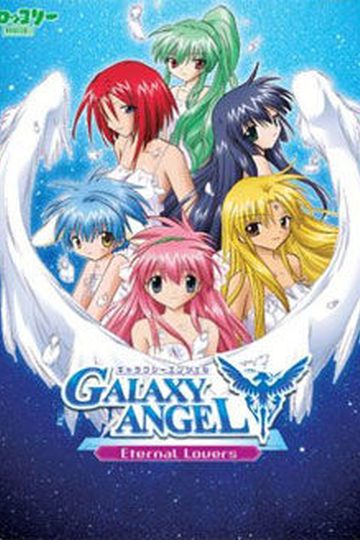
Galaxy Angel

Galaxy Angel

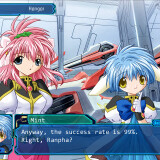
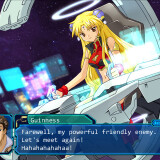
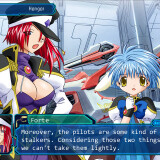
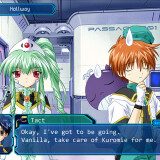
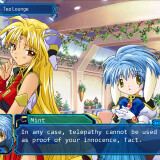
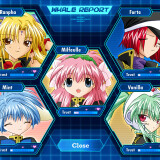
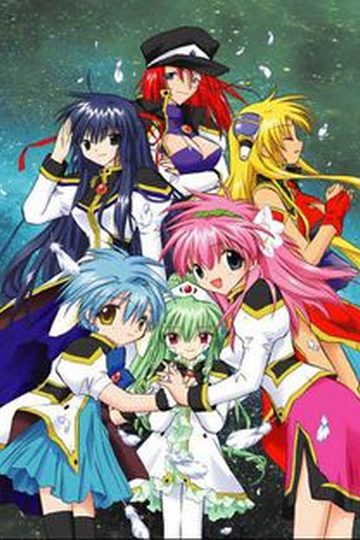
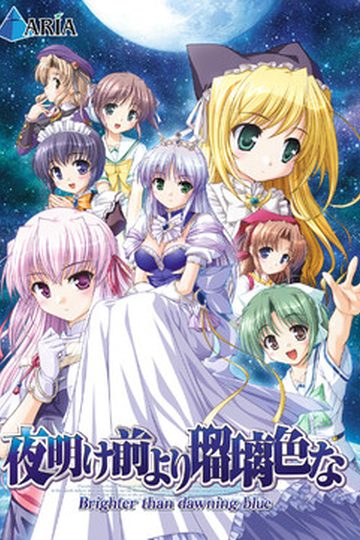
Galaxy Angels are from the “Special Guardian Division” and they work closely with the “Imperial Special Guards” and the “Satellite Defense Teams”. They are the guardians of the White Moon, the sacred planet of the Transbaal Empire, and the personal protectors of the White Moon Goddess Shatoyan. The story begins with Prince Eonia attempting a take over of the Transbaal Empire with the aid of the mysterious Black Moon, counterpart to the White Moon. To counter Prince Eonia, the Angel-tai along with their flagship the Elsior are placed in the hands of the kind and ever-capable Commander Takuto Meyers.

134 comments

TheKillerDonutReply
For some reason i cant get the english patch to work or when it does no sound and it doesnt play the game can anyone give me some help?
wisecrackReply
Ok, reading the comments there seems to be alot of hate with getting this game to work, low fps, etc. Is it or is it NOT worth the time to download and install on win 7?
TaufirecReply
Weird, before when i played this, i had no problems with it running fullscreen, but now after reinstalling it i have to play it in windowed mode for movies to play, but the fps drops because of it...oh well, still want to beat this game and start the sequel.
StormBladeReply
I think DA-Free Part 3 is broken or something.
All I know is that I cannot download it when I put in the captcha.

Someone please fix it. :D
StormBladeReply
Actually never mind, it was my bad connection.

Thank you though for the game. :P
JapanfreakReply
i managed to install it but i cant hear the voices and instead of the movies i get black screen
zeroneReply
please, I'm having trouble to install this. I'm installing disc one with daemon tools and applocale, and then some message shows up, I naturally think it's requesting the disc two, so I change the disc, but the installer keep requesting the disc. it's possible to install it with daemon tools or you have to burn the discs for it works? the weird thing is that when the installer requests a disc, it's saying something about disc 1(ONE), this happens at 24% of the installation. I can't figure what is written because I don't know japanese.
jjohnson1992Reply
i can get everything running just fine theres even subtitles during movies but there is just no text in game its just blank but only after i install the english patch
arz777Reply
I have windows 7 and have a problem with the disk 1.

in the installation the program display an error at the moment of change to disk 2, and then I have no other choice but to stop the installation of the game in the beginning

please help me
noobyReply
also after all file instaled put ( after u go through cd1 until cd 4) the last time put back cd 1
Helper_personReply
Since it would have helped me if someone had done this, I will write out all instructions.

First download all the parts, the english patch, and the movie subtitles.
Once downloaded extract the parts into 'Galaxy Angels' Folder and mount the first disc image with a program such as MagicDisc, press next etc etc.
When it gets to about 25% a thing will pop up asking for disk 2, unmount disk 1 and mount disc 2, repeat for disk 3 and 4, after it's completed mount disk 1 again.
For the english patch, install consolas font and then copy all of the .dat files from the folder into the BROCCOLI Dat folder and select 'copy and replace'. Do the same for the Iks2DGrp.dll.

You can unmount it and play it now!
thatoneawesomedudeReply
Hey for anyone on windows 8.1, and having the problem where video will not play on full screen. Go to the GA application right click go to properties and under the compatibility set it to Windows 7. This solved all the issues I was having for the game and I was able to run it full screen with the videos playing full screen. You will know immediately if this worked for you if the Broccoli screen displays when you first start the game.
thatoneawesomedudeReply
Sorry I ment to say videos will not display you can still hear the video, but you can't see anything.
DavidReply
I did that and the broccoli video showed up bu the the main screen would load incredibly slowly it's been five minutes and it still hasn't finished
DavidReply
I think I got it I ran the starter one with compatibility for windows 7 under resolution 1024 and full screen and it works so far
DavidReply
The fix seems to be temporary and I have to restart the game every time and I get an error message saying exception access violation
ZiibenReply
I find myself really enjoying this series. I really like all the characters (which is rare, usually there's at least one I can't stand) and the story's pretty good. I'm currently playing the third game. The romance is very innocent, which is the way I like it. There are no immature sex jokes or fanservice moments. It's just really heartfelt and cute.

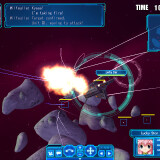
The space battles may take a little while to get the hang of, so here's some tips for beginners:

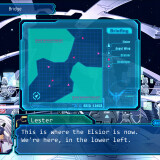
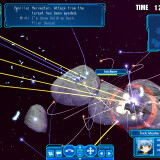
1. Always keep watching the Elsior (your mothership) on the radar and map. If it gets attacked by multiple enemies at once it won't hold out long, so make sure it's far away from the enemy hordes. A good idea is to move it to an empty corner in the beginning of the battle.
2. If enemy reinforcements appear out of nowhere and start attacking Elsior, order all Angels to come and attack those enemies, and order Elsior to move away. Never order Elsior to attack unless there's only one or two enemies attacking it.
3. It's generally not a good idea to send an individual Angel in one direction, because they'll be overpowered by numbers and won't have time to be repaired if they're too far from Vanilla (the healer). Always send all Angels to the same general direction. Sometimes they scatter around by default, so you have to order them instead of just watching them go kill themselves. The most effective way to wipe out enemies is to attack individual units in groups of 2 or 3.
4. When there are only a few enemy units left, order all to attack them at the same time to destroy them quickly. At this point you don't have to care even if your units are low on energy or HP.


That's all. Have fun. I sure did.

PS. Mint is the best girl. ^_^
ShirocptReply
anyone having trouble downloading the files? trying to dl the Movie files but the second part doesnt load
adminReply
Works fine for me, just checked.
YkaruzReply
I'm getting an error when I try to install the 1.10 Update. It shows an error message as soon as I execute it. Anyone knows what to do?
YkaruzReply
Alright, I just had to re-download it. But I still have another problem. After I begin a New Game it plays the intro video and the trailer, then it crashes. Any sugestions?
LoserReply
So I've been trying to play this game again after a few years but I can't seem to make it work on my new computer. I either have no movies (black screen with sound), or movies with subtitles but the fps for the entire game is absolute crap.
It was fine with my old computer, it had movies and played smoothly, any suggestions?
KB001Reply
Well, it took me a long while to get it all downloaded, installed and everything else, but it was worth the minor issues as I got it all working in the end.

I love this game already, I shall have to play the next two when I can.

Oh and I love all the Angels equally, I can't pick a favourite. :P
haggyReply
you need to copy CD1 and change the somethingsomething.txt in the directx folder on cd1 to お読みください.txt he's requesting that file from cd1 and can't find it because the name is not correct on your cd1
tankReply
anyone found a fix for the low frames rate?
SilvReply
I+would+like+to+play+the+game+but+it's+so+hard+to+install+it.+I+mounted+disc+1+and+2+but+it+won't+take+disc+2+at+all.+I+can't+even+read+the+instructions+bcos+they're+all+in+symbols+(I+don't+have+Japanese+in+my+laptop)

Please+help.
Visual Novel ReaderReply
Sorry first for my bad English cause i'm not a native speaker
This game is old but it is quite a good visual novel to play so to day i will make a full instruction for how to install Galaxy Angel

----Install the game----
- After axtract all files you downloaded, there are four iso files form CD1 to CD4 (but fear not :D)
- Use programs like: "DAEMON Tools" or "UltraISO" to mount those iso files above
(Personaly, I refer UltraISO more cause it easier to use)
1st: Mount CD1 and start install Galaxy Angel
Go here for more information:
http://games.seiha.org/viewtopic.php?f=3&t=48
2nd: When it ask for CD2, unmount CD1, then mount CD2, press Ok
(Repeat that step for CD3 and CD4)
3rd: After installation nearly complete, it will ask for CD1 again to complete the installation.
(it not a bug or anything just do as it say)
4th: Install Patch 1.1
DONE.

----Install English Patch----
1st: Movie sub
+ Extract 2 RAR files
+ Copy all of them into game directory\Dat
+ Overwrite all
2nd: English Patch
+ Extract RAR file
+ Copy all of them into game directory and overwite all
DONE.

----Can't see game text fix----
- I have a same problem like that and this is how i fixed it
- The cause is that you don't have the correct fonts the game need
(That is Consolas fonts)
- Download it form here
https://drive.google.com/open?id=0B_Wc_G05E52XREs3Q0ZDaEk3TXM
- Extract "Consolas.rar" and install all the fonts
(Just copy all the fonts to Wndows\Fonts would be the easiest way)
DONE.

GOOD LUCK WITH YOUR GAME!
YkaruzReply
Windows 10 user here (unfortunately). I tried everything, but I can't get the setup to run in JAP. I changed the locale, used a locale emulator, etc. I get the menu ok, and the first two windows, then it's just lots of simbols. I can keep going until it asks for Disk2, but it doesn't accept it when I click next.
YkaruzReply
Solved. I'd changed only the locale, but I had to change the "language for non-unicode programs" too.
johng2666Reply
did any one ever fix the text on the right side not showing properly? if so could you let me know how
supercommando!Reply
Will this game work on Windows 98SE or Millennium Edition? Or is the english patch only working on newer OS?
CVic MagpantayReply
Can anyone here give me a translation of the option of the game?
rednaksReply
need help pls i install the game but they have music and white screen help pls
CoppoloReply
it says incorrect function when I mount cd2.any tips?

Leave a comment